MCP GitHub Pera1
Connects to GitHub repositories, enabling natural language queries about code structure, dependencies, and development history.
Skills
Explore the skills and capabilities of this skillset.
MCP GitHub Pera1
X/Twitter 助手
X/Twitter 助手是一款 AI 驱动的推特助手和推文助手,帮助内容创作者将 AI 产品体验转化为病毒式推文。具备自动润色、智能研究与一键发布功能,是你的 X/营销助手利器,让推文更高互动、更易触达受众。
Github issues 助手
Github Issues 助手是一个 AI 智能体,用于简化 GitHub issues的管理。它可以直接在存储库中简化创建、跟踪和优先处理错误、任务或功能请求的过程。非常适合团队使用,确保一致的格式,自动化重复步骤,并与开发管道集成。
MCP GitHub Pera1

Product Feedback Analysis
Enhance your customer experience with the Product Feedback Analysis template. This powerful dashboard helps you manage and analyze customer reviews, track sentiment trends, and generate detailed feedback reports. Use the built-in feedback tracker and sentiment analysis dashboard to identify issues, measure product performance, and drive continuous product improvement through actionable insights. Perfect for teams focused on feedback management and review analysis.

赛事组织管理
此模板涵盖了参赛管理的报名、数据收集、邮件通知参赛者和管理团队、评审打分等各项流程,为参赛者和主办方提供全面的支持,帮助管理者高效地管理和服务于参赛者。

IMAP客户服务记录自动化
IMAP邮箱监听服务模板专为客服与销售团队量身定制,旨在自动化捕获并实时记录客户的邮件到客户服务记录。这一流程不仅提升了客户互动的追踪效率,而且确保了对客户反馈的零遗漏。此外,该模板还能详细记录每位客服对客户邮件的响应情况,并能够定期生成报告,为团队提供清晰的工作概览。

Design project pipeline
Streamline your creative projects with this Design Project Pipeline Template. Track task status, monitor project progress, assign jobs, and gain full project overview. Enhance team workflow in a collaborative workspace, maintain project organization, manage project updates, and ensure project visibility across all tasks for efficient and seamless project management.


自动发送工资单
通过Bika.ai的自动发薪系统和工资单生成器,企业可实现工资单自动生成与批量发送,每月AI自动生成发薪报告与人工成本分析,高效精准提升HR和财务管理效率。

Facebook帖子自动化
您可以使用此模板实现AI自动化Facebook帖子,从数据库中读取准备好的Facebook内容,并自动发布,以帮助您增加社交媒体的曝光率,并自动记录其公共URL以跟踪参与度。

Base Missions Summary Reminder Daily
Summary one's in a day and send a reminder daily
MCP GitHub Pera1

HR Team Project Tracker
Streamline HR project management with Bika.ai’s HR workflow template. Our HR automation tools help teams manage staff programs, task assignments, internal requests, and deadlines all in one place. Improve HR task management, reduce manual follow-ups, and keep every project on track with automated reminders and centralized dashboards.
RSS 新闻播报助手
提供一个或多个 RSS 订阅链接,即可生成 3–5 分钟可读的每日新闻摘要。智能体会读取来源、筛选重点,并以中立的新闻播报口吻呈现并附上来源链接。

OKR Tracking
Easily manage and track your company's Objectives and Key Results with our OKR Tracking template. Visualize progress through the OKR dashboard, monitor objective completion, align team goals, and generate automated OKR reports for quarterly reviews. Ideal for project management, team performance tracking, and improving organizational productivity.

Simple Applicant Tracker
Streamline your hiring workflow with the Simple Applicant Tracker — an adaptable applicant tracking template for HR teams. Effortlessly manage your recruitment pipeline, maintain a detailed candidate database, track interviews with an integrated interview tracker, and use the recruitment dashboard to oversee applicant management, planning, and HR workflows in Excel or Google Sheets.
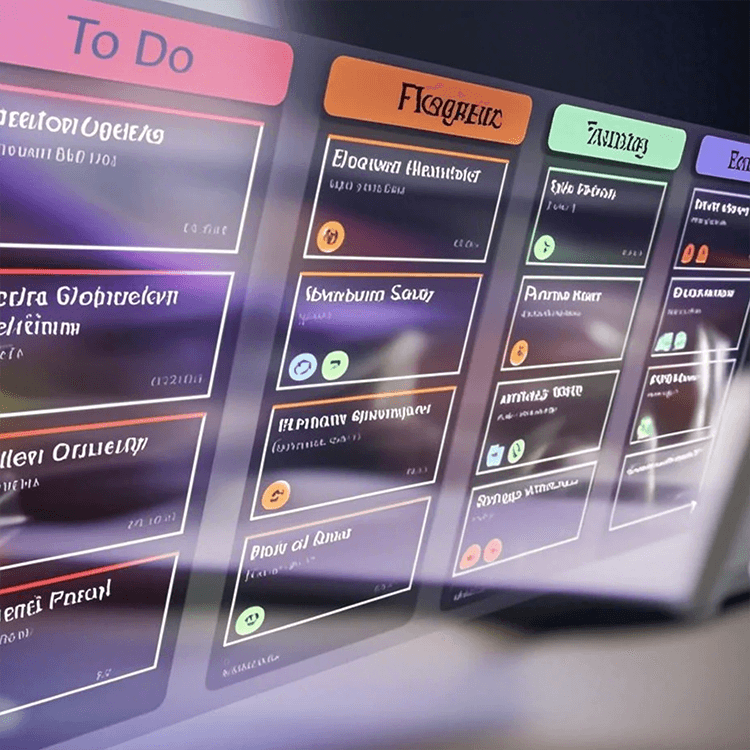
Scrum Sprint Task Management Automation
Streamline your Scrum sprints with this powerful automation template. Effortlessly track progress, manage sprint tasks, assign tasks, resolve issues, and send automated notifications. Keep your team aligned with real-time project updates, workflow tracking, and a comprehensive sprint dashboard for timely delivery of sprint goals.

HR Knowledge Base
The HR Knowledge Base template provides team members with a clear view of HR knowledge, processes, and data. Access detailed policies, procedures, employee orientation guides, and resource links easily. Track updates with HR dashboards, visualize insights, and ensure regulatory compliance while supporting efficient HR workflow, reporting, and continuous learning across your organization.

飞书群消息定时提醒|自动化通知与任务提醒解决方案
Bika.ai 飞书群消息定时提醒模板,帮助您自动化飞书群通知与提醒流程。支持文本、富文本、消息卡片等多种格式,实现定时推送任务进展、公告及待办提醒,提升团队协作效率与信息传达的专业度。


潜在客户管理:自动通知与AI驱动策略
当有新的客户通过表单提交相关资料时,通过预设的触发条件和自动化操作,智能执行与新线索管理相关的各项任务(包含AI自动提供跟进建议),帮助销售与客户服务团队高效获取线索、及时响应并推动后续跟进。