
Enhancing Team Efficiency with DingTalk Scheduled Notifications


In today's fast-paced business environment, teams are constantly seeking ways to enhance their efficiency and streamline communication. One tool that has emerged as a game-changer is DingTalk Scheduled Notifications. But before we delve into the details, let's ask a thought-provoking question: Can a simple notification system truly revolutionize the way teams operate?
Why Do Teams Need DingTalk Scheduled Notifications?
In the complex web of teamwork, timely and accurate communication is the lifeblood that keeps everything flowing smoothly. However, manual notifications often lead to missed deadlines, overlooked updates, and confusion among team members. This is where DingTalk Scheduled Notifications come into play.
They provide a systematic approach to ensuring that important information reaches the right people at the right time. Whether it's daily standup reminders, project milestone updates, or critical alerts, these scheduled notifications eliminate the guesswork and human error associated with manual communication.
bika.ai's DingTalk Scheduled Notifications Template: Solving Problems Efficiently and for Free
bika.ai offers a remarkable solution with its DingTalk Scheduled Notifications template. Not only is it available at no cost, but it also simplifies the entire process of sending regular notifications.
This template is pre-configured with customizable options, allowing teams to tailor the notifications to their specific needs. It integrates seamlessly with DingTalk groups, ensuring that the messages reach the intended audience without any hiccups.
The guided setup process on the Bika.ai platform makes it accessible even to those who are not tech-savvy. Users can follow simple steps to configure the notifications and start reaping the benefits almost immediately.
Key Features of This Template
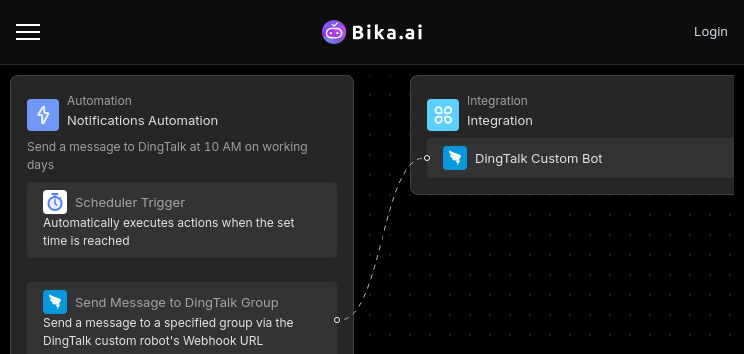
The DingTalk Scheduled Notifications template comes with a host of key features that set it apart.
First and foremost, it supports scheduled tasks, enabling teams to send messages at specific times every day. This ensures consistency and predictability in communication.
It also offers a variety of message types, including text, link, Markdown, ActionCard, and FeedCard. This flexibility allows teams to convey information in the most effective and engaging way possible.
The template's customization options are another standout feature. Users can personalize the content of the notifications to match the tone and requirements of their team and project.
How to Get Started with the Template

Getting started with the DingTalk Scheduled Notifications template is a breeze.
First, install the template into your BIKA space. Then, complete the initialization task by following the clear instructions provided.
During the setup, you'll need to fill in the DingTalk custom bot webhook address. Don't worry; detailed documentation and guidance are available to assist you through this step.
After completing the configuration, send a test message to ensure everything is working as expected. Once confirmed, you're all set to leverage the power of scheduled notifications.
Wide Application: Audience and Use Cases
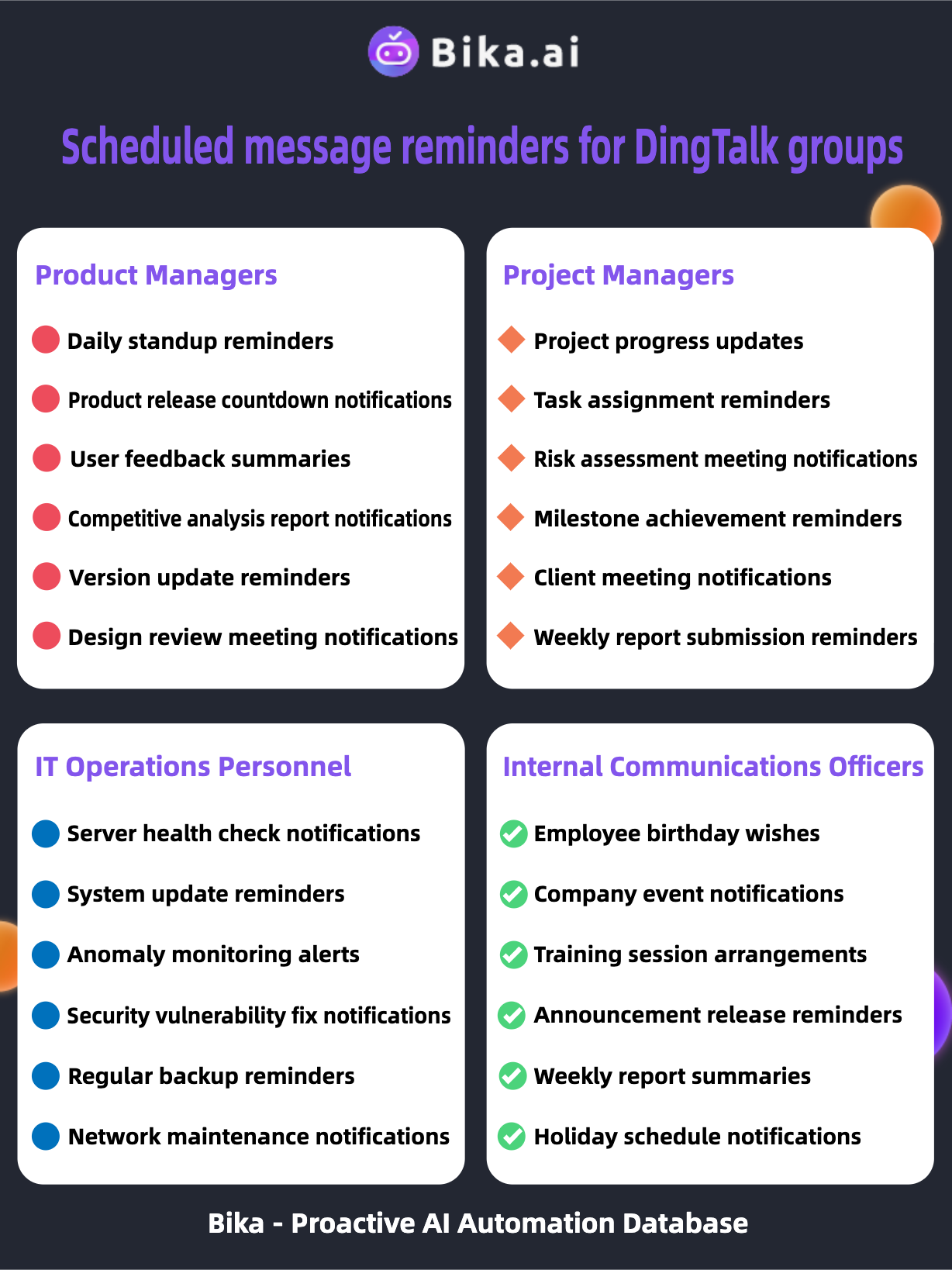
The DingTalk Scheduled Notifications template has a wide range of applications and is suitable for various audiences and scenarios.
Product Managers can use it to send product release countdown notifications and update reminders to keep the team on the same page.
Project Managers can rely on it for task assignment reminders and project progress updates to keep the project moving forward smoothly.
IT Operations Personnel can benefit from server health check notifications and system update reminders to ensure the stability of the infrastructure.
Internal Communications Officers can utilize it for company event notifications and announcement release reminders to keep everyone informed.
bika.ai Has More Automated Templates to Help You
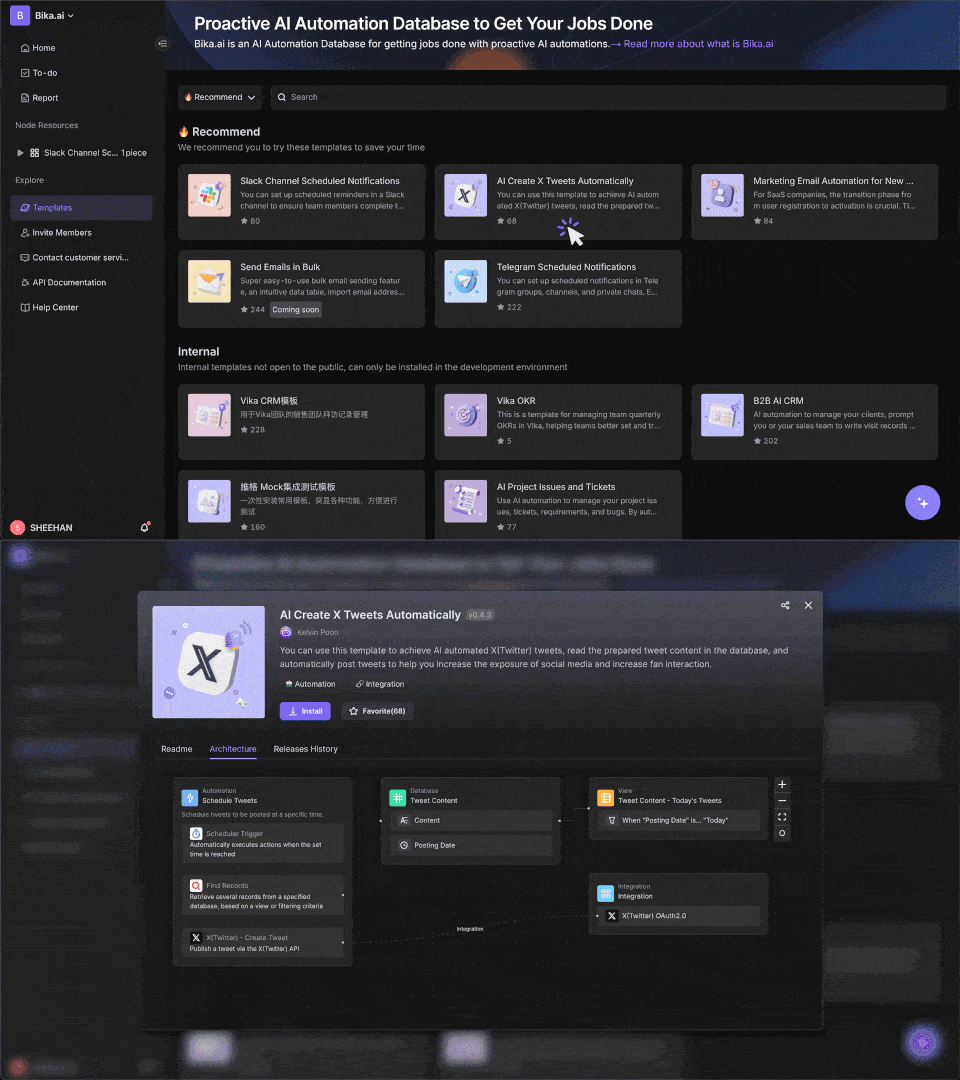
bika.ai doesn't stop at just the DingTalk Scheduled Notifications template. It offers a plethora of other automated templates to address various teamwork and productivity challenges.
From intelligent task management to data visualization and report generation, bika.ai has you covered.
Conclusion
In conclusion, the DingTalk Scheduled Notifications template is a powerful tool that can significantly enhance team efficiency and communication. By automating the process of sending notifications, it saves time, reduces errors, and ensures that teams stay informed and coordinated.
Don't let your team fall behind in the race for productivity. Embrace this innovative solution and take your teamwork to the next level.
Recommend Reading
- How to Automate Your Business With AI Workflows (Real Examples)
- 9 Key Benefits of AI Workflow Automation That Drive Real Results
- What Is Sales Automation & Why You Need It (2026 Guide)
- What is a Marketing Automation Platform: How to Choose the Right One
- Marketing AI Workflow: 7 Steps to Automate Your Success
Recommend AI Automation Templates


Coming soon