The Smart Ticket Triage Agent: How to Sort Support Issues with Zero Touch


It's Monday morning. Your support inbox has 500 unread emails. Your best engineers are already stressed, not because the bugs are hard, but because they have to wade through 40 "forgot password" requests to find the one critical server outage.
This is what I call "Triage Fatigue".
Specifically, most support teams spend 30-40% of their time just reading and routing tickets, not actually solving them. They open an email, scan it, tag it as "Billing," assign it to Sarah, and repeat this process hundreds of times a day.
Consequently, response times suffer. Critical issues sit buried under a pile of routine questions. Your team burns out doing data entry instead of problem-solving.
But what if you didn't need a human to do this?
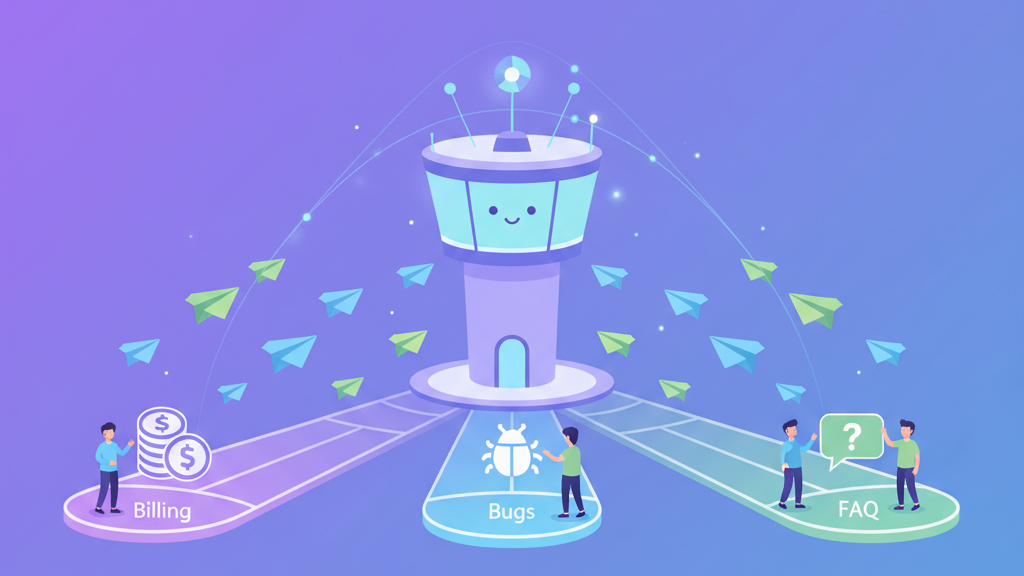
What if you could build an AI Agent that acts as your "Air Traffic Controller"? Ideally, it would read every incoming ticket, understand the intent instantly, and route it to the right specialist before a human even logs in.
This isn't science fiction. With Bika.ai, you can build a Smart Triage Agent today.
Why Manual Triage is a Silent Killer
Let's break down why the old way is failing you.
First, it's slow. A ticket might sit in the "General Inbox" for 4 hours before anyone realizes it's an urgent bug affecting all users. By then, the damage is done.
Second, it's inconsistent. Bob might tag a login issue as "Bug," while Alice tags the same issue as "User Error." As a result, your analytics are messy, and you can't tell what's actually driving ticket volume.
Third, it wastes talent. Your support reps are empathetic problem solvers. Instead of using those skills, you are forcing them to be mail sorters.
Build Your "Support Traffic Controller" with Bika
You don't need to buy an expensive enterprise helpdesk add-on to fix this. On the contrary, you can build a custom Triage Agent on Bika.ai to sit in front of your inbox and filter the noise.

Here is how you can configure it to work:
Step 1: The Listener (Input)
Typically, you set up a trigger. When a new email arrives at support@yourcompany.com (or a form submission lands in your system), the Agent wakes up.
Crucially, it intercepts the message immediately. Therefore, the clock starts ticking on the solution, not the sorting.
Step 2: The Analyst (Intent Detection)
This is where the intelligence comes in. The Agent reads the subject line and the body text. Unlike simple keyword filters (which fail if a customer doesn't use the exact word "refund"), the Agent understands intent.
For example, it can distinguish between:
- "I can't login, it says error 500" -> Intent: Tech Support / Critical
- "Where can I find my invoice for March?" -> Intent: Billing / Routine
- "Do you integrate with Slack?" -> Intent: Sales / Inquiry
Simultaneously, it analyzes sentiment. If a customer sounds angry or frustrated, the Agent flags the ticket as High Priority.
Step 3: The Router (Assignment)
Finally, the Agent takes action based on its analysis. You can configure specific rules for each scenario:
- Urgent Bugs: Send a Slack alert directly to the Engineering channel.
- Billing Questions: Auto-assign the ticket to the Finance Queue (or Sarah).
- Basic FAQs: Draft an auto-reply with the relevant Help Center article link (saved as a draft for human review).
Ultimately, when your team logs in, their queues are already organized. The engineers see bugs. The finance team sees invoices. The chaos is gone.
The Result: Faster Resolution, Happier Team
By automating triage, you unlock significant gains:
- Speed: Urgent issues are flagged instantly, leading to faster resolution times for critical problems.
- Focus: Reps open their queue and only see tickets relevant to their skill set. Thus, they stay in the flow state.
- Data Quality: Because the AI applies tags consistently, you get clean analytics on what customers are asking about.
Conclusion
Stop wasting human brainpower on sorting mail. Every minute spent tagging a ticket is a minute not spent solving it.
By building a Smart Triage Agent on Bika, you ensure that the right ticket gets to the right person, instantly.
Zero-touch triage is here.
Build your Support Traffic Controller today at Bika.ai.

Recommend Reading
Recommend AI Automation Templates