Onboard & Engage: New User Welcome Automation

Onboard & Engage: New User Welcome Automation

author
Bika.ai
date
1 min read

Streamline your new user onboarding with this automated welcome email sequence. Send personalized welcome emails, schedule follow-ups after 4 days, and ensure unsubscribed users are excluded. Perfect for SaaS businesses, marketing teams, and customer success teams looking to improve engagement, retention, and early product adoption through automated email sequence automation, follow-up email automation, and welcome email campaigns.
Onboard & Engage: New User Welcome Automation
Streamline your new user onboarding with this automated welcome email sequence. Send personalized welcome emails, schedule follow-ups after 4 days, and ensure unsubscribed users are excluded. Perfect for SaaS businesses, marketing teams, and customer success teams looking to improve engagement, retention, and early product adoption through automated email sequence automation, follow-up email automation, and welcome email campaigns.

Overview

💡 Onboard & Engage: New User Welcome Automation

Kickstart user engagement with an automated welcome series that creates a positive first impression and fosters connection from the moment users sign up. This template is perfect for welcoming new users, inviting their feedback, and sustaining engagement—all without manual follow-up emails.

👉 How the Template Works

  • Registered Users: A list of users eligible to receive onboarding emails, updated upon each sign-up. You can also use the API to automatically sync user data from your platform into this datasheet.
  • New User Welcome Email Automation: A series starting with a welcome email, followed by a feedback request after 4 days for continued engagement.
  • Unsubscribe Form: Allows users to opt-out from emails if desired, respecting their communication preferences.
  • Unsubscribed Email Users: Tracks users who unsubscribe, ensuring they don’t receive future campaign emails.
  • Email Unsubscribe Automation: An automated process that manages unsubscribed users, preventing them from being included in future campaigns.

🔖 Tip: Please replace the unsubscribe link in your emails with the share link to the “Unsubscribe Form” you’ve created.

🎯 Steps to Use

  1. Install the Template to Your Space: Start by installing the template into your Bika.ai space.
  2. Configure Email Settings in New User Welcome Email Automation: Set up your email’s SMTP, recipients, subject, and content. Feel free to use Markdown or HTML to style your emails.
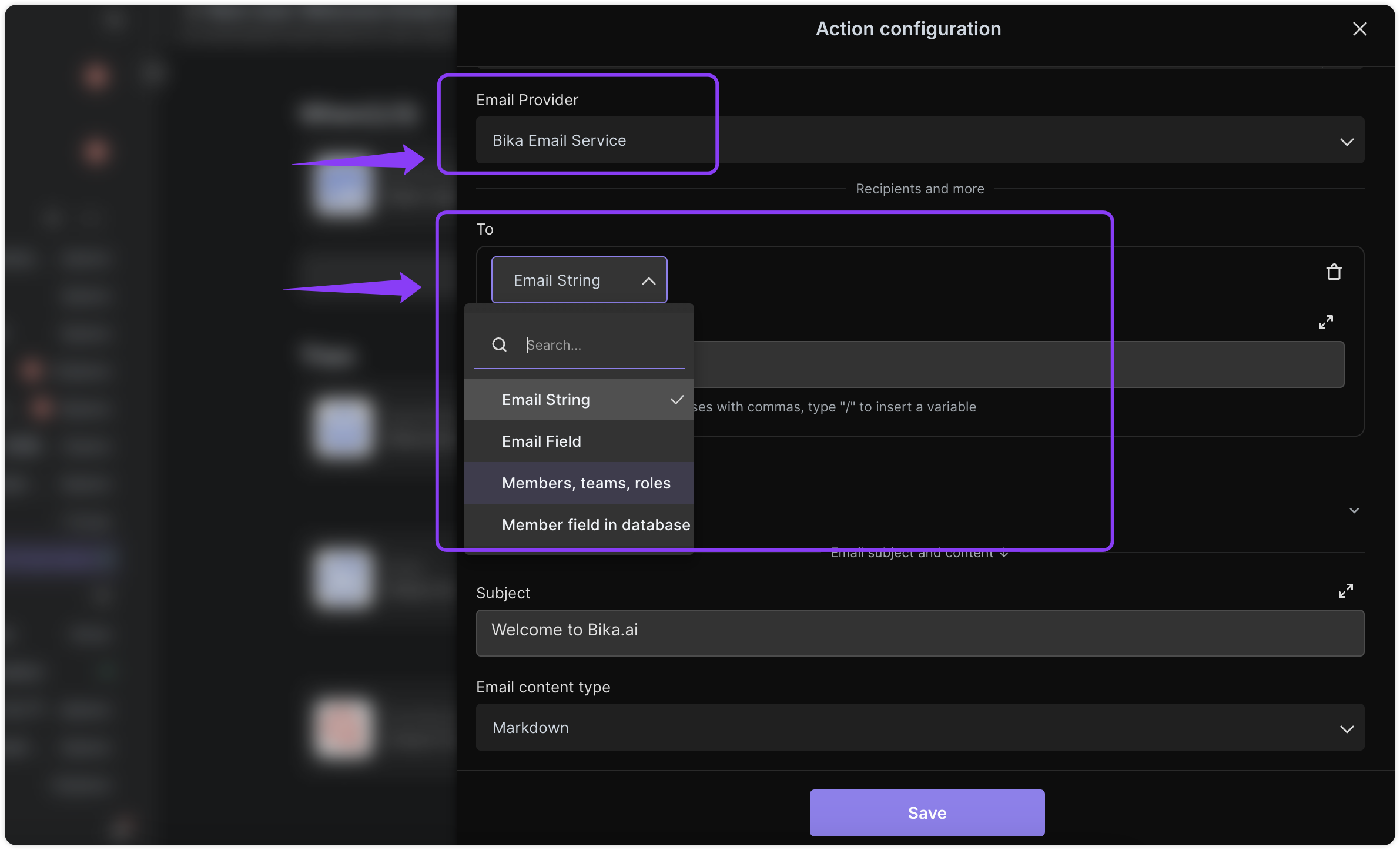
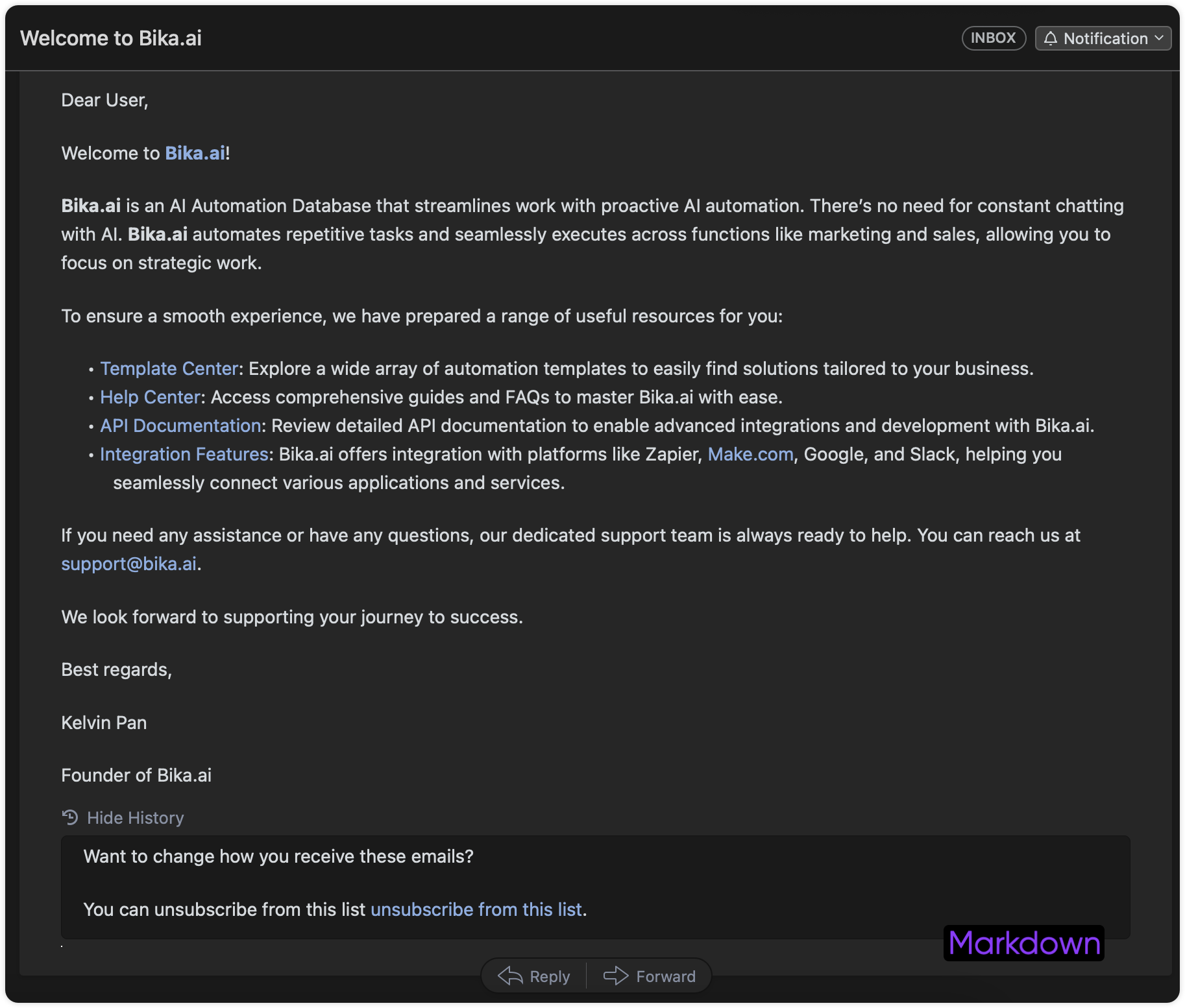
Configuring an automated email in Bika.ai, including settings for SMTP, recipients, and subject. An example of the final automated welcome email as it appears in a user's inbox.

Final Results

  1. Add the Unsubscribe Form Link: Make sure to include the link to your “Unsubscribe Form” in your emails and enable Email Unsubscribe Automation.
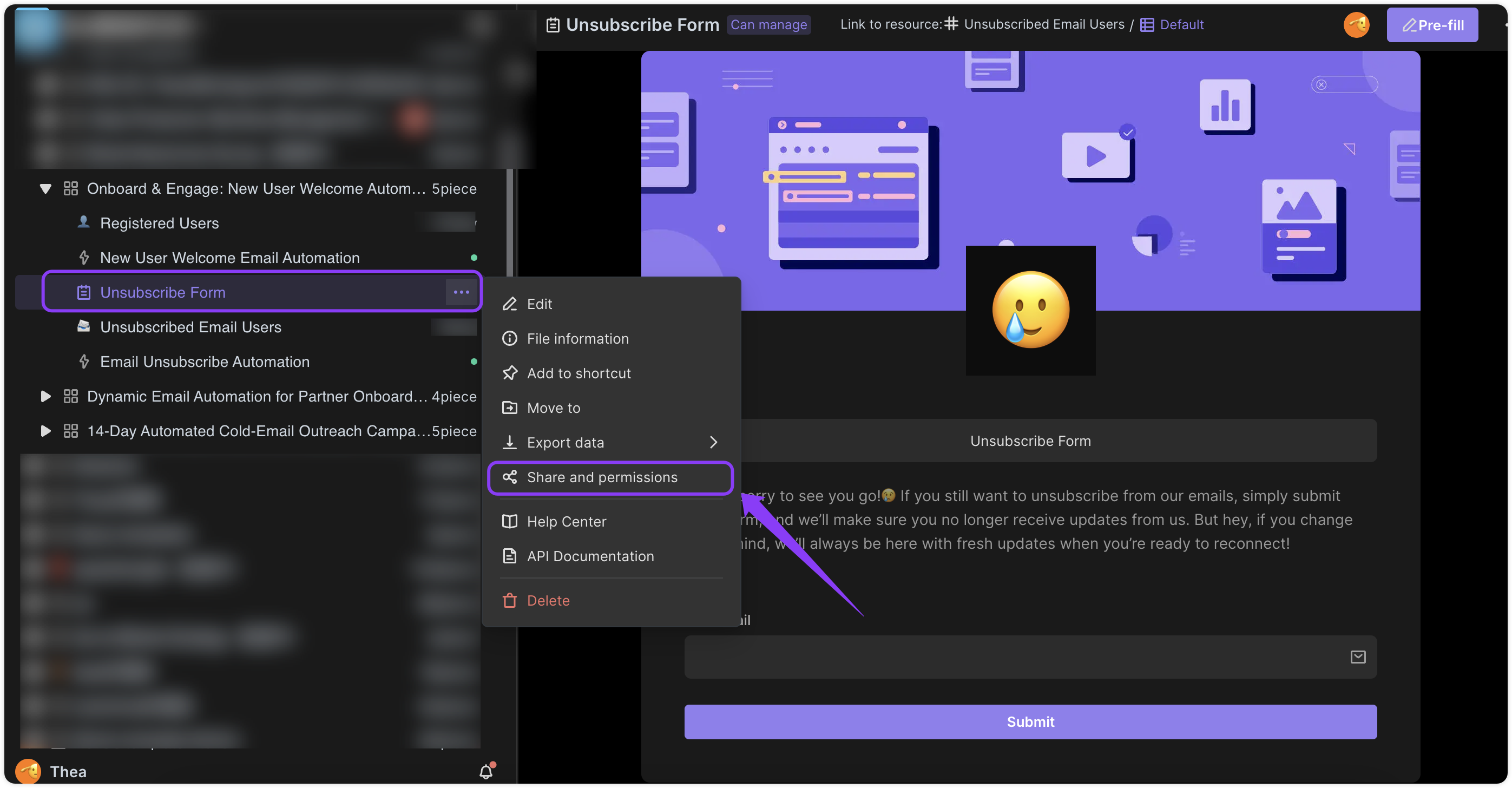
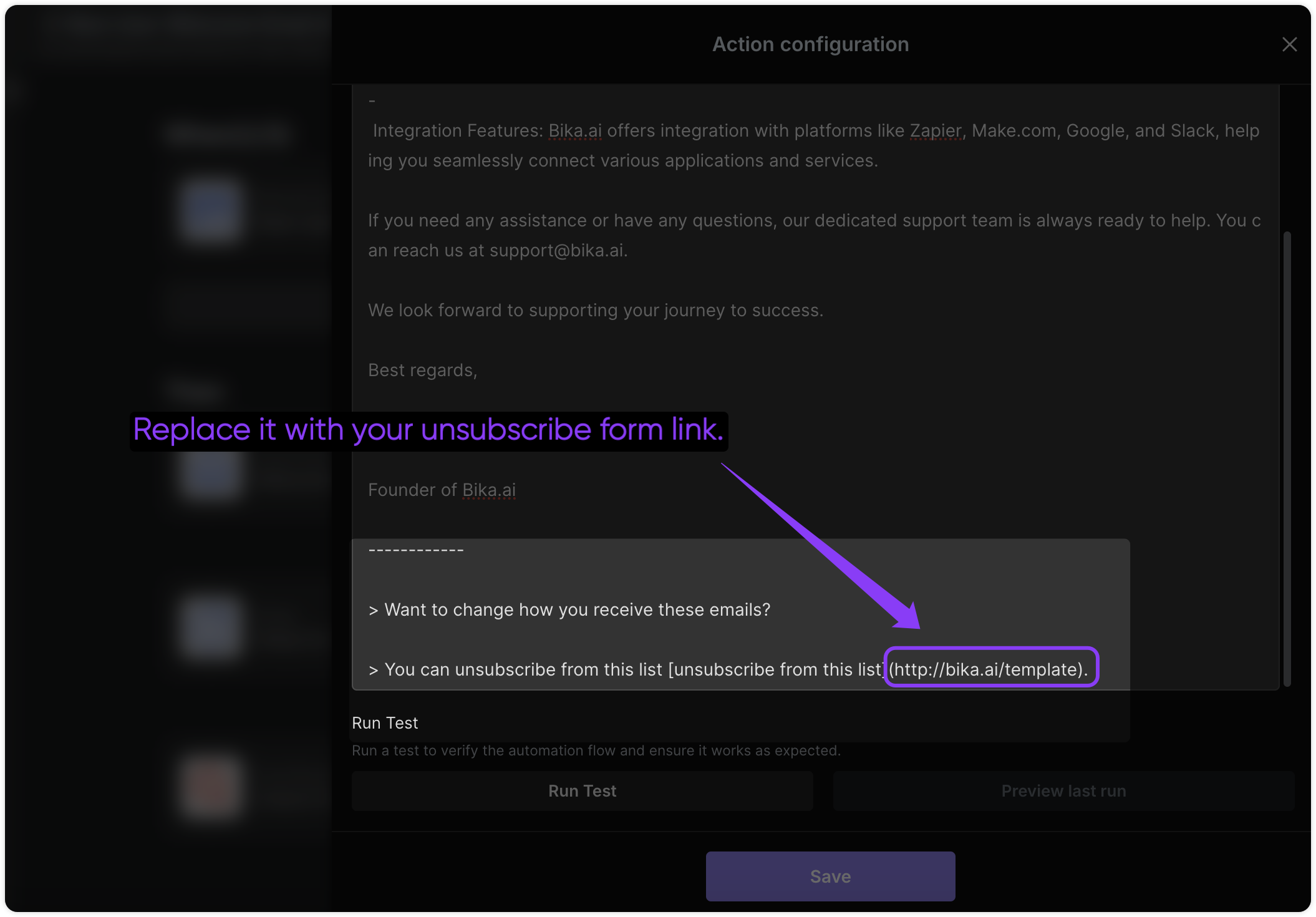
Adding an unsubscribe link to the email content within the Bika.ai editor.

The configuration for the email unsubscribe automation in Bika.ai, showing the trigger and action setup.

  1. Set Up Follow-up Email: Adjust the delay for the second email, which will request feedback after 4 days. Customize the content of this email, and repeat this process to send more emails to users who wish to remain subscribed.
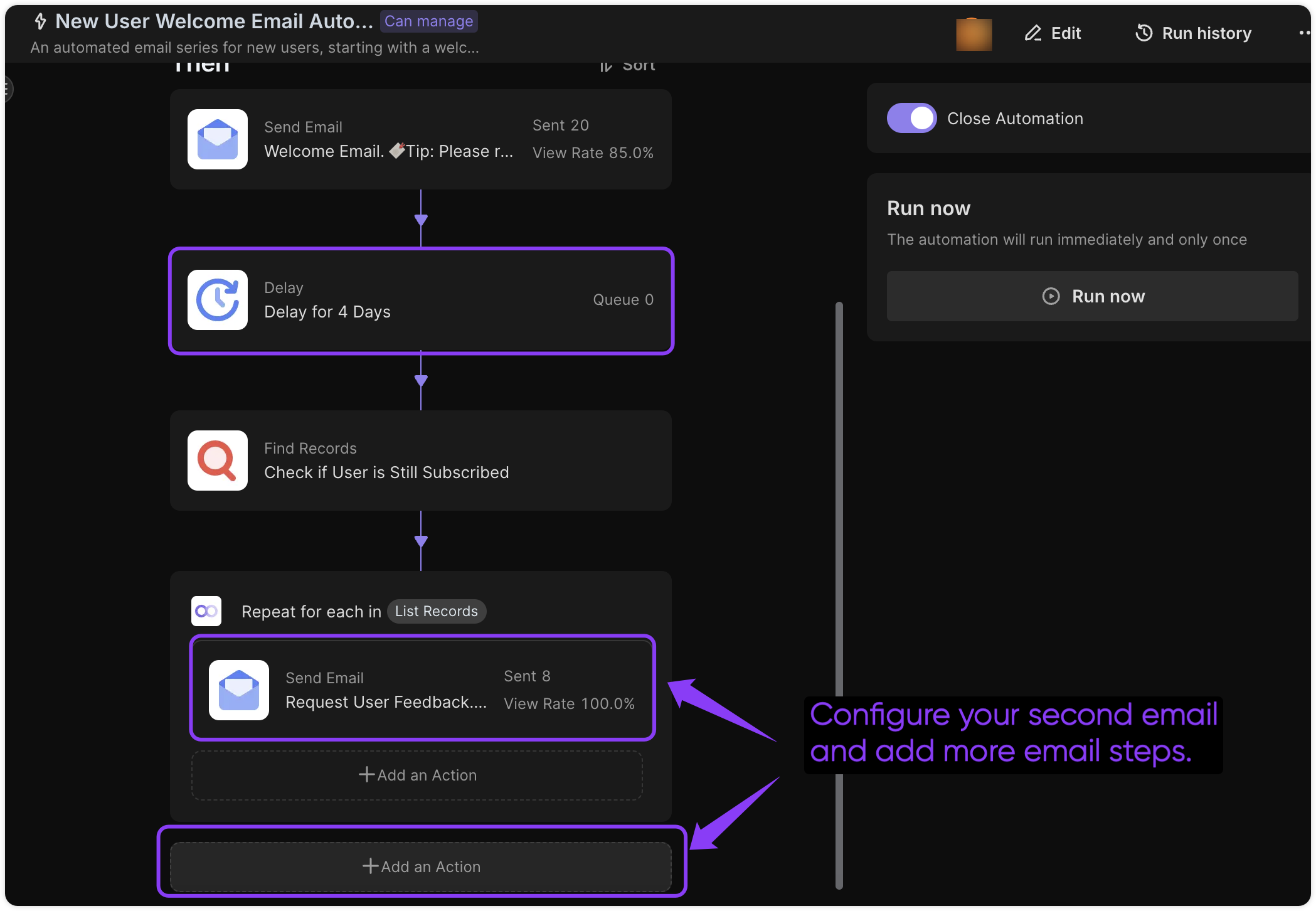
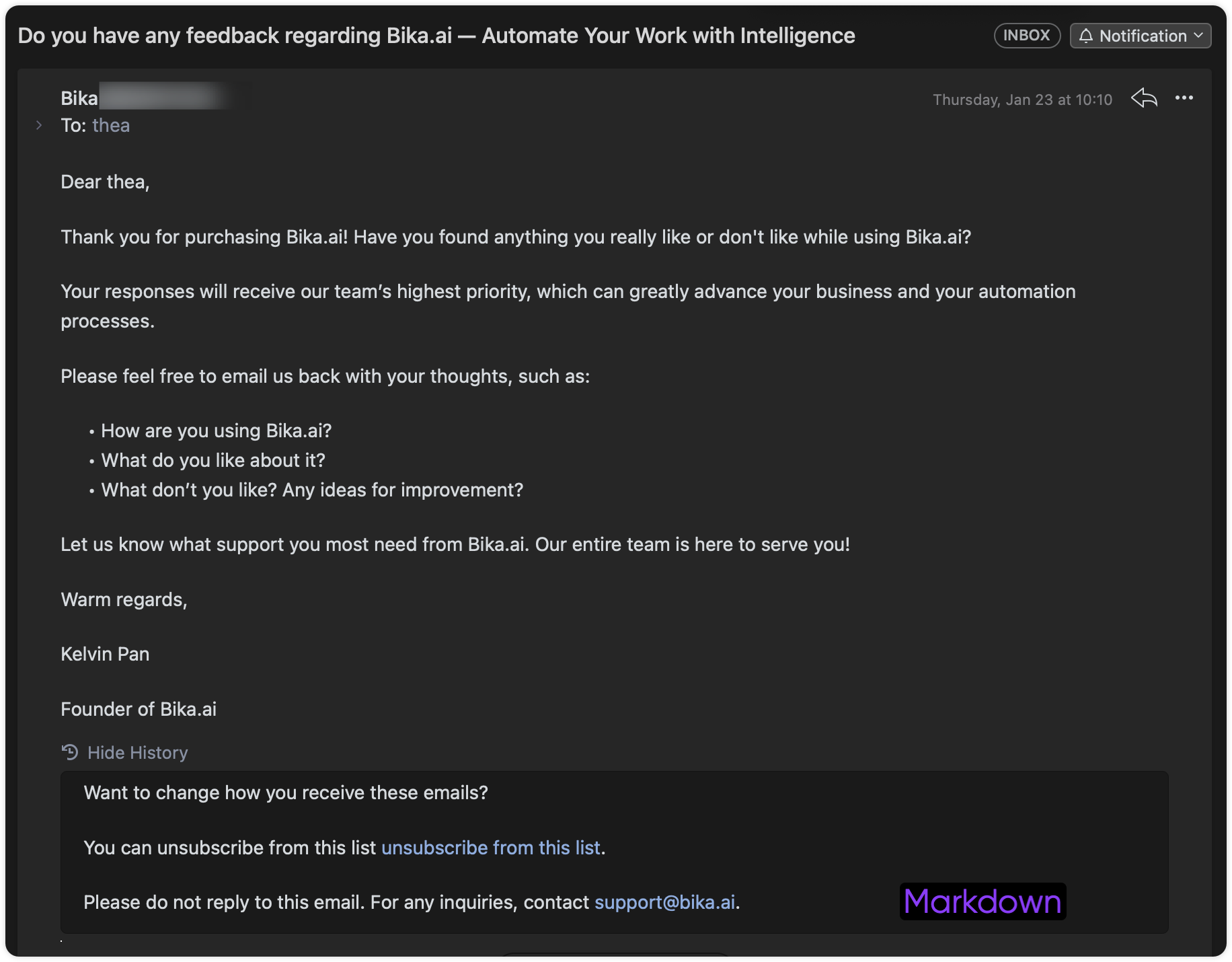
Setting a 4-day delay in the Bika.ai automation workflow for a follow-up email. An example of the final automated follow-up email asking for user feedback.

Final Results

  1. Activate the Automation and Add New Users: Turn on the New User Welcome Email Automation, and add new users to the Registered Users list (you can integrate this with your platform to automatically add new users to the list). Your users will receive automated emails based on the timing you’ve set.
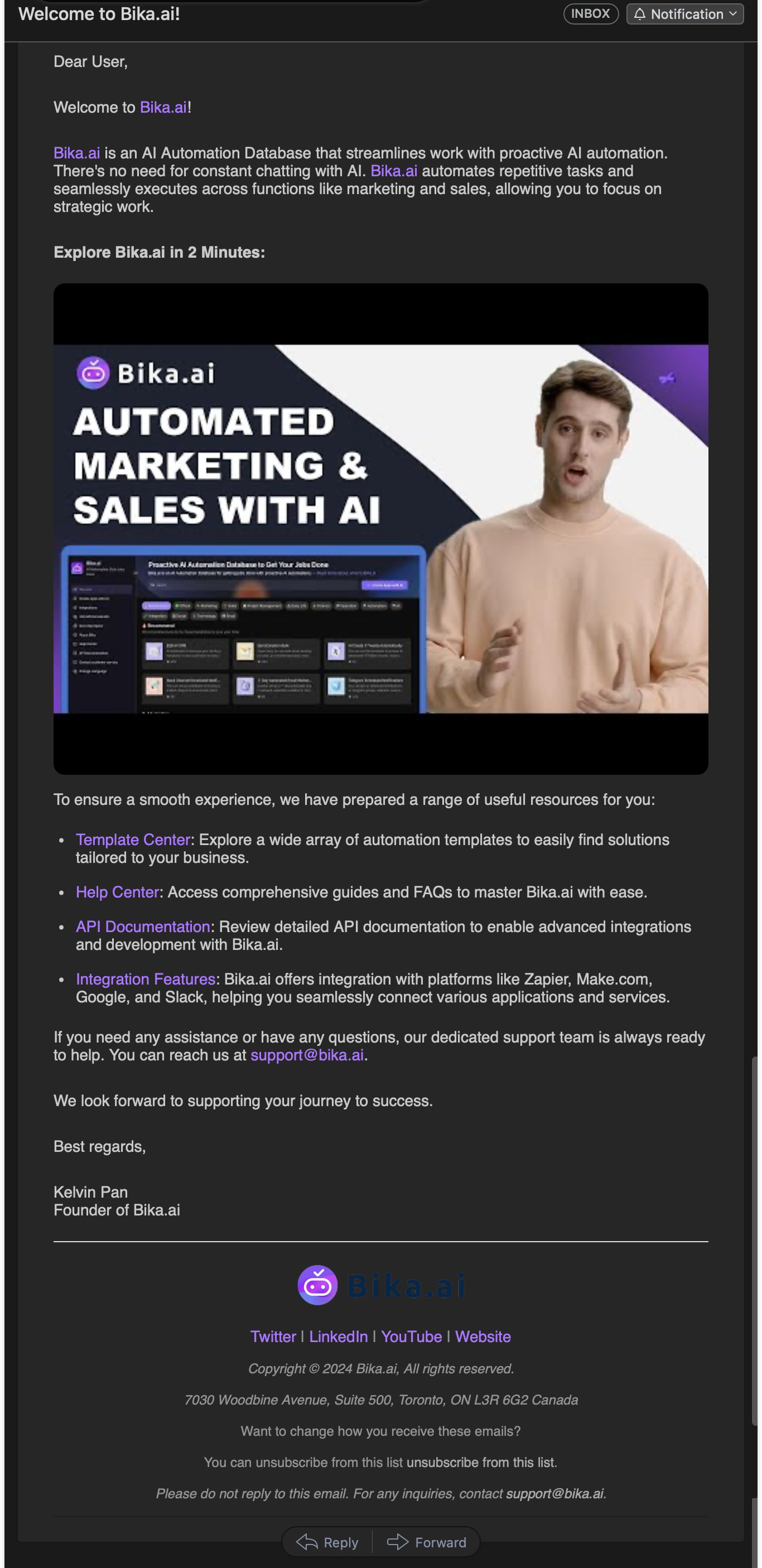
The final result of a welcome email styled with HTML, sent via the Bika.ai automation.

Final Results HTML

🔖 Tip: Don’t forget to replace the unsubscribe link in your emails with the share link to your “Unsubscribe Form.”

👉 Suitable Users

This template is ideal for:

  • Marketing and Product teams looking to automate the new user onboarding process.
  • SaaS businesses that want to engage users early on without manual intervention.
  • Companies that need structured feedback from new users to improve their product and user experience.

🔧 FAQ

  1. Can I customize the email content and timing of the follow-up? Yes, you can fully customize the content of both the welcome and follow-up emails, as well as adjust the follow-up delay to match your engagement strategy.
  2. How does the unsubscribe process work? Users can use the “Unsubscribe Form” to opt out, which will automatically add them to the “Unsubscribed Email Users” list and prevent future email engagement.
  3. Can I track user responses to each email? Yes, Bika’s analytics will provide data on sending volume, open rates, and unsubscribes, helping you measure the impact of each stage in the onboarding series.

🔖 Tip: Please replace the unsubscribe link in your emails with the share link to the “Unsubscribe Form” you’ve created.

Onboard & Engage: New User Welcome Automation
Streamline your new user onboarding with this automated welcome email sequence. Send personalized welcome emails, schedule follow-ups after 4 days, and ensure unsubscribed users are excluded. Perfect for SaaS businesses, marketing teams, and customer success teams looking to improve engagement, retention, and early product adoption through automated email sequence automation, follow-up email automation, and welcome email campaigns.
call to action

Recommend Reading

Recommend AI Automation Templates
Information Query (Student Grades)
Easily retrieve student grades and exam results with Bika.ai's Information Query template. Submit queries via the intuitive Query Form, track Query Records, and access Score Information or Academic Scores instantly. Receive real-time Query Results through automated email notifications and feedback automation. Perfect for students, parents, homeroom teachers, and teaching assistants, this system streamlines student feedback, ensures accurate result verification, and enhances academic information management.
E-commerce Supplier Order Collaboration
Streamline your cross-border e-commerce operations with this E-commerce Supplier Order Collaboration template. Automate task assignment, track production progress, manage custom orders, and receive automated notifications for seamless order automation and efficient supplier collaboration from order receipt to delivery.
AI Automated Task Management
Helps teams efficiently manage weekly tasks. Through a series of automation tools, including task summaries, progress reminders, and personal summary reports, team members can promptly obtain task information and progress, thereby improving collaboration efficiency and work transparency. By using these automation features, teams can maintain efficient operations and ensure that each member has a clear understanding and sense of responsibility for their tasks.
AI Batch Image Recognition(OpenAI gpt-4o)
Extract text from multiple images at once with Bika.ai's AI Batch Image Recognition. Supports OpenAI gpt-4o, batch processing, and automated image recognition for fast, accurate results.
Ticket Manager
Collect, analyze, and manage support tickets from forms and databases with AI. This smart ticketing tool helps operations teams prioritize issues, manage internal feedback, and automate issue resolution for faster, more efficient responses.
Email Reminder
Email Reminder
Automate your team's notifications with Email Reminder. Send recurring emails, automated alerts, and event reminders at scheduled times to ensure timely communication and keep everyone aligned. Perfect for task management, workflow tracking, and improving team productivity with minimal manual effort.