


Risk Assessment and Response
Risk Assessment and Response
v1.0.14
pengjin
Manage corporate risks efficiently with the Risk Assessment and Response template. Document project risks, track risk insights, prioritize risks, and assign responsible parties. Utilize risk dashboards, automated alerts, and contingency plans to ensure timely risk response and effective corporate risk management.
📋 Project Management
Included Resources
Risk Assessment
Risk Alert Automation
Workflow Graph
Workflow Graph
Workflow of Risk Assessment and Response
Release notes
Release notes
Release notes of Risk Assessment and Response
💡 Risk Assessment and Response
This template helps corporate leadership teams identify and document known risks within various departments, and develop corresponding mitigation and contingency plans. When risks occur, the system will automatically send email reports to the relevant responsible parties, ensuring prompt response and effective risk management.
🎯How the template works
-
Full View: This view provides an overview of risks, their impact, likelihood, responsible parties, and mitigation strategies for efficient management.
-
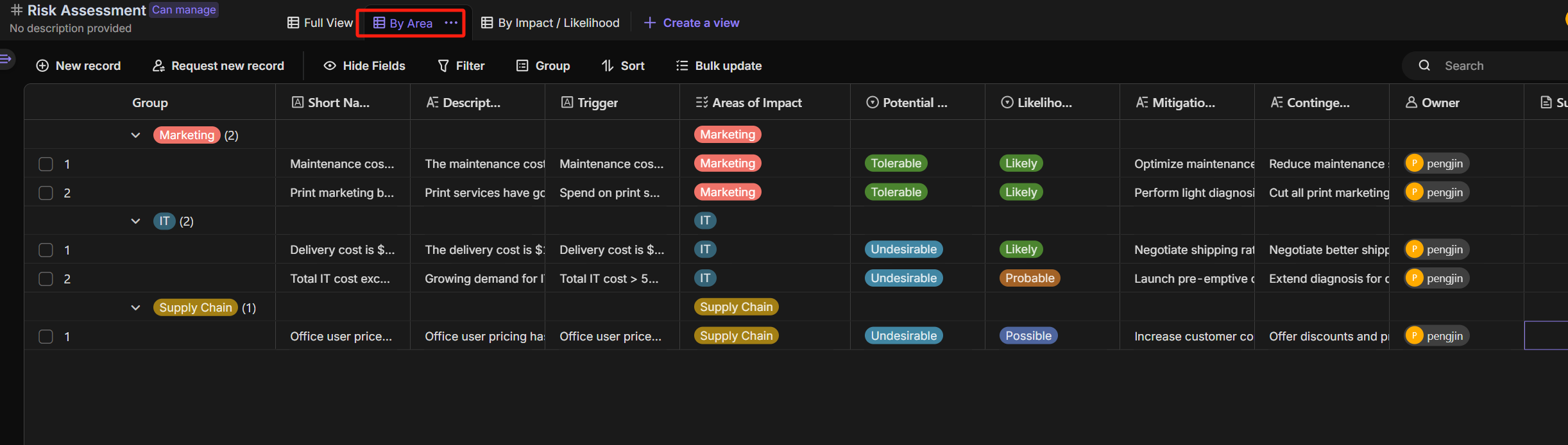
By Area: Risks are categorized by department, enabling detailed analysis. Each area’s specific risks are addressed, ensuring tailored risk management for each department.
-
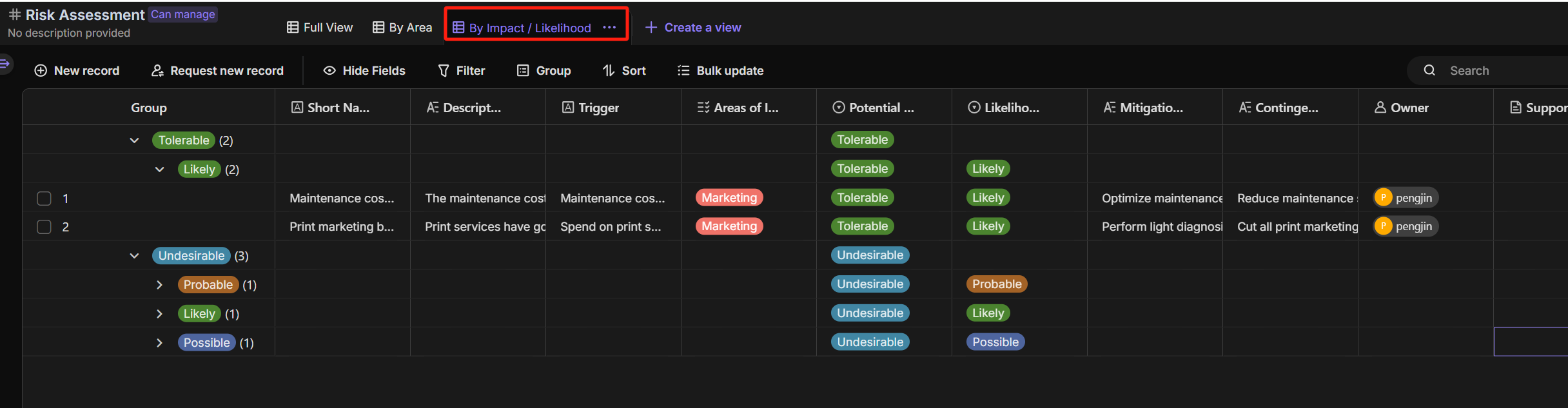
By Impact / Likelihood: Risks are ranked by impact and likelihood, helping prioritize critical risks and allocate resources efficiently for mitigation.
-
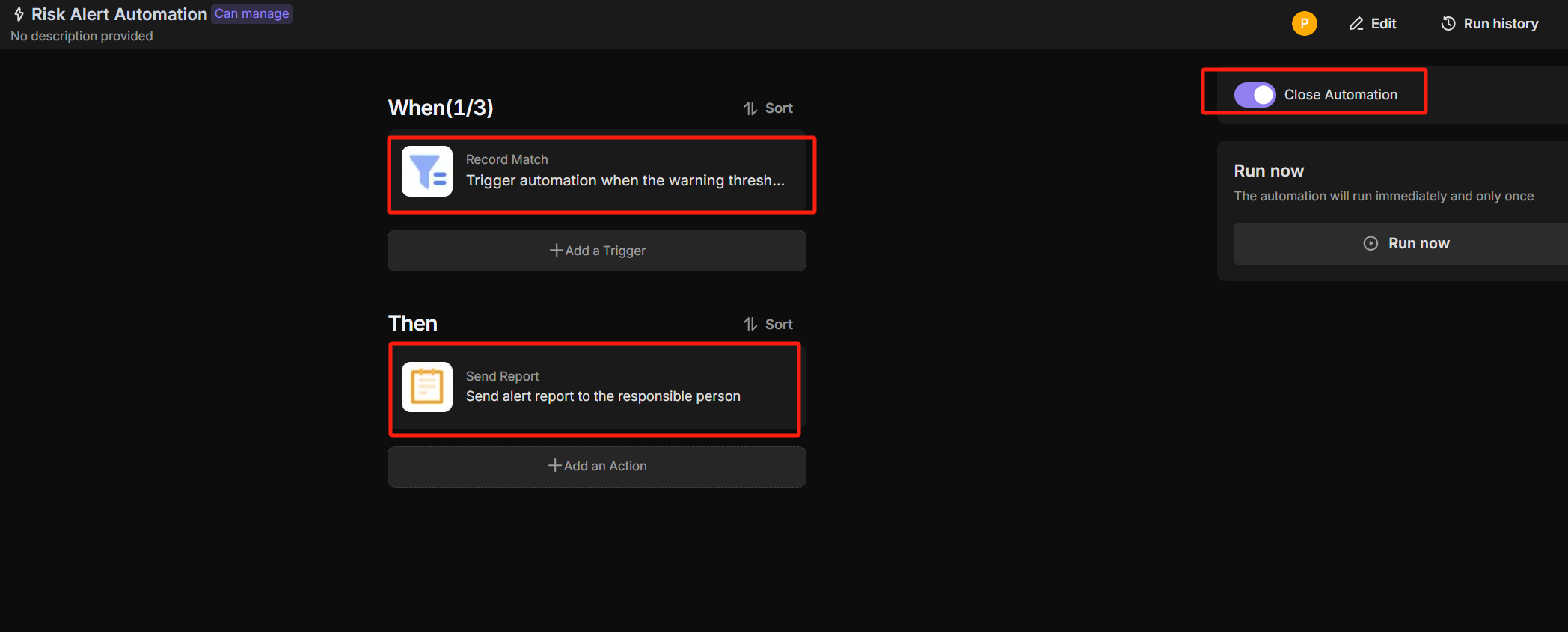
Automation: When the relevant task records reach the preset risk threshold, the system will automatically trigger the alert mechanism and promptly send a risk report via email to the responsible party to ensure quick response and resolution.
🎯 Steps to Use
-
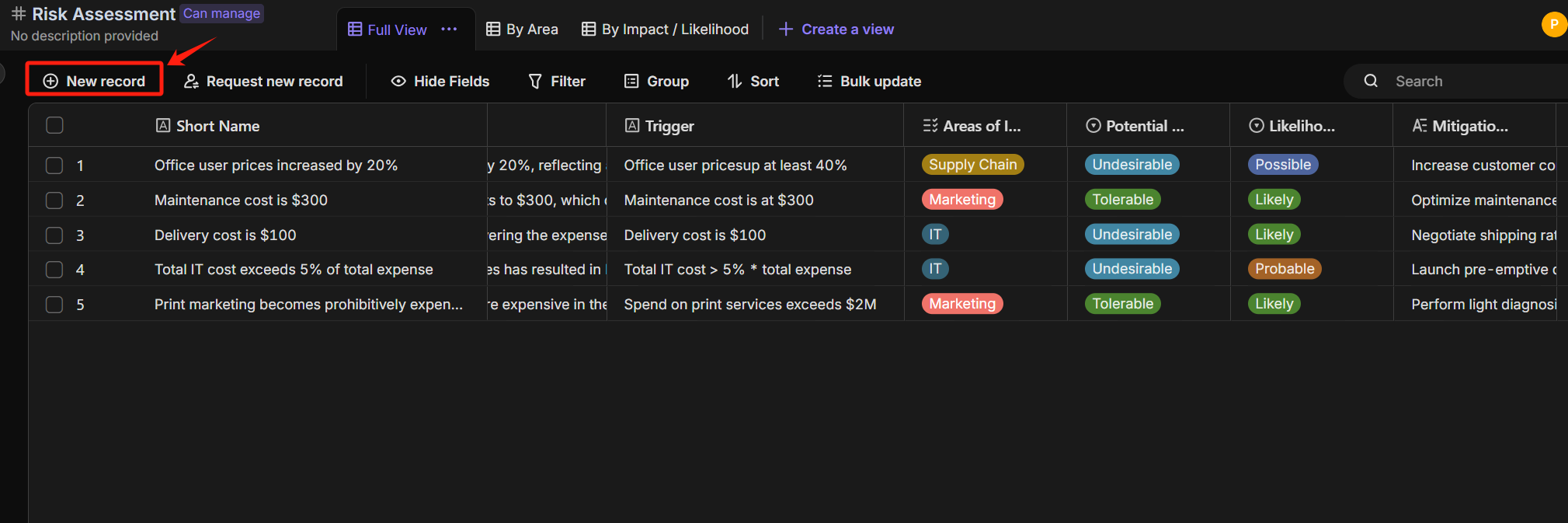
In the Full View of the Risk Assessment table, click the "New Record" button to add a new alert record.
-
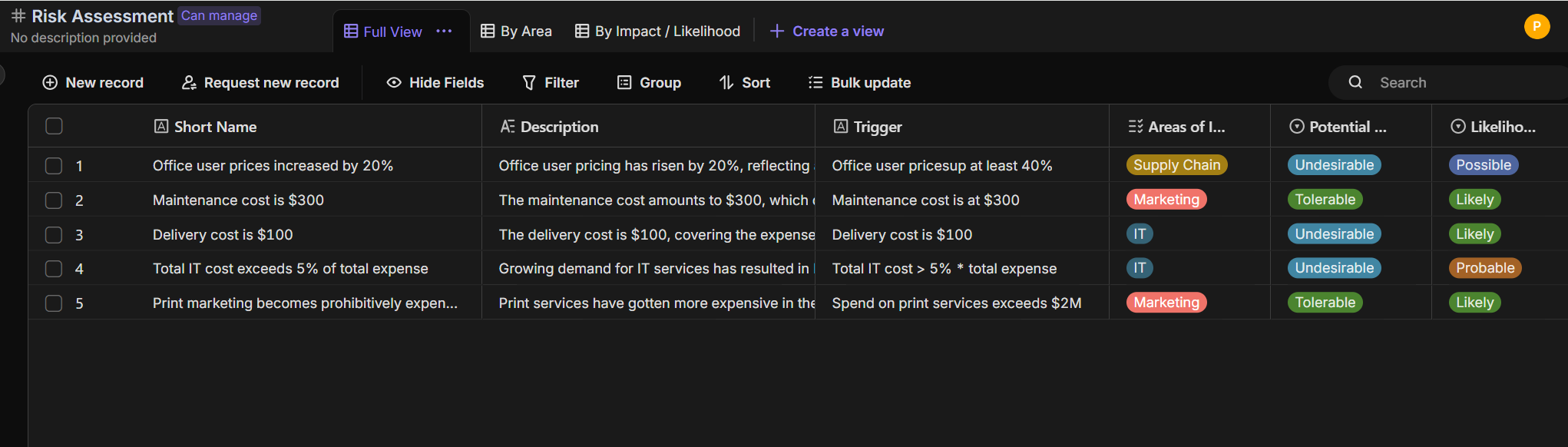
The newly added alert records will be automatically displayed in the Full View, making it easy to view and manage in real-time.
-
You can view risks from different perspectives in the "Areas of Impact" and "Potential Impact" views, allowing for a more comprehensive analysis and management of potential risks across each domain.
-
When a record exceeds the warning threshold, the system will automatically send an email report to the relevant person in charge.
👉 Who is it for?
Corporate leadership teams, risk management teams, finance departments, IT departments, project managers, and strategic planning teams.
⭐ Key Features of This Template
- Risk Management and Contingency Plans
- Risk Analysis and Management Views
- Automated Warning Mechanism
FAQ
1. How is the risk priority determined in the views?
The priority is calculated based on two key fields: "Potential Impact" and "Likelihood." The dashboard automatically categorizes risks into high, medium, or low priority by crossing these metrics, allowing you to focus on high-impact/high-probability events first.
2. Can I customize the "Risk Threshold" that triggers an email?
Yes. Go to the Automation tab and select the alert workflow. You can modify the filter conditions (e.g., set the trigger to only fire when "Impact" is "Critical" or "Likelihood" is "Very High") to ensure notifications align with your company's risk tolerance.
3. How do I assign different responsible parties to specific departments?
In the Full View, use the "Responsible Party" column to select members for each risk. When the automation triggers, the system uses this field to dynamically route the risk report email to the specific person assigned to that task.