


Automated Currency Data Retrieval (JavaScript)
Automated Currency Data Retrieval (JavaScript)
v1.0.4
pengjin
The Automated Currency Data Retrieval (JavaScript) template runs daily jobs to fetch exchange rates and write them into a table, giving you clean, structured historical exchange rate data without manual copy‑paste. Use it for financial data automation that feeds dashboards, alerts, and automated financial reporting, so finance teams, forex traders, accountants, and analysts always have up‑to‑date FX data. Over time, the template becomes a lightweight risk management tool by helping you monitor currency movements, spot trends, and support better investment and hedging decisions.
📊 Finance & Operations
📜 Script
Included Resources
Currency Automation
Exchange Rate Data
Workflow Graph
Workflow Graph
Workflow of Automated Currency Data Retrieval (JavaScript)
Release notes
Release notes
Release notes of Automated Currency Data Retrieval (JavaScript)
Automated Currency Data Retrieval (JavaScript)
This template helps you automatically retrieve the specified exchange rate information every day and store it in the database. It allows users to easily track and analyze exchange rate fluctuations, saving time and human resources, thereby improving the efficiency of investment decision-making.
🎯How the template works
- Currency Automation: Automatically executes the exchange rate fetching task at 10:00 AM every day, And automatically send the exchange rate information report daily.
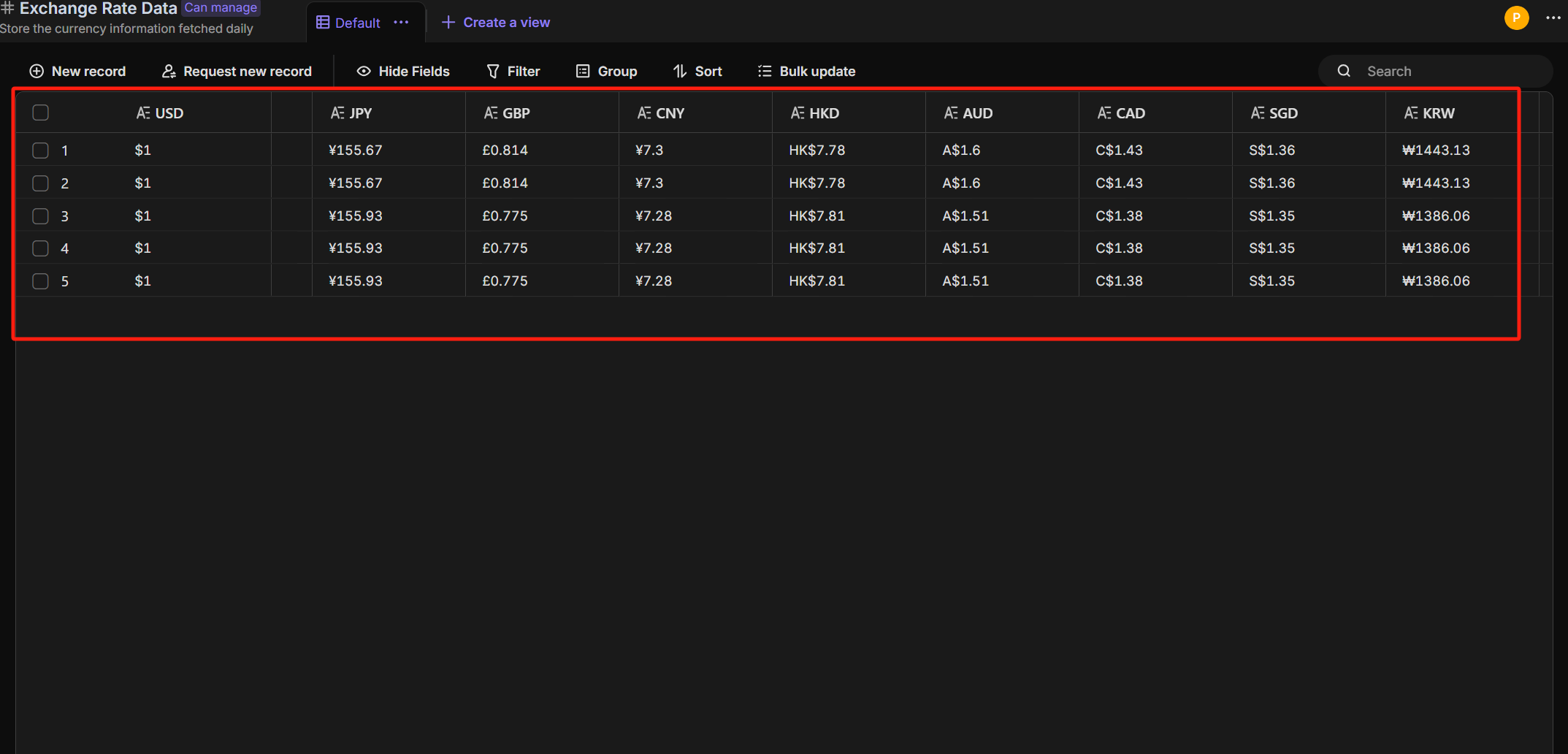
- Exchange Rate Data: The retrieved exchange rate data will be displayed in the "Exchange Rate Data" table.
🎯 Steps to Use
- Currency Automation: automatically performs the exchange rate fetching task at 10:00 AM every day.
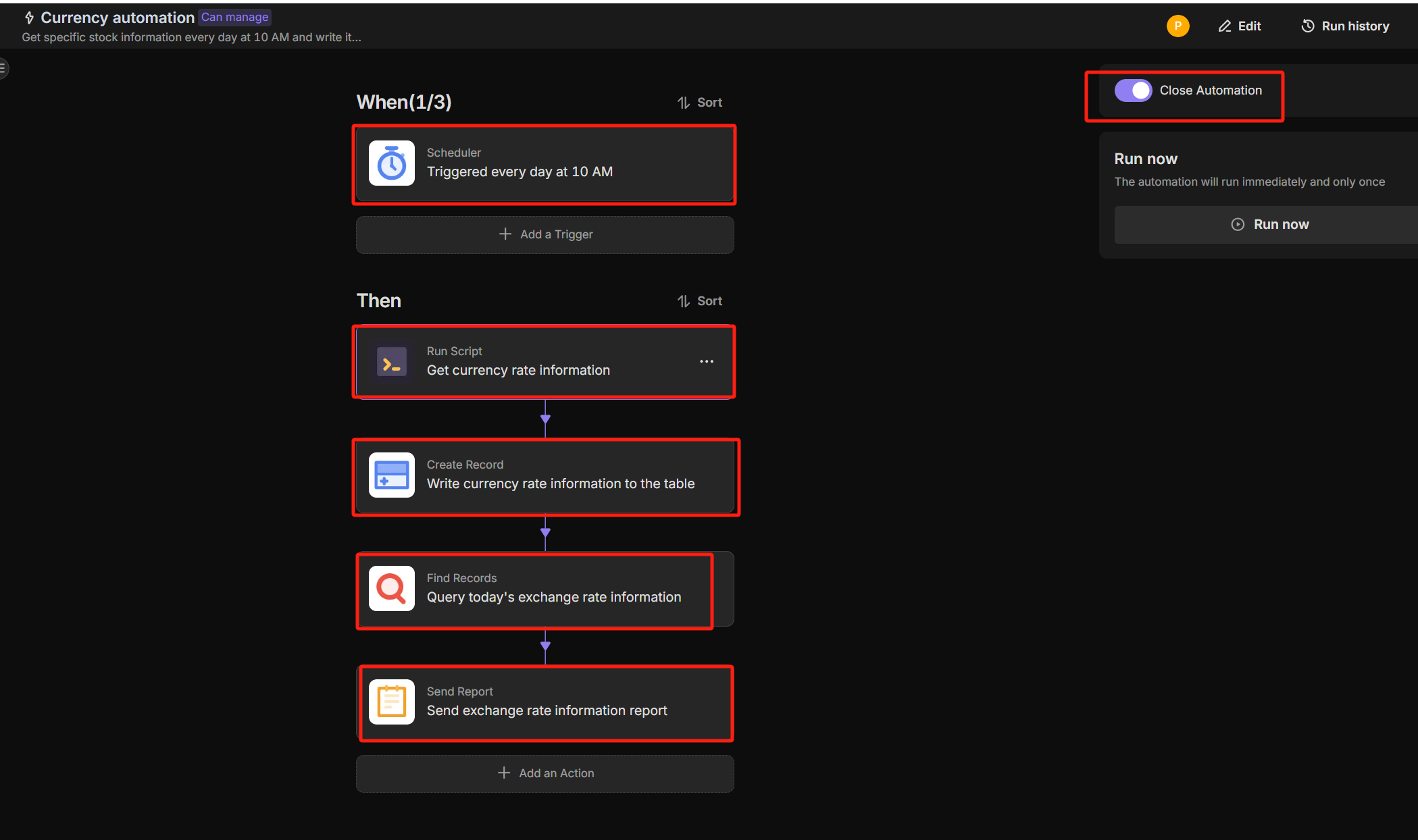
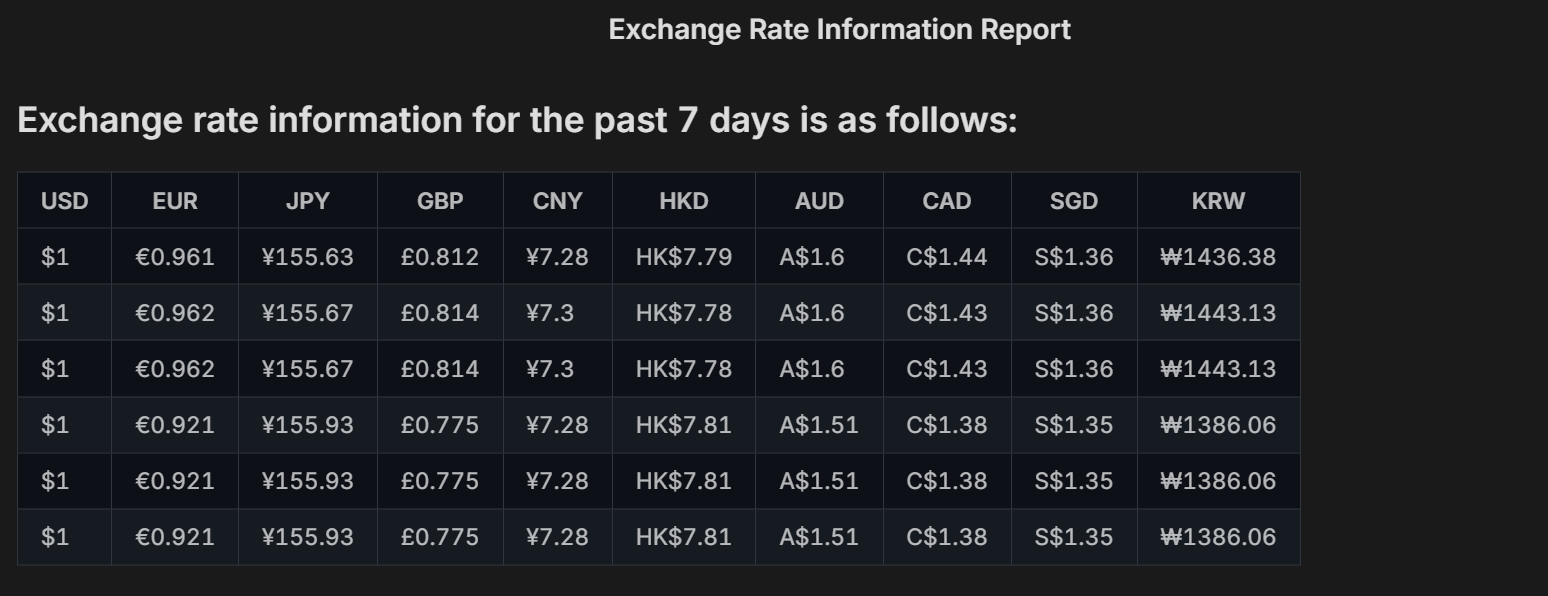
- Exchange Rate Data: The retrieved exchange rate information will be displayed in the "Exchange Rate Data" table.
👉 Suitable Users
Finance personnel, Forex traders, Accountants, Risk management personnel
⭐ Key Features of This Template
- Scheduled automatic retrieval of exchange rates
- Data storage functionality
- Investment support
FAQ
1. Do I need an external API Key for this to work?
Yes. The JavaScript code in this template likely queries a currency exchange data provider (such as ExchangeRate-API, Open Exchange Rates, or Fixer.io). You will need to:
- Register for a free API key from a provider.
- Open the Automation tab and click on the JavaScript step.
- Replace the placeholder text (e.g.,
'YOUR_API_KEY') with your actual key.
2. Can I track specific currency pairs (e.g., USD to JPY)?
Yes. You can customize the currencies by editing the script. Look for the section in the code defining the base_currency (e.g., 'USD') and the target_currencies (e.g., ['EUR', 'GBP', 'CNY']). Simply change these codes to the specific currencies you wish to monitor.
3. Do I need to know how to code in JavaScript?
Not necessarily. The template comes with a pre-written script. You only need to perform simple text replacements (like pasting your API key or changing "EUR" to "JPY"). You do not need to write complex logic from scratch.
4. Can I change the update frequency?
The template is set to run daily at 10:00 AM by default. You can change this by clicking the "Scheduled Trigger" node in the automation workflow and selecting a different time or frequency (e.g., every hour or weekly) to suit your trading needs.