


Sales Contract Automation Management
Sales Contract Automation Management
v1.0.4
zhanpeiwei
Optimize your finance workflow with the Sales Contract Automation Management template. Track expiring contracts, manage outstanding payments, automate billing information, monitor customer transactions, and receive payment reminders. Ensure timely payment collection, accurate invoice tracking, and streamlined accounts receivable processes with automated reporting and notifications.
📋 Project Management
💼 Sales
🤖 Automation
Included Resources
Summary of pending payment amount this week
Please follow up on the expiring contract in a timely manner~
Customer Information
Sales Contracts
Accounts Receivable Plan
Billing Information
Workflow Graph
Workflow Graph
Workflow of Sales Contract Automation Management
Release notes
Release notes
Release notes of Sales Contract Automation Management
💡 Sales Contract Automation Management
This template provides you with a centralized platform by integrating key aspects of payment management, allowing the finance team to monitor the payment status of cooperative customers in real time, thereby accelerating fund return and optimizing cash flow management.
👉 How the Template Works
This template includes the following key sections to support the daily operations of the finance team:
- Automation:
- Automatically summarize contracts that are about to expire within 30 days every Monday
- Automatically summarize the amount of outstanding payments for the week every Monday
- Customer Information: Records basic information of cooperative customers, including contact information and historical transaction data.
- Sales Contracts: Manage the details of all sales contracts, including contract terms, amounts, and payment terms.
- Accounts Receivable Plan: Plan and track the schedule of accounts receivable to ensure timely collection.
- Billing Information: Record detailed information about invoicing, including invoice number, amount, and invoicing date.
🎯 Steps to Use
-
Installation template: Install this template in your space.
-
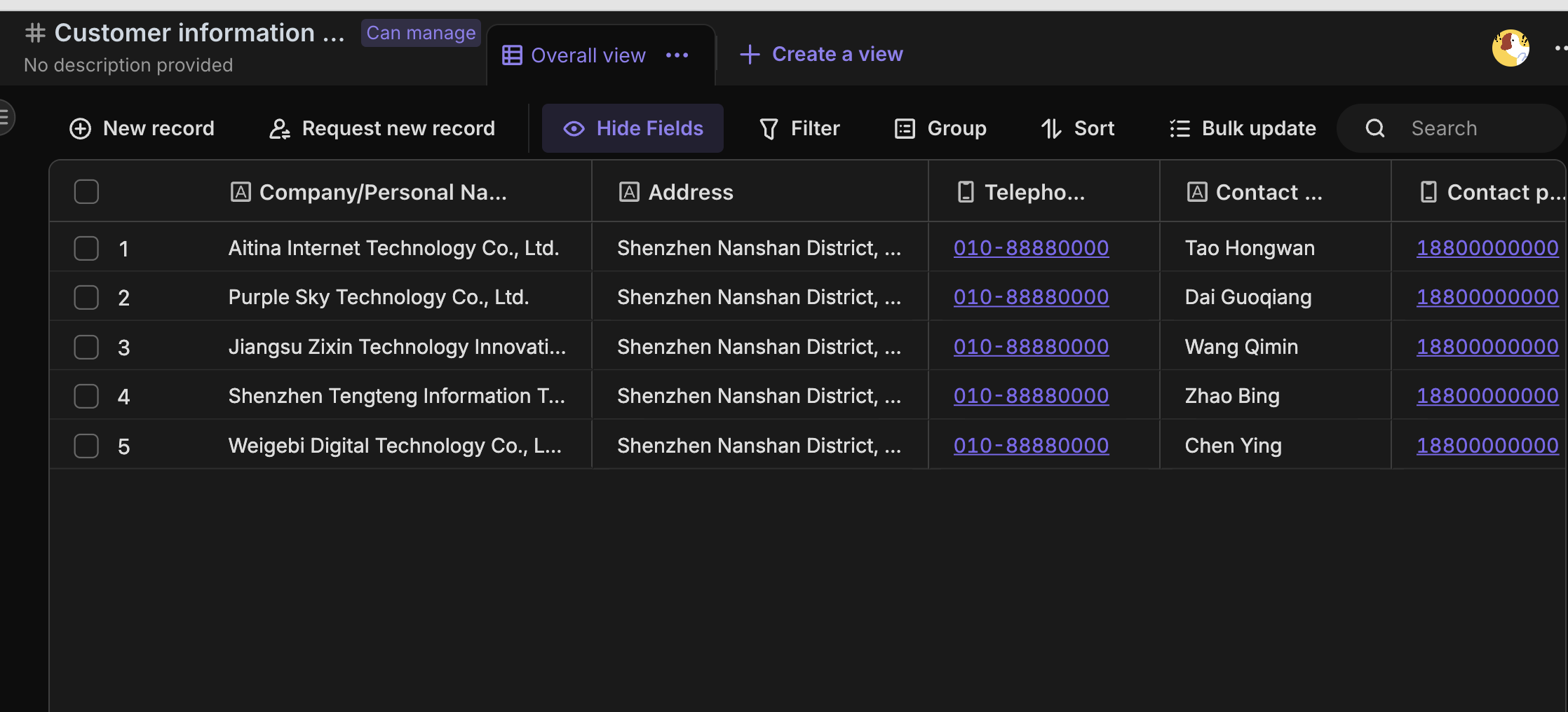
Fill in the content: The customer information management is completed according to the field information, and the contract number and invoicing information are associated columns, which do not need to be filled in here.
-
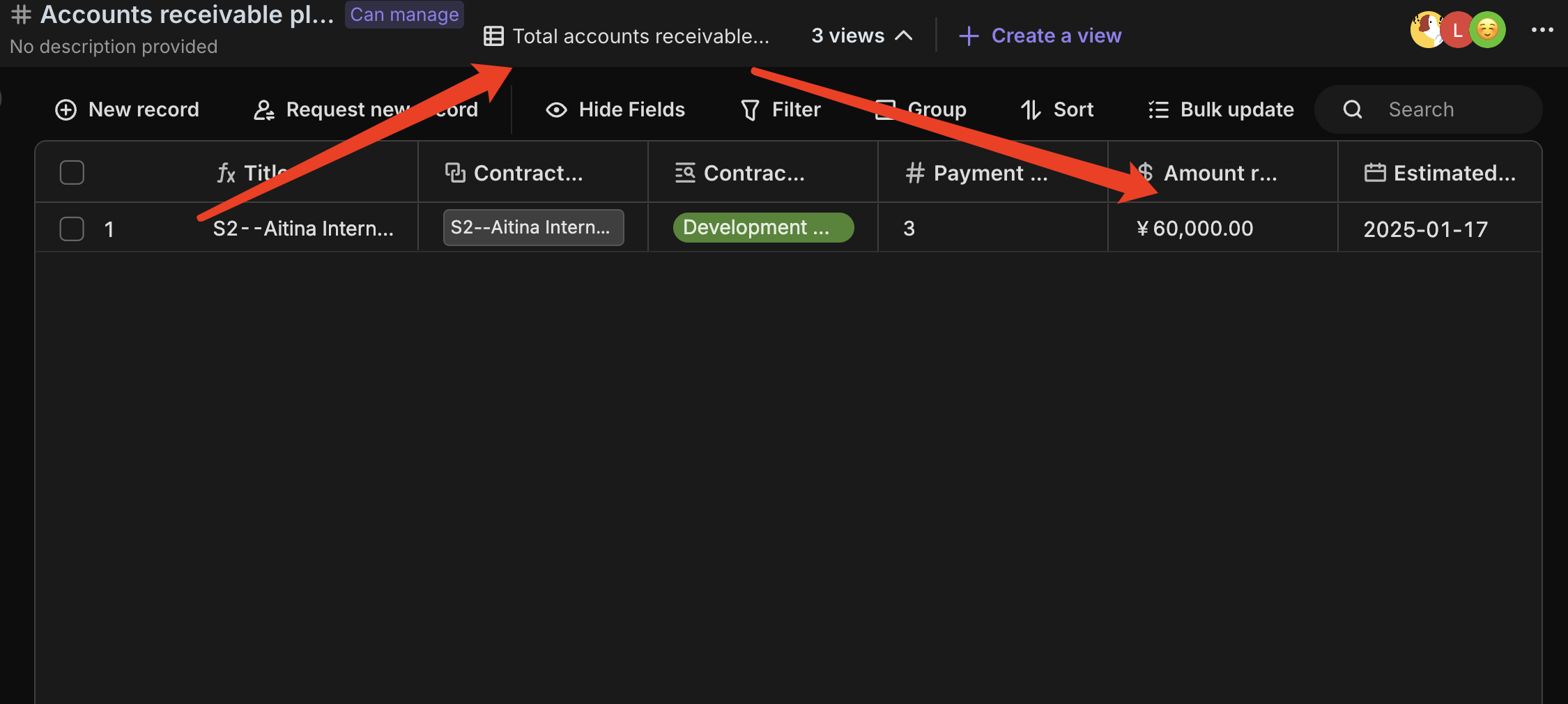
Based on the clients' actual payment plans, write down the estimated payment dates and plans, and update the actual received amounts in real-time. The amount due for this week will also be automatically summarized based on the 'Receivables for This Week' content.
-
Update the sales contracts and invoicing information sheets according to the actual situation.
-
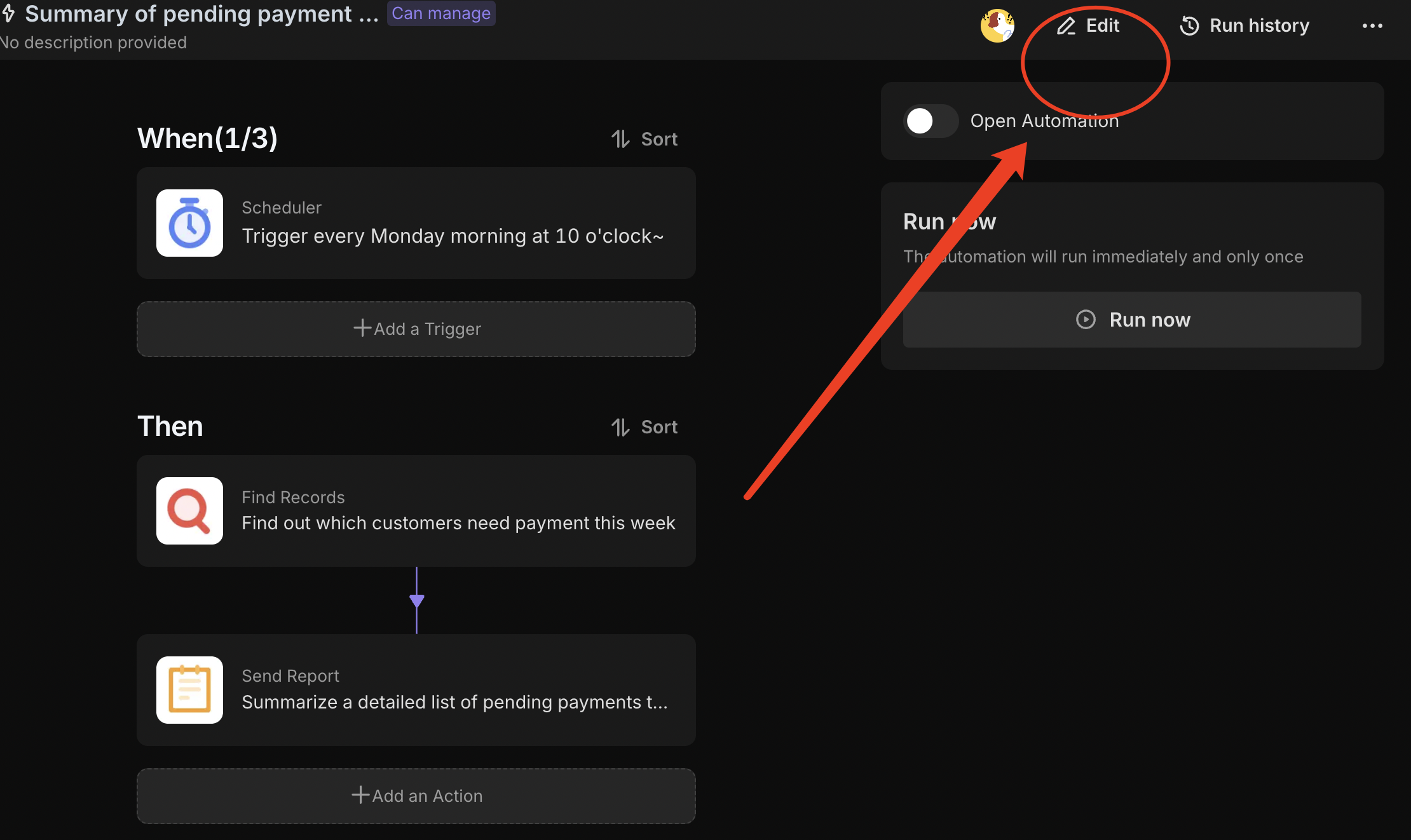
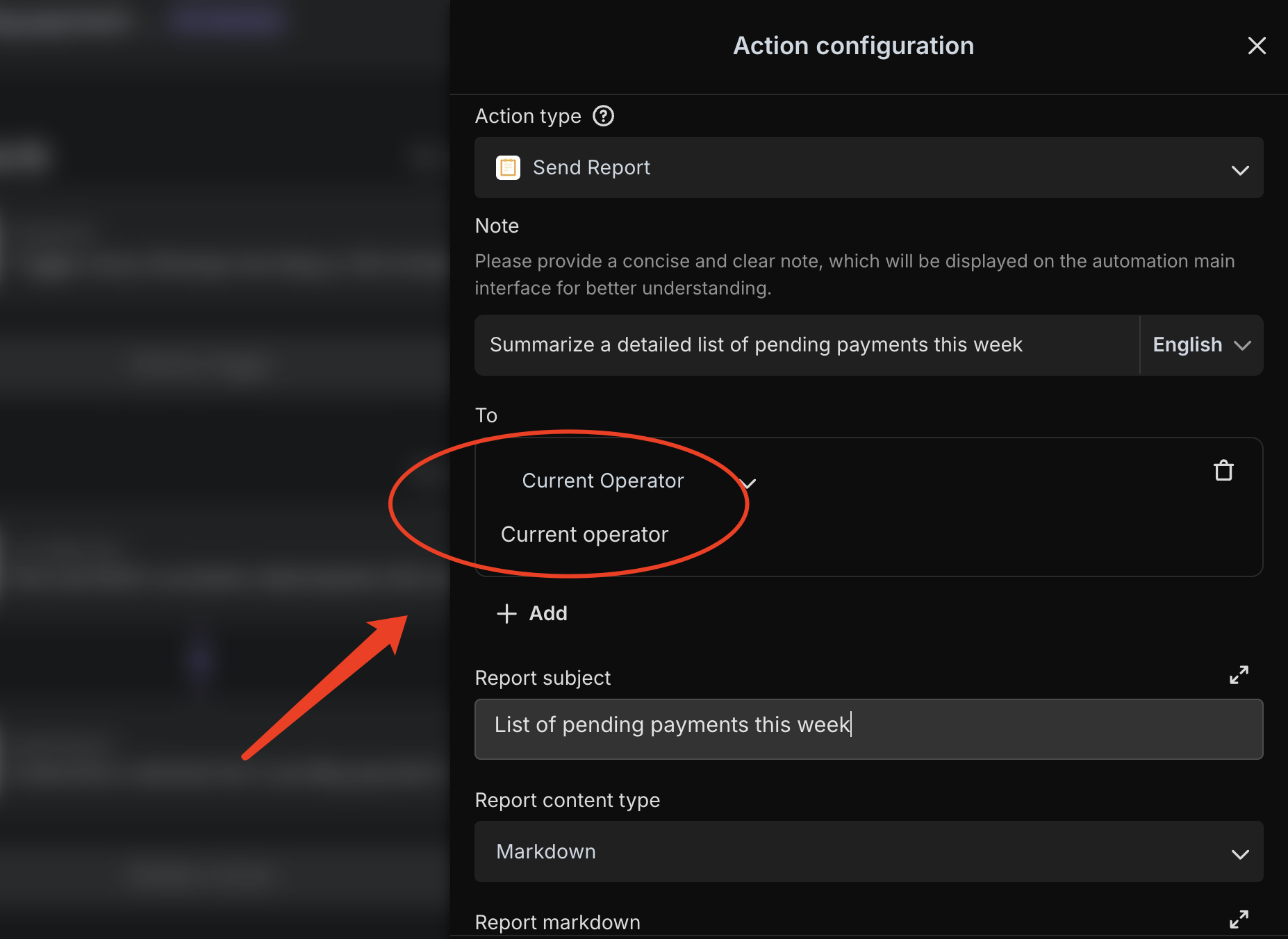
Configuration automation Go to the automated editing interface of "Summary of Payments to be Received This Week", where you can modify the automated triggers and email recipients.
-
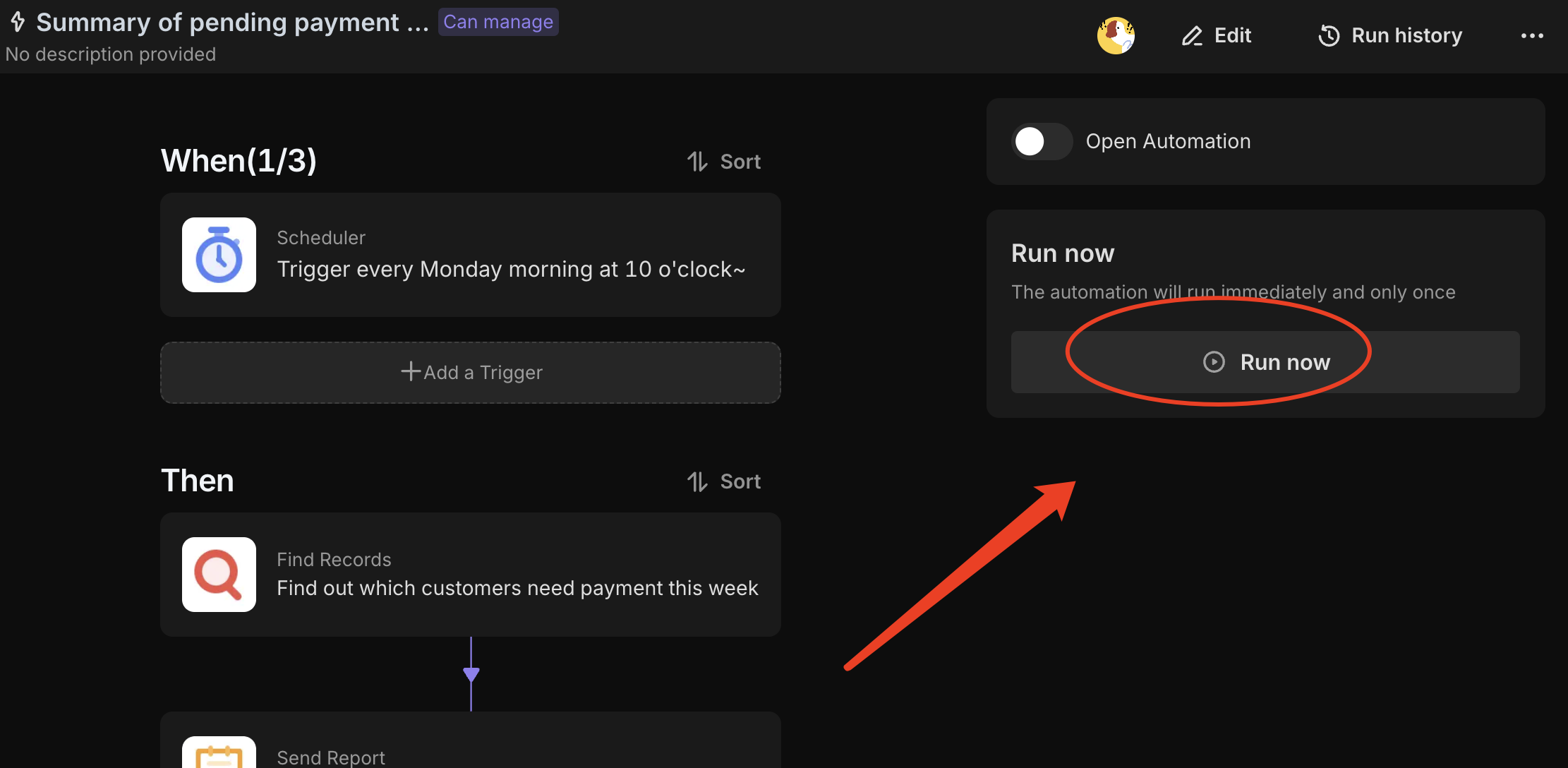
Test automation On the Automation Details page, click the "Run Now" button to manually run the automation and check if the mailbox can receive the report.
-
Enable automated On the Automation Details page, click the "Enable" button to start the automation. The automation will run once a week at 10am and push the detailed list of payments that need to be received this week.
👉 Suitable Users
This template is specifically designed for sales and finance teams, particularly suited for organizations looking to enhance the efficiency and accuracy of their accounts receivable tracking. It is especially useful for managing contract ledgers with multiple installment payments, as it clearly records the actual and expected amounts for each contract, thereby optimizing cash flow management.
FAQ
1. How does the system identify which payments are due "this week"?
The automation uses a filter on the Accounts Receivable Plan table. It checks the "Estimated Payment Date" field to see if it falls within the next 7 days. If the "Status" is not marked as "Completed," the record is included in the Monday morning summary.
2. Can I track multiple installment payments for a single contract?
Yes. You can create multiple rows in the Accounts Receivable Plan table and link them all to the same record in the Sales Contracts table. This allows you to track the specific due date, expected amount, and actual received amount for each individual installment.
3. How do I change the time or day the weekly report is sent?
Go to the Automation tab and select the "Summary of Payments to be Received This Week" task. Click on the "Scheduled Trigger" node, where you can adjust the day of the week (e.g., from Monday to Friday) and the specific execution time (e.g., 10:00 AM) to fit your team's schedule.