AI Batch Image Recognition(OpenAI gpt-4o)


Extract text from multiple images at once with Bika.ai's AI Batch Image Recognition. Supports OpenAI gpt-4o, batch processing, and automated image recognition for fast, accurate results.

Overview
AI Batch Image Recognition (OpenAI gpt-4o)"?
AI Batch Image Recognition (OpenAI gpt-4o) integrates OpenAI’s powerful gpt-4o model for efficient text extraction from uploaded images. Whether you're an enterprise or an individual user, this template helps you save time, reduce manual errors, and enhance data management efficiency by automating repetitive tasks. If you need to extract text from images and streamline your workflow, this template is your ideal choice.
👉 How Does the Template Work?
- Automated Batch Image Recognition: This template integrates the powerful OpenAI gpt-4o model, automatically recognizing text from images and updating results to the database in real time.
- AI Image Recognition Database: A dedicated database for storing uploaded images and their recognized text, making it easy to view and manage your data.
🎯 Steps to Use
1. Configure Batch Image Recognition Automation
-
Register an account on the OpenAI Developer Platform.
-
Navigate to the Batch Image Recognition Automation →
Send HTTP Requestaction, and complete the configuration。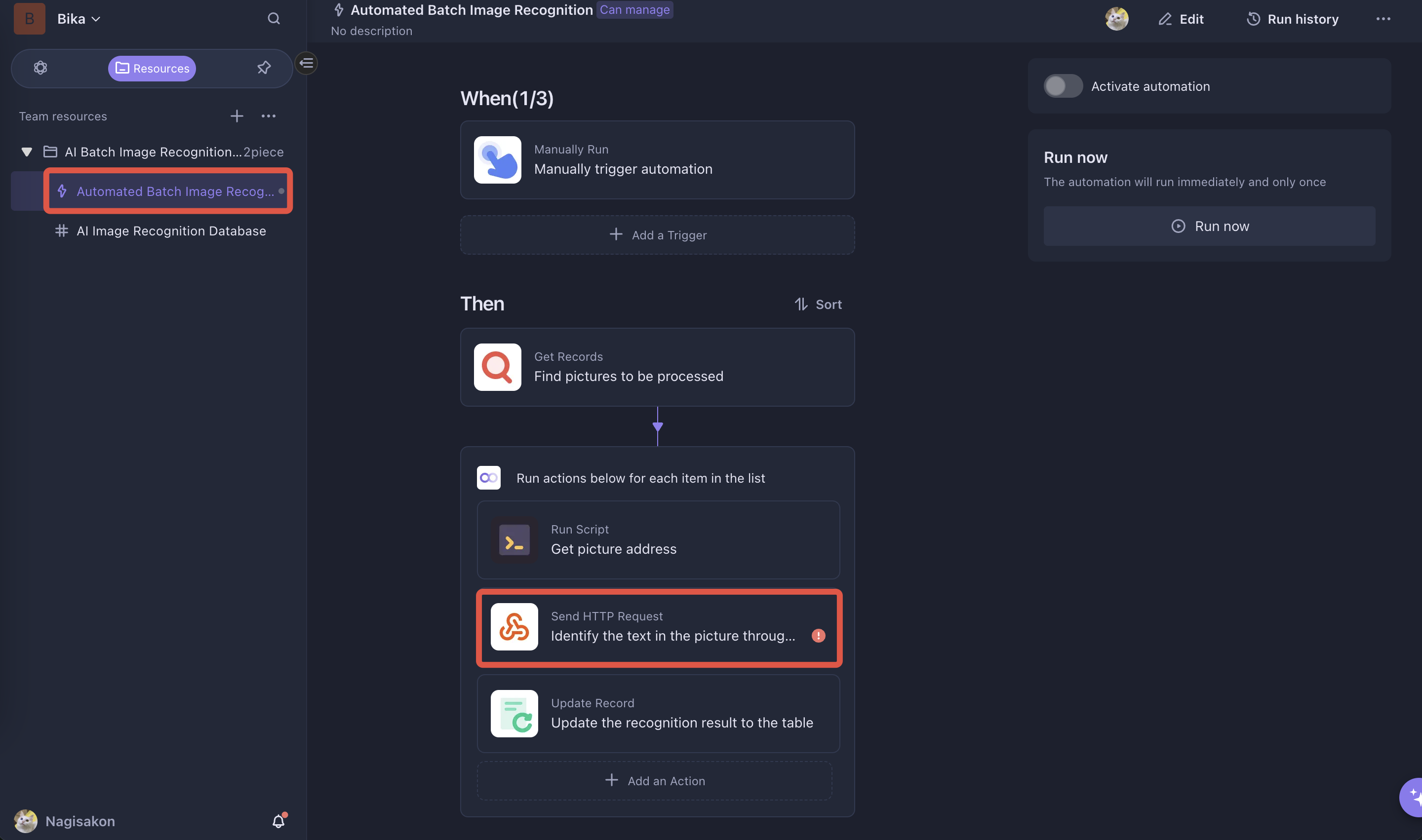
-
Enter
https://api.openai.com/v1/chat/completionsas the request URL. -
Go to Settings - API Keys, click "Create new secret key", and replace
_YOUR_API_KEY_in the request with your generated API key. -
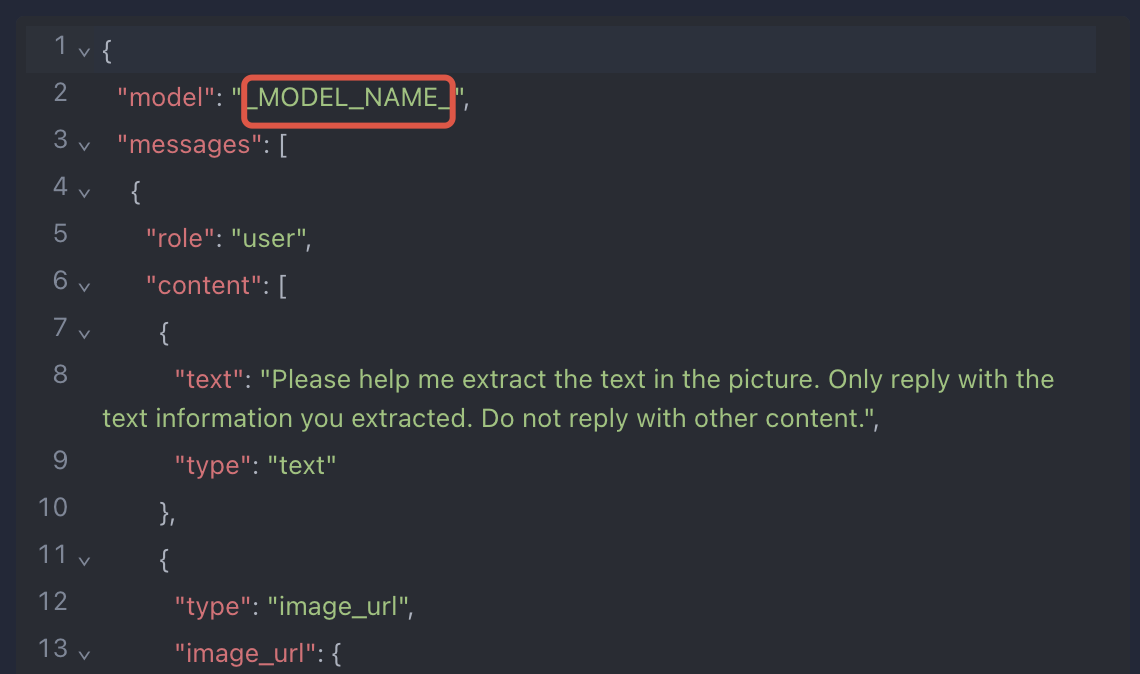
Replace
_MODEL_NAME_in the request content withgpt-4o.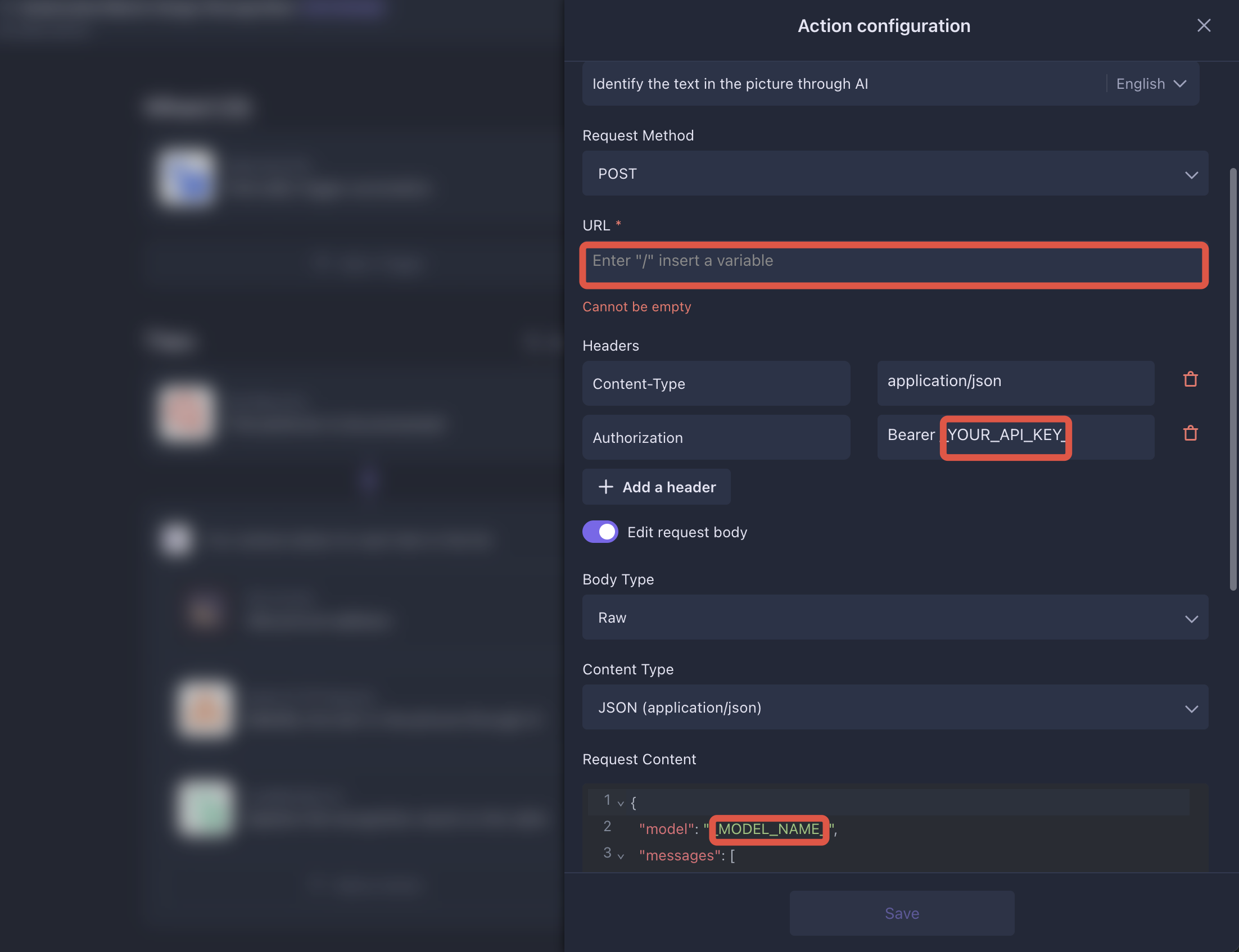
After completing the configuration, click the Save button.
-
2. Upload Images and Trigger Recognition
-
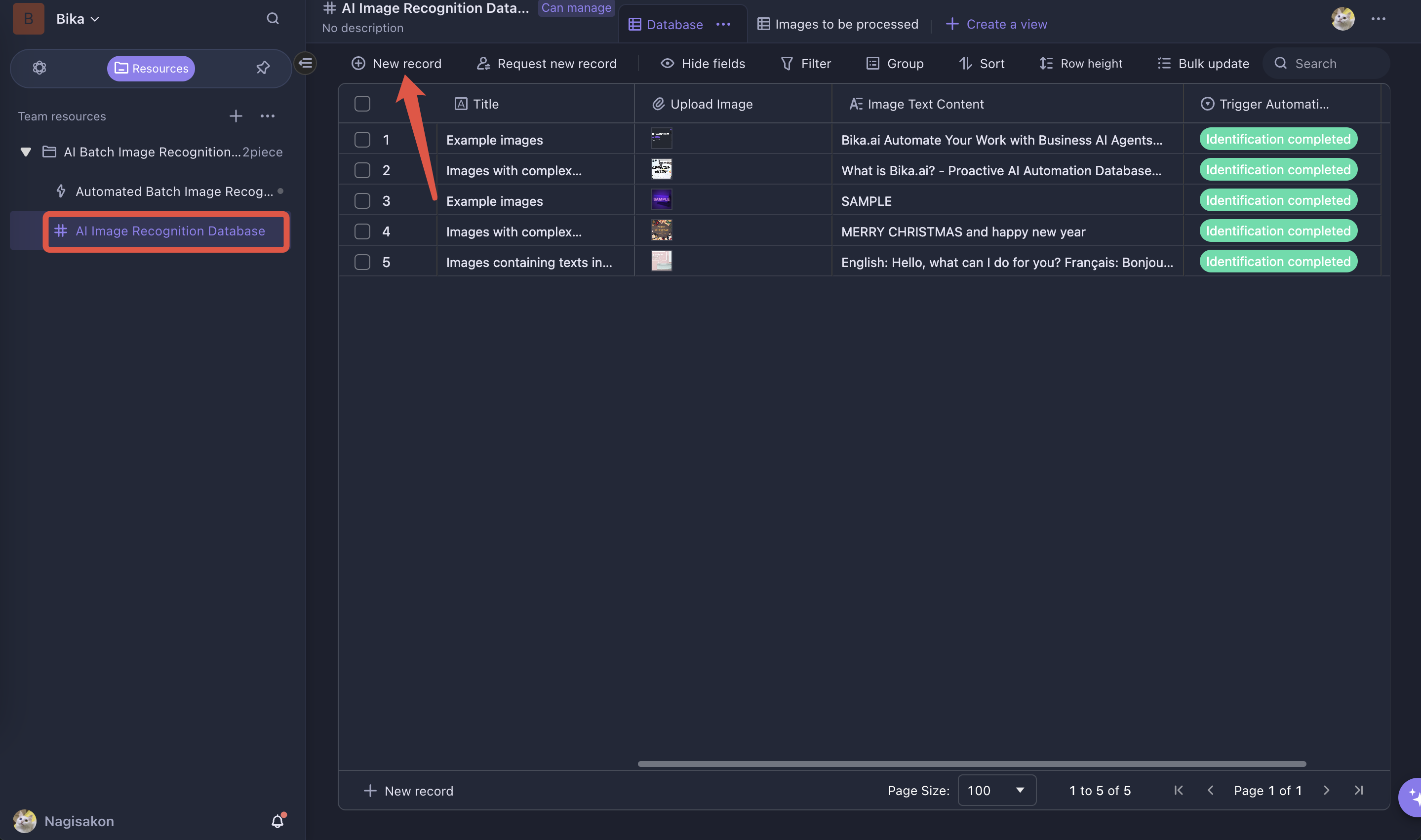
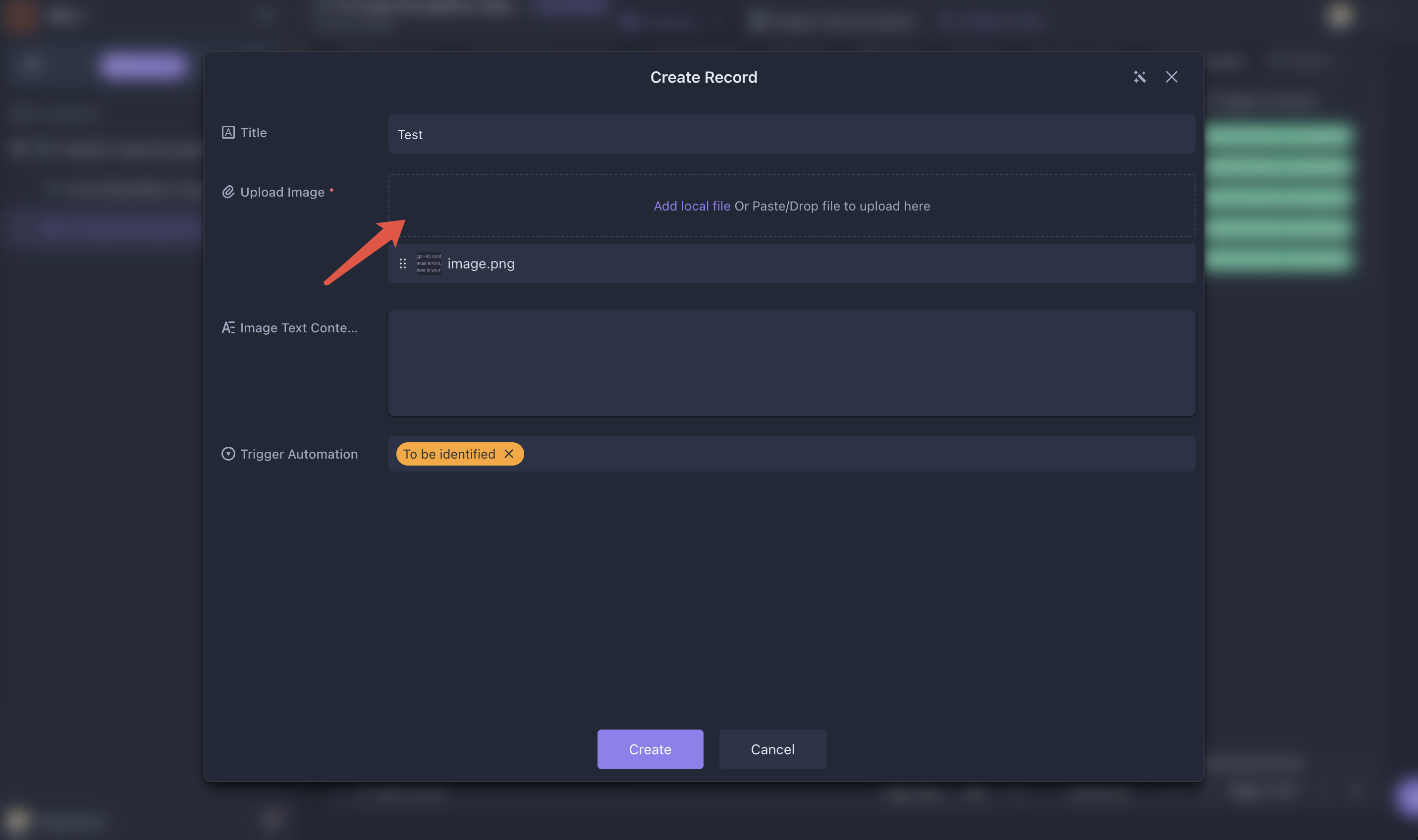
In the AI Image Recognition Database, upload the images you want to recognize. Each record supports uploading only one image. To process multiple images, create multiple records.
-
Once the upload is complete, go to Batch Image Recognition Automation and click the
Run Nowbutton to trigger automation. All records marked asTo be identifiedwill automatically enter the recognition process.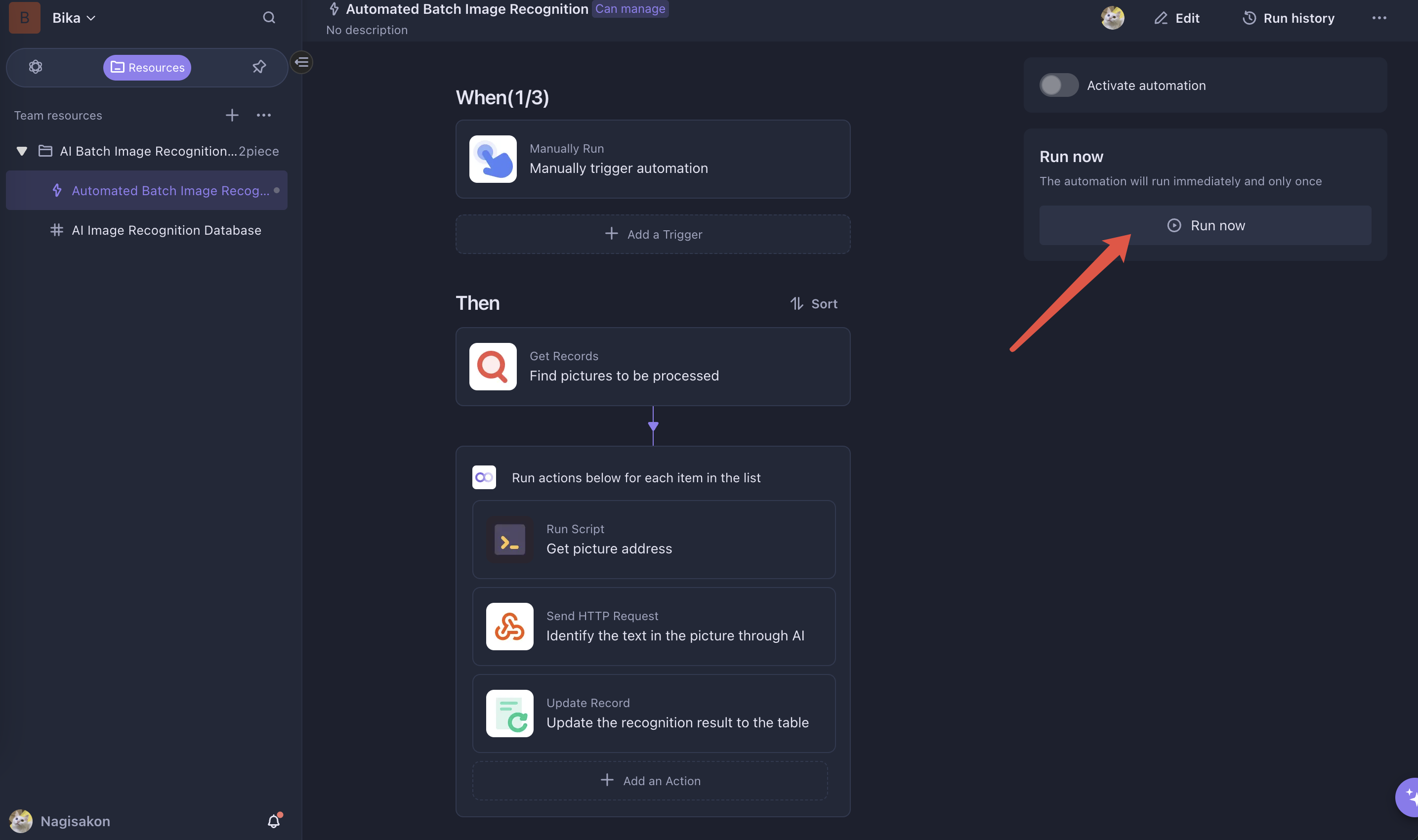
-
When the status changes to
Identification completed, the extracted text will automatically appear in theRecognized Textfield.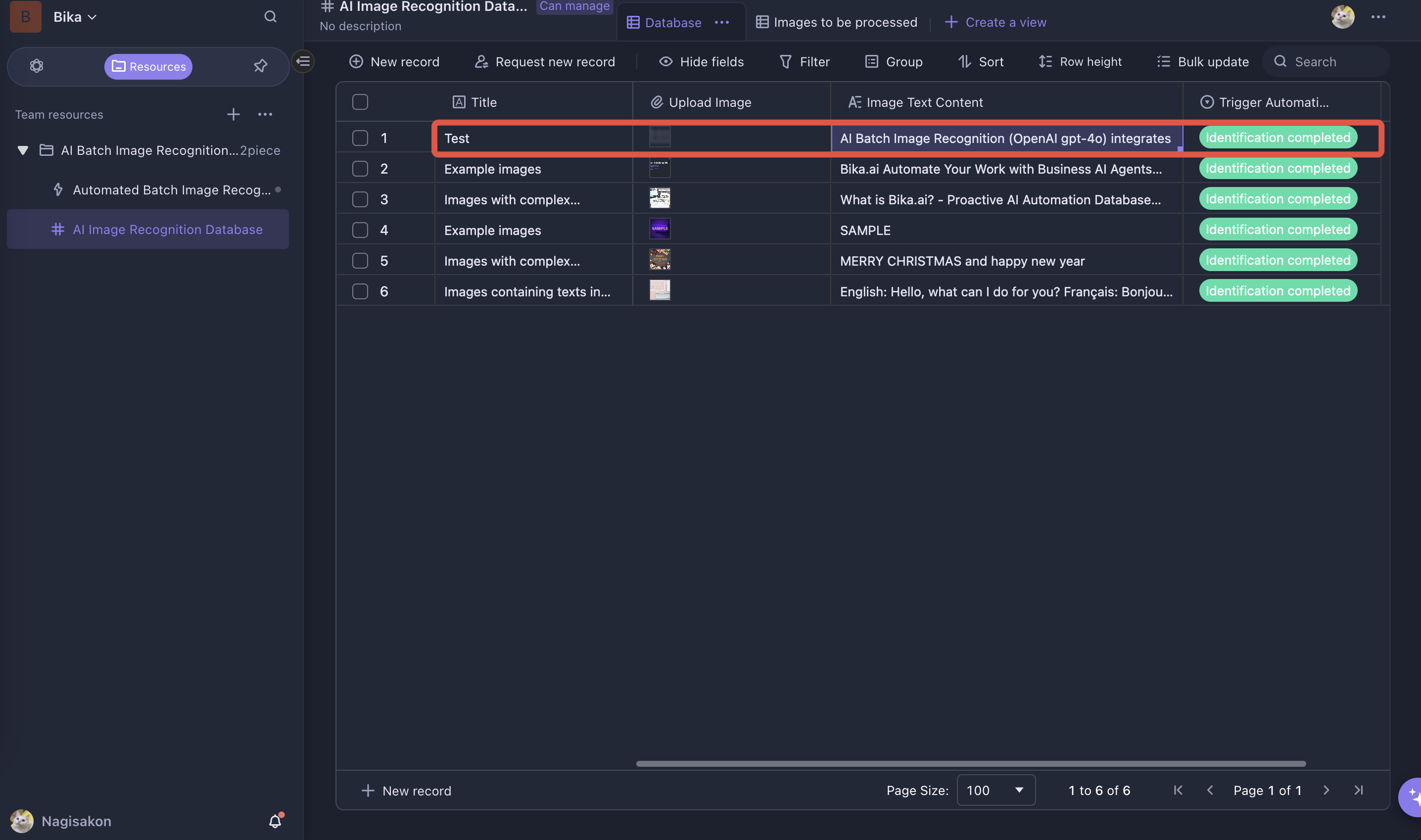
⭐ Use Cases
- Automated Image Recognition: Leverage AI to quickly extract text from images, ideal for scenarios requiring text retrieval from pictures.
- Batch Processing: Process multiple images at once to significantly improve work efficiency, especially useful for handling large volumes of images.
- Text Extraction from Images: Extract text from images to streamline workflows and enhance productivity.
👉 Suitable Users
- Market Researchers: Easily extract handwritten answers from survey images and organize them efficiently for analysis.
- Archivists: Quickly digitize and archive historical document images by extracting text for storage and searchability.
- E-commerce Operators: Extract product names, specifications, and prices from images for seamless product information management.
🔧 Frequently Asked Questions (FAQ)
Q1: What types of images can I process?
This template supports png, webp, and jpeg/jpg formats.
Q2: How many images can be processed at once?
Each record supports uploading only one image. To process multiple images, create multiple records and mark them as To be identified. When automation is triggered, all these images will be processed simultaneously.
Q3: How accurate is AI recognition?
The accuracy of AI recognition depends on the following factors:
-
Image Quality: Clear images with simple backgrounds yield better recognition results.
-
Prompt Design: You can modify the prompt in the Batch Image Recognition Automation →
Send HTTP Requestaction to improve recognition accuracy.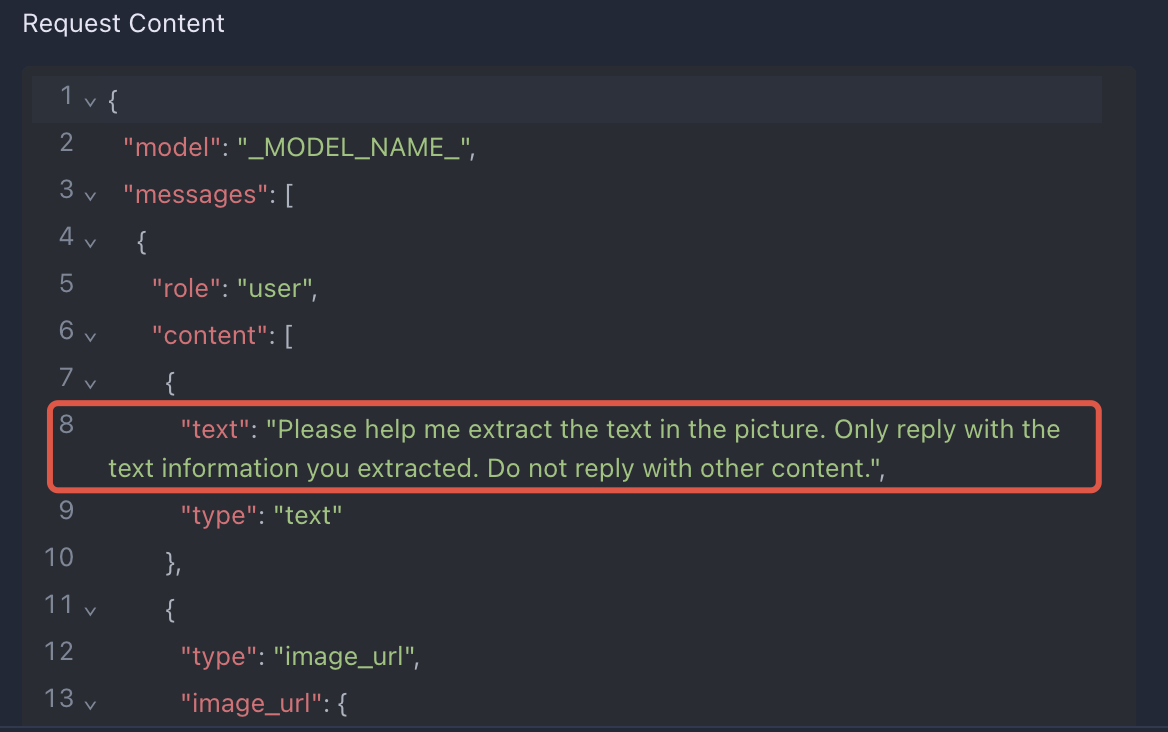
Q4: How do I get my API Key?
Register on the OpenAI Developer Platform, then go to the API Keys page to generate your API key.
For further assistance with setting up your AI Batch Image Recognition system, please contact support@bika.ai! 🚀
Q5. Can I change the AI model?
Yes, you can. If you want to change the AI model, please modify the model name in the Send HTTP Request executor of the Batch Image Recognition Automation. You can refer to the model names supported on the OpenAI Models.

Recommend Reading
Recommend AI Automation Templates