Team Task Distribution & Reminder Automation


Boost team efficiency with the Team Task Distribution & Reminder Automation template — designed for precise task allocation, seamless task assignment, and real-time progress tracking. Create tasks via an intuitive task form, dispatch assignments automatically, and deliver daily scheduled reports on deadlines and task status. Track team roles, monitor task workflows, and ensure on-time completion with automated reminders, group tasks, and centralized task progress management.

Overview
💡 Team Task Distribution and Reminder Automation Templates:
This template can efficiently and accurately assign tasks to team members through automated tools and processes, and timely remind them of task progress and deadlines, thereby improving team work efficiency and task completion quality.
👉 How the Template Works
This template includes the following key sections to support timely follow-up of team task node status:
- Automation:
- Send the progress of each task and the tasks due on the same day to the task executor in the form of a report at a scheduled time every day.
- When the task executor is not empty, a notification will be automatically sent to the corresponding member.
- Task creation form: Used to enter new task content.
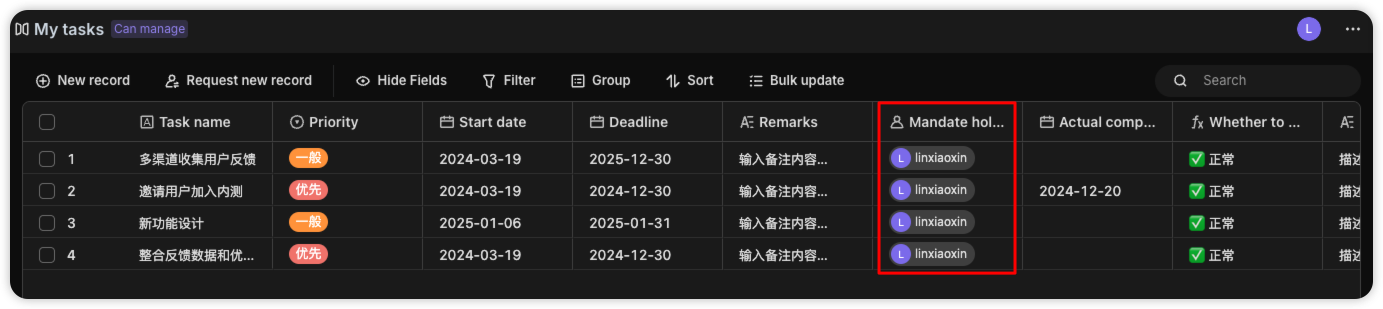
- My tasks: It is the mirroring table of the "Member Task List". Task executors can view the tasks they are responsible for through this table.
- Member tasks sheet: Records task leaders, relevant node information, and the latest progress status.
🎯 Steps to use
-
Install templates Install this template in your space.
-
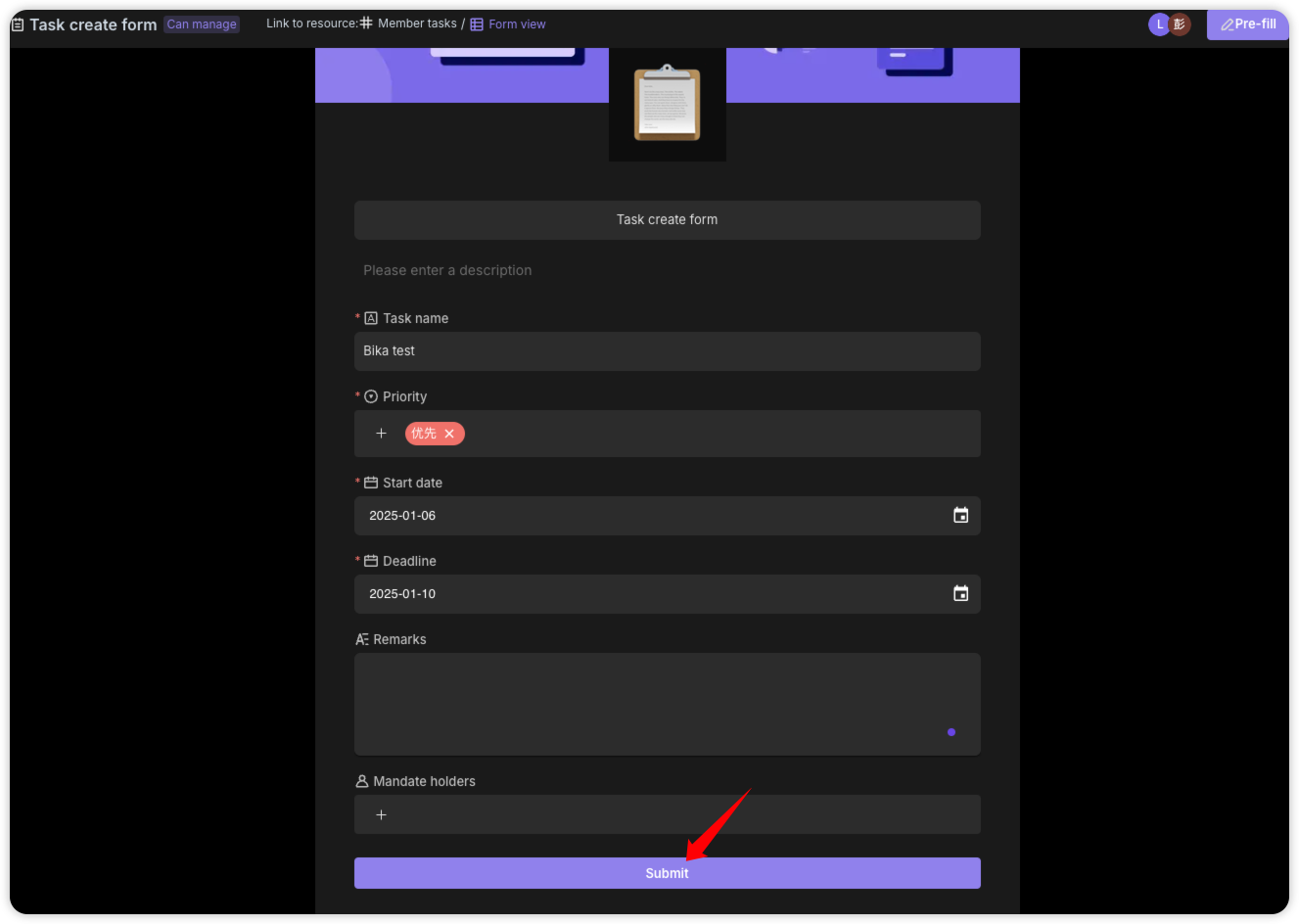
Fill in the content Enter the newly added task content through the "Task Creation Form", fill in the required fields in the form, and then submit it to the "Member Tasks" form.
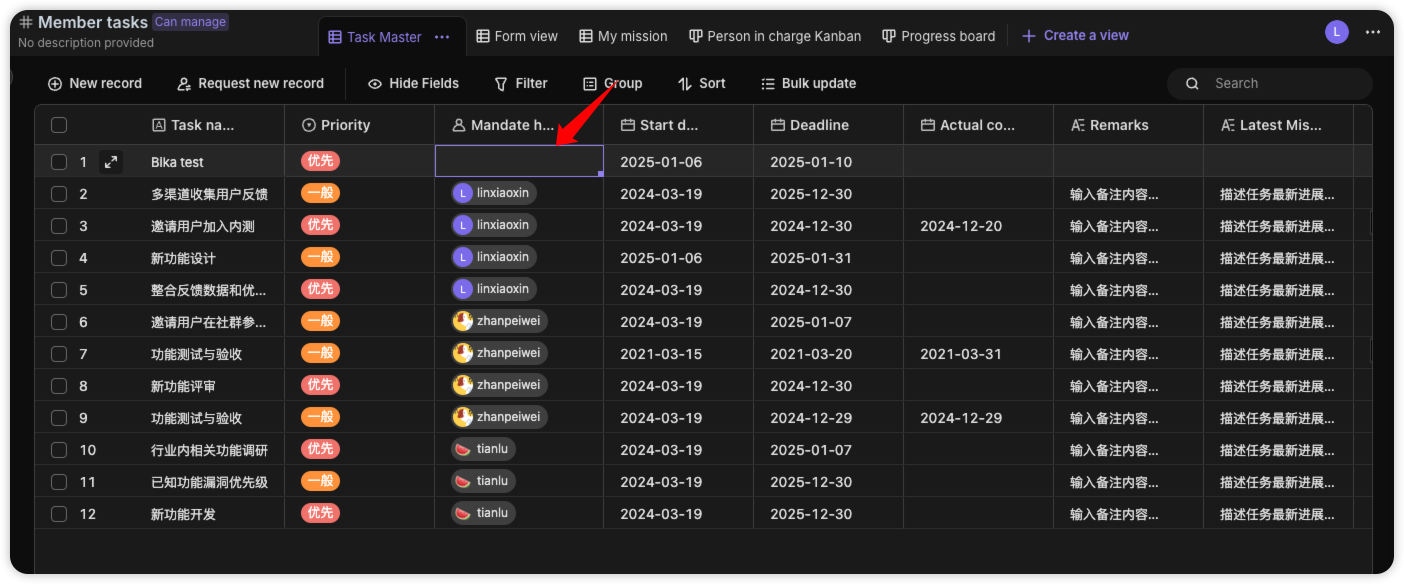
 Assign "Task Executor" in the "Member Tasks" table.
 View the tasks you are responsible for in the "My Tasks" mirroring table
-
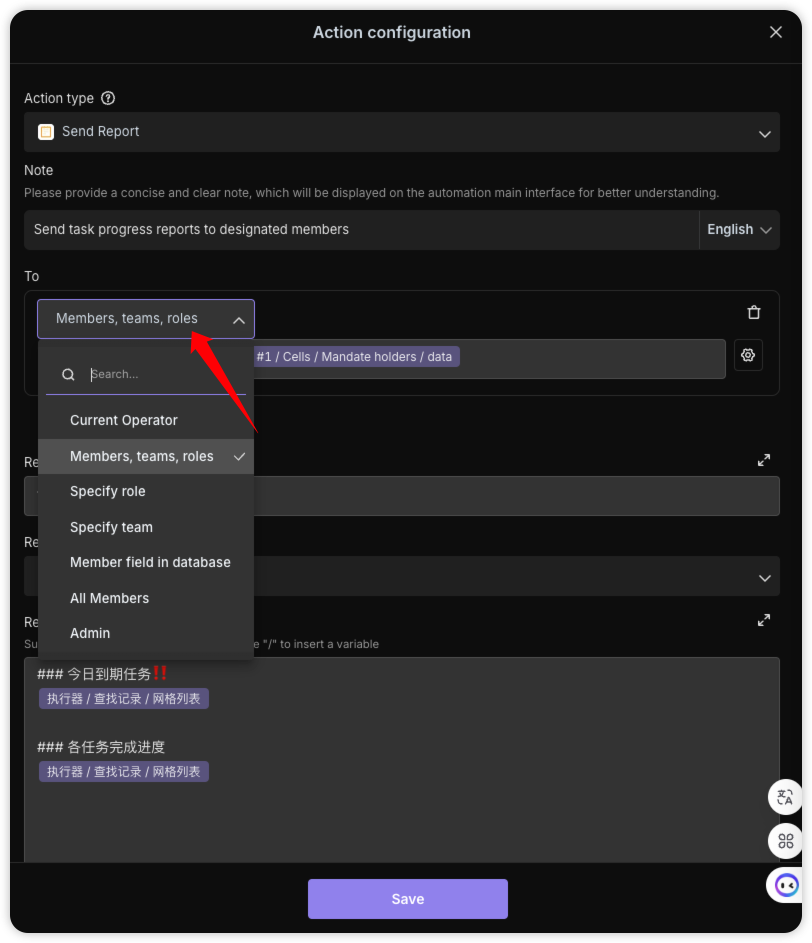
Configure automation Go to the "Task automatic dispatch" automation editing interface, where you can modify the assignment to specified members, groups, or roles.
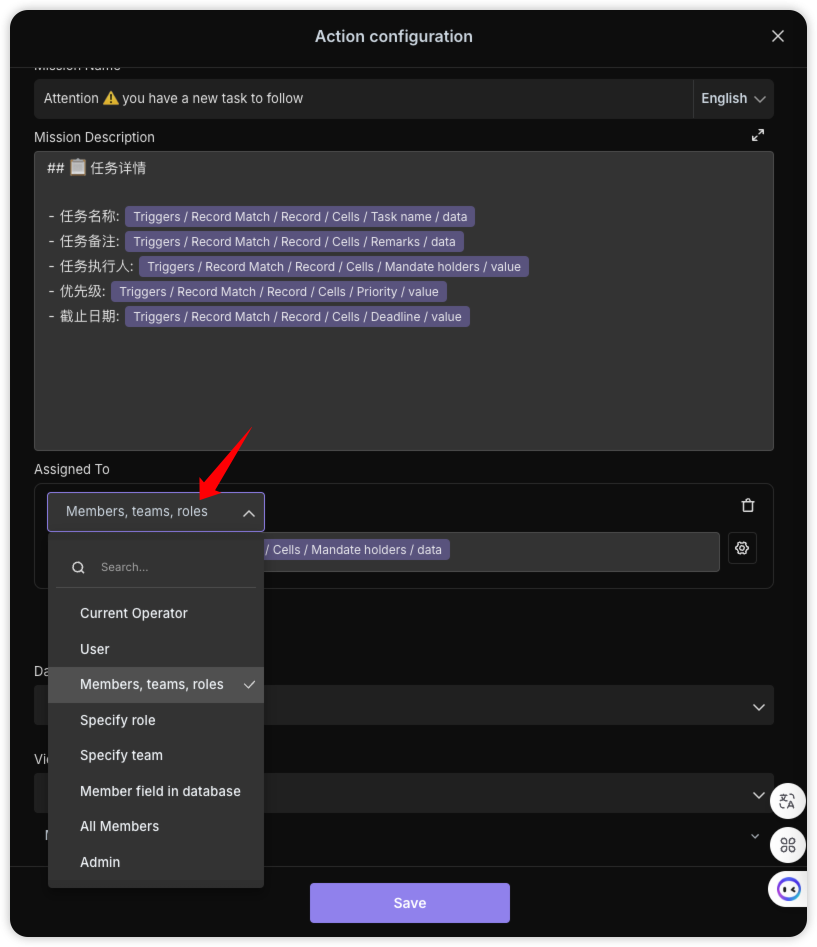 Go to the "Task Automatic Reminder" automation editing interface, where you can modify the recipient to a specified member, group, or role
-
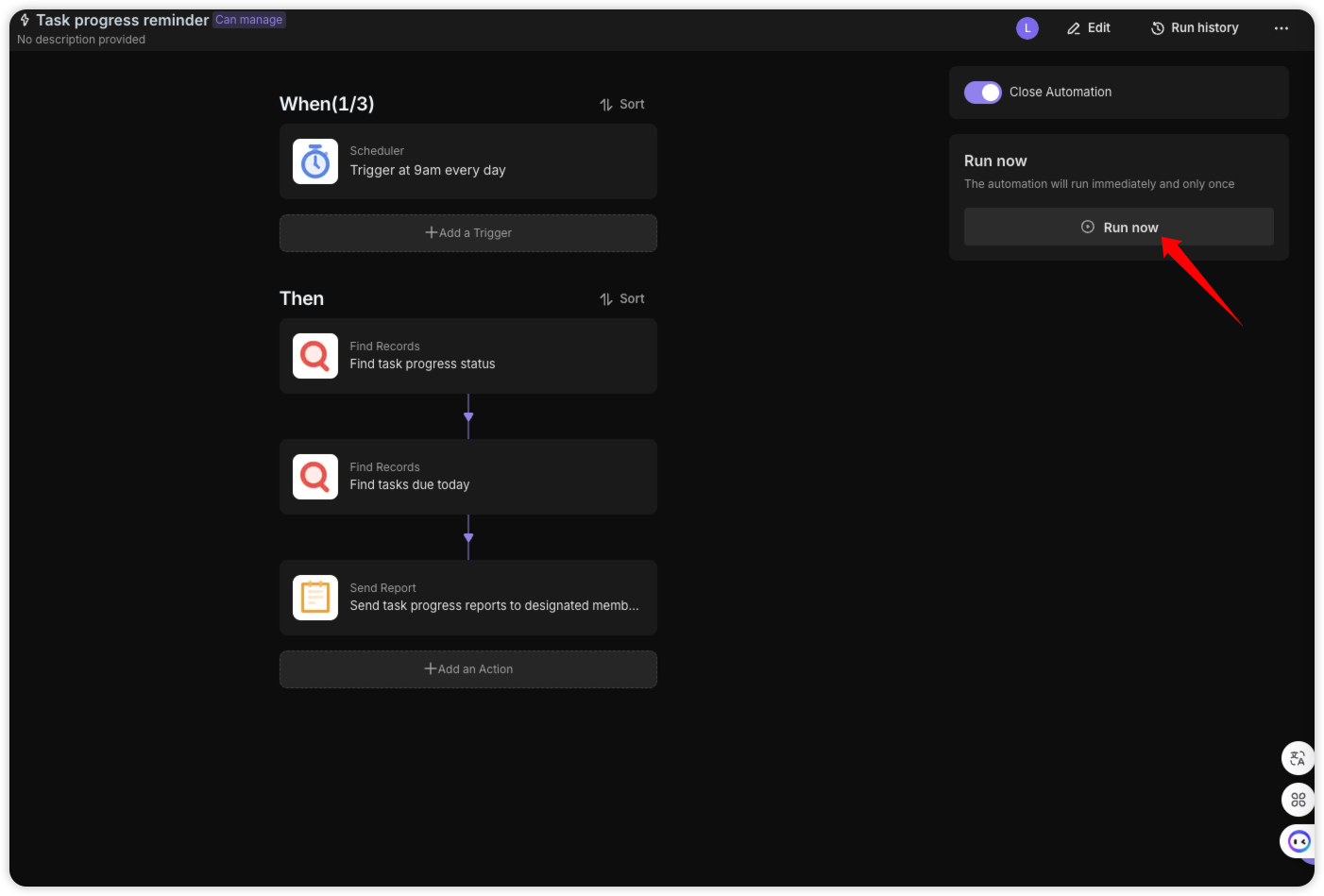
Test automation On the Automation Details page, click the "Run Now" button to manually run the automation and check if the mailbox can receive the report.
-
Enable automation On the Automation Details page, click the "Enable" button to start the automation. Automated task dispatch will send tasks to designated members when the "task executor" is not empty. The'Task Automatic Reminder 'automation runs at 9am every day, pushing the progress of each task and the task report due that day.
👉 Suitable Users
This template is ideal for project managers and business owners, especially those who need to address inefficient team task assignments and ensure transparent tracking of task progress within the team.
FAQ
1. How does the "My Tasks" table only show my own tasks?
The My Tasks sheet uses a Personal View filter. It is configured to only display records where the "Task Executor" matches the currently logged-in user. This ensures that every team member sees a clean, focused list of their own responsibilities without being distracted by others' work.
2. What happens if I assign a task but forget to set an executor?
The Task automatic dispatch automation is designed with a safety trigger. It only sends a notification when the "Task Executor" field is updated and is not empty. If left blank, the task remains in the Member tasks sheet for planning, but no alert is sent until someone is officially assigned.
3. Can I change the time of the daily task reminder?
Yes. Go to the Automation tab and select the "Task Automatic Reminder" workflow. Click on the "Scheduled Trigger" node to change the time from 9:00 AM to any other hour that fits your team's morning routine or time zone.

Recommend Reading
Recommend AI Automation Templates