Project Progress Management


Boost your team’s efficiency with the Project Progress Management Template. This powerful tool simplifies progress tracking, project monitoring, and task automation by centralizing all project information in one workspace. Generate weekly progress reports automatically, visualize data through interactive dashboards, and gain project insights that improve transparency, task completion, and overall project efficiency. Perfect for teams and enterprises looking to streamline project reporting and progress management.
Overview
💡 Project Progress Management Template?
This template centralizes project information, supports task assignment and tracking, and includes automated report generation functionalities to enhance transparency and coordination. By using this project progress management template, enterprises can manage the overall project progress and resources more efficiently, thereby improving the overall level of project management.
👉 How the Template Works
The template consists of the following modules:
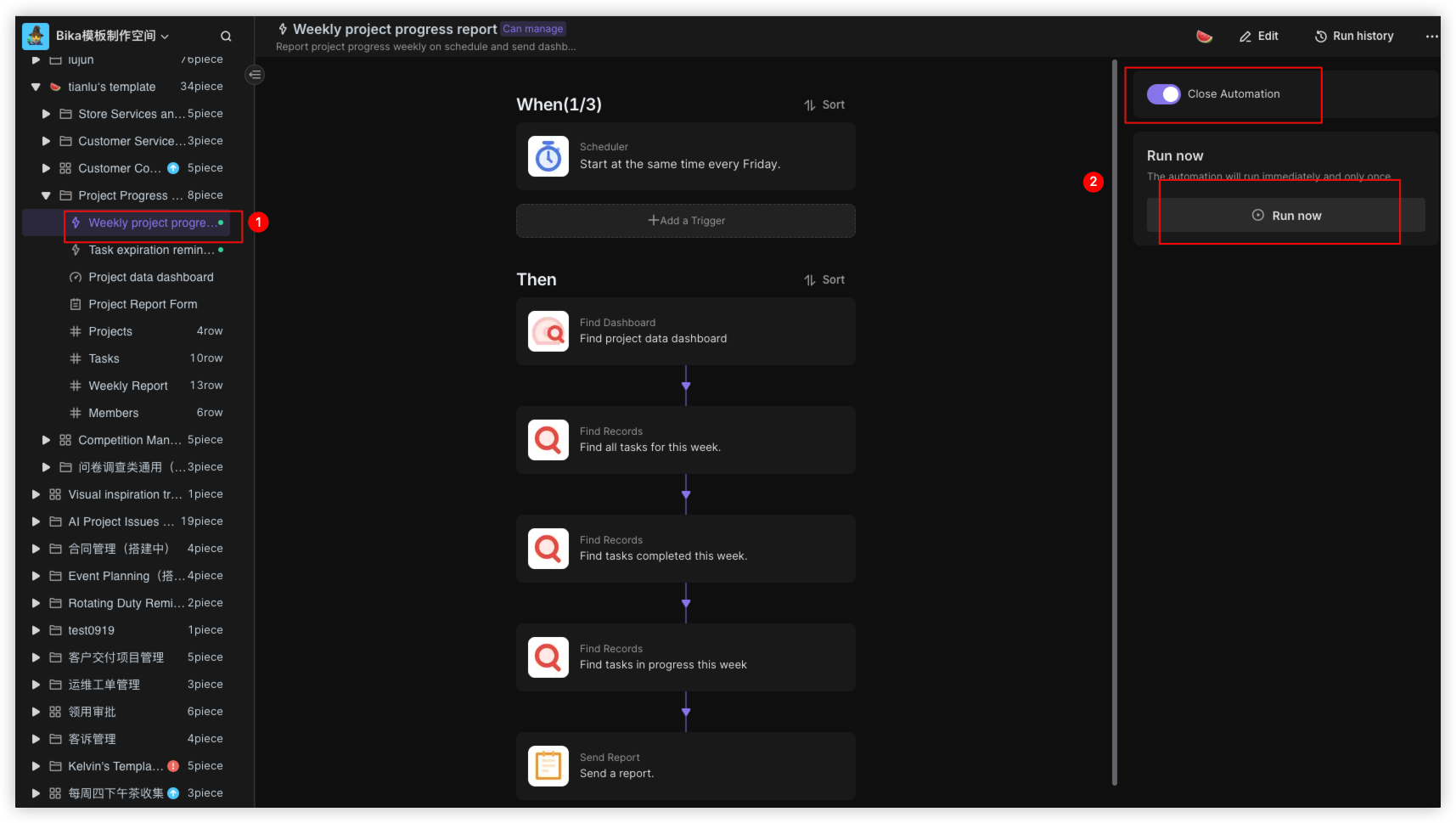
- Weekly project progress report: Automatically generates and manages project progress and team work status reports on a weekly basis.
- Task expiration reminder: Sends email and report reminders to task owners a day before the task due date.
- Project dashboard: Provides visual analysis of key project metrics.
- Weekly Report Submission Form: Supports team members in submitting regular progress reports.
- Projects : Records the basic information of each project.
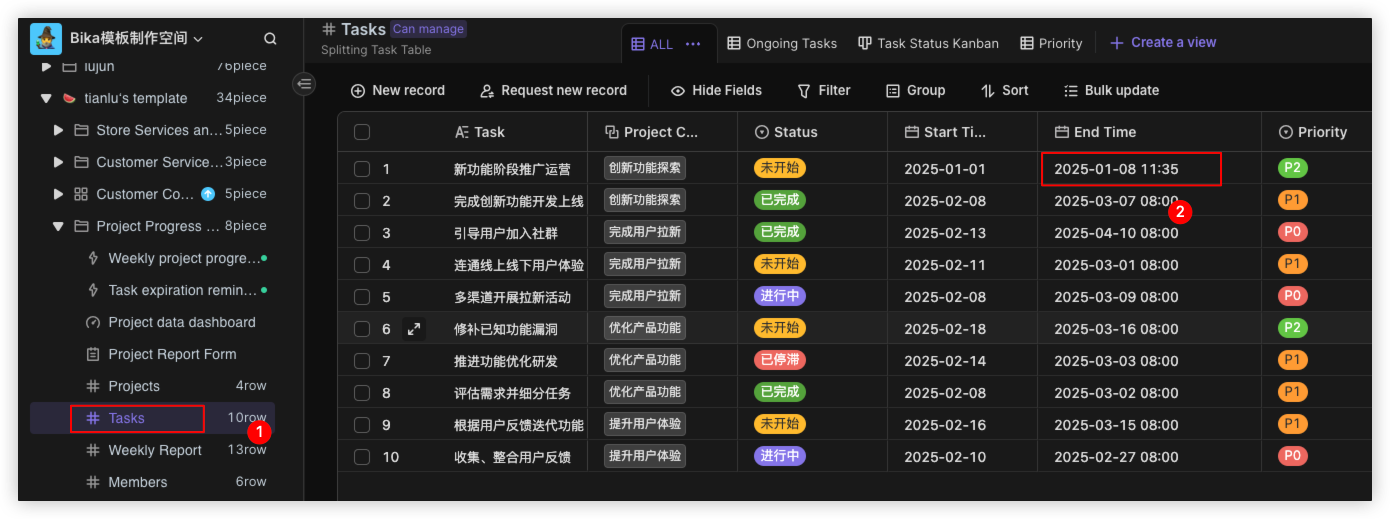
- Tasks: Tracks the tasks derived from the project, with assigned responsibilities to monitor task completion.
- Weekly Report: Allows team members to submit periodic progress report
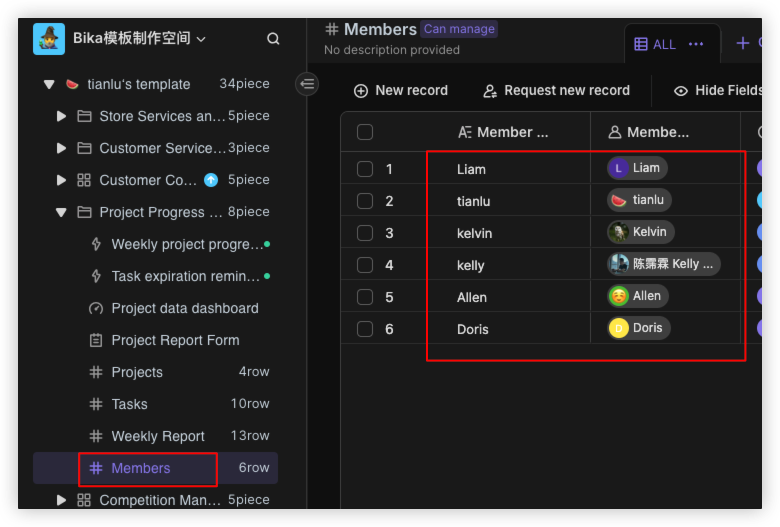
- Members: Manages the project team members.
🎯 Steps to Use
1. Install the Template
Install this template in your Bika workspace.
2. Modify the Members Table
Go to the Members table and add project team members, so that member task assignments can be tracked.
3. Configure Automation
Complete the automation task configuration:
- Edit the "
Task expiration reminder" automation- Modify the trigger conditions and execution actions in the "
Task expiration reminder" editing interface. Enable the automation.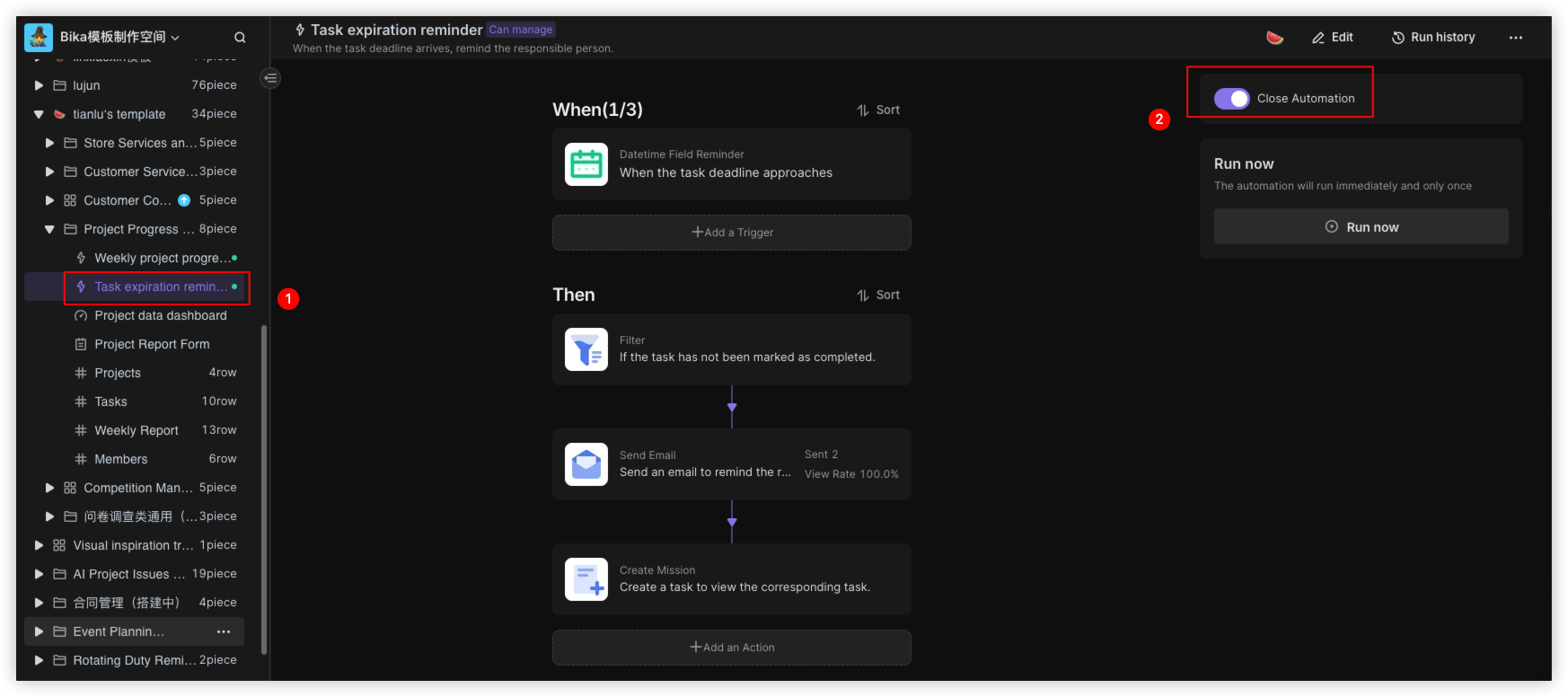
- Modify the end time of a task belonging to you in the task list, taking into account the trigger conditions set by the due date you have established.
- Modify the trigger conditions and execution actions in the "
- Edit the "
Weekly Project Progress Report" automation- Modify the trigger conditions and execution actions in the "
Weekly Project Progress Report" editing interface. - Test by running the automation immediately.
- Modify the trigger conditions and execution actions in the "
👉 Suitable Users
- Project Managers: Use the system to manage the overall project progress and resources.
- Project Team Members: Leverage the system to track their own tasks and progress.
- Project Decision-Makers: Analyze the project status through the system reports.
- Enterprise Managers: Utilize the project data to support relevant decision-making and optimization.
This project management system provides enterprises with a centralized and efficient project management platform, which helps to improve the overall level of project management.
FAQ
1. How does the system know which tasks are overdue?
The Task expiration reminder automation continuously monitors the Tasks table. It checks the "Due Date" field against the current date; if a task is due in exactly 24 hours and is not marked as "Completed," it automatically triggers the notification.
2. Can I customize the Weekly Report Submission Form?
Yes. You can open the Weekly Report Submission Form view and drag-and-drop fields to rearrange them or hide non-essential information. Any new columns added to the Weekly Report data table will automatically become available to add to your form.
3. How do I assign a single task to multiple team members?
In the Tasks table, locate the "Owner" field. Since this is a member-type field, you can click the "+" icon and select multiple people from the Members list. All assigned members will then receive automated reminders regarding that specific task.

Recommend Reading
Recommend AI Automation Templates