Customer Order Management


Enhance your sales workflow with this Customer Order Management template. Efficiently manage customer orders and information, track order processes, generate automated transaction reports, and summarize both personal and team orders with weekly order summaries. Receive timely email notifications for completed orders, streamline order entry, and improve overall order workflow efficiency. Perfect for sales teams, project managers, and businesses handling customized products.

Overview
Customer Order Management
For teams that need to manually enter highly customized product orders, traditional methods are not only inefficient but also prone to errors. The customer order management template is specifically designed to handle the sales processes for highly customized products. Through automated email notifications regarding order status, weekly summaries of individual and team sales orders, and report generation, it helps sales teams reduce manual entry errors, efficiently track customer orders, and uniformly manage contracts and product information. With no complex configuration required, it allows for automatic confirmation emails to be sent after order entry and generates individual and team sales reports every Friday, making the sales process smoother and more worry-free.
👉 How the Template Works
-
Automation:
- Email Notifications for Completed Orders: When a new customer order is entered, purchase details will be sent to the corresponding customer's email and the sales follow-up person's email.
- Weekly Personal Order Summary: An automated personal sales report is generated every Friday at 6 PM and sent to the respective sales follow-up person.
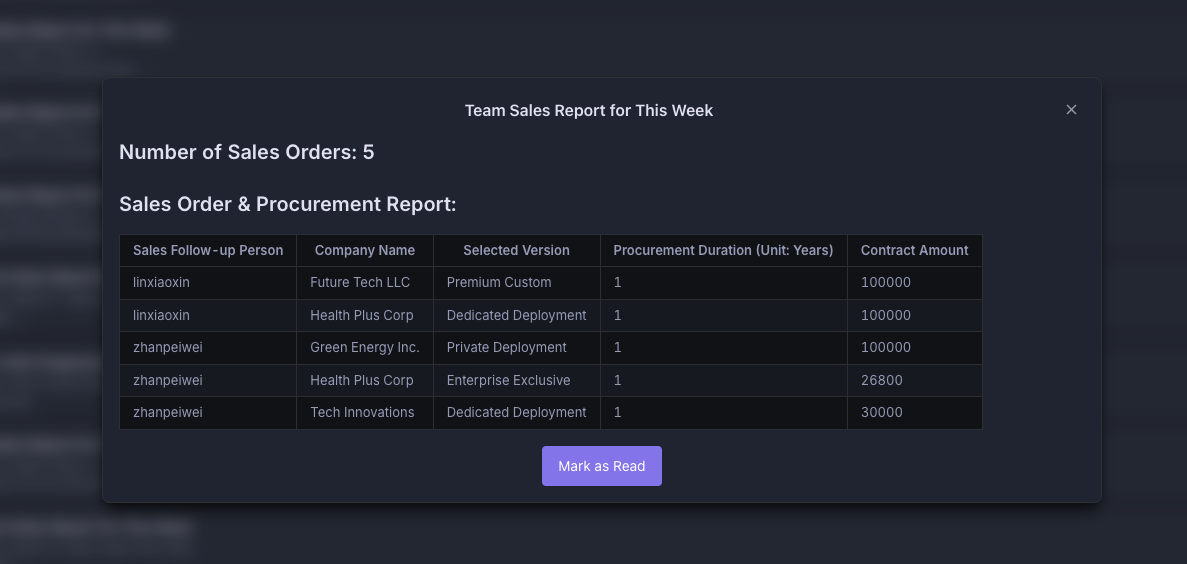
- Weekly Team Order Summary: An automated team sales report is generated every Friday at 6 PM and sent to the respective team leader.
-
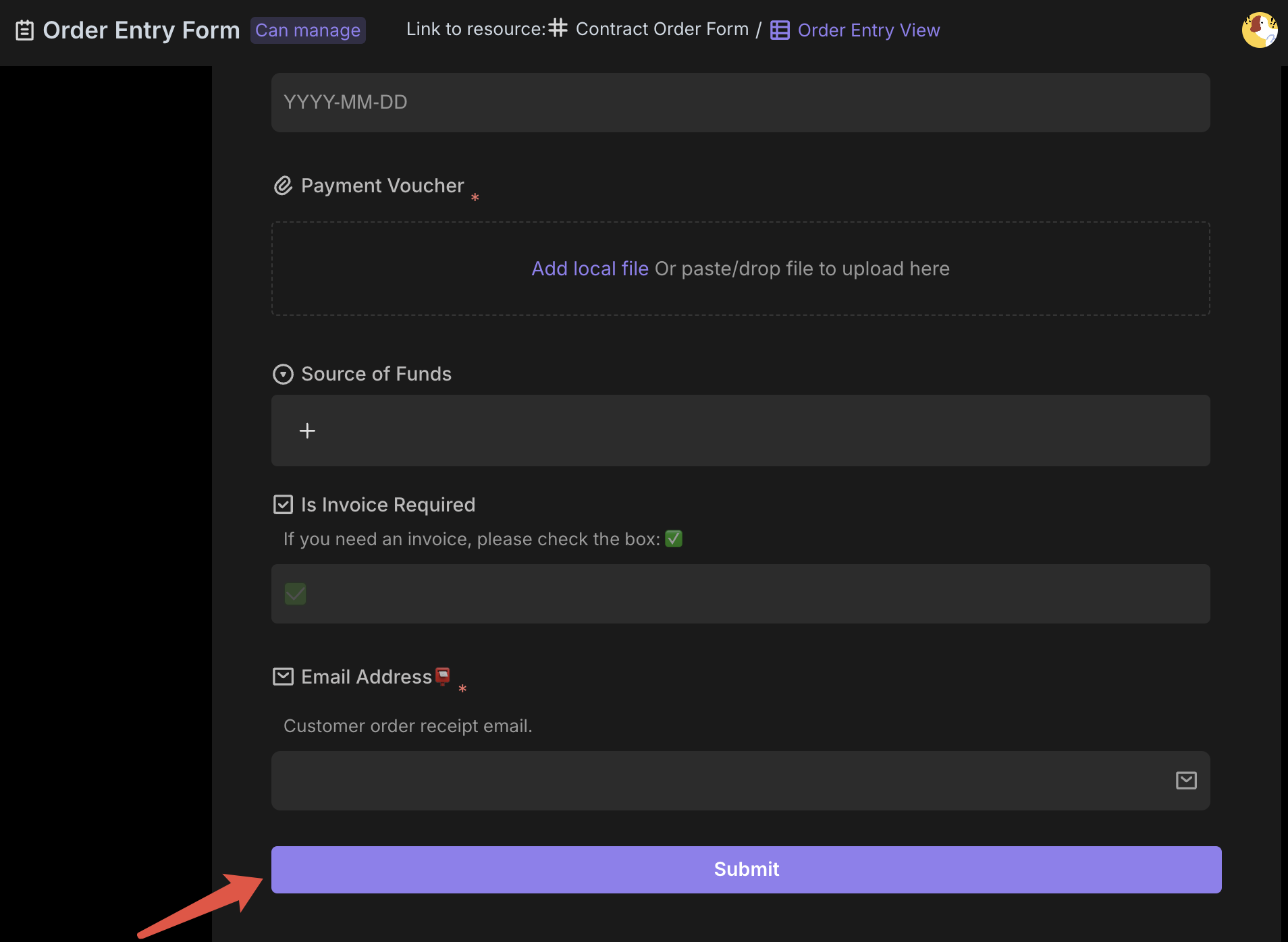
Order Entry Form: The entered information will be automatically summarized in the contract order table.
-
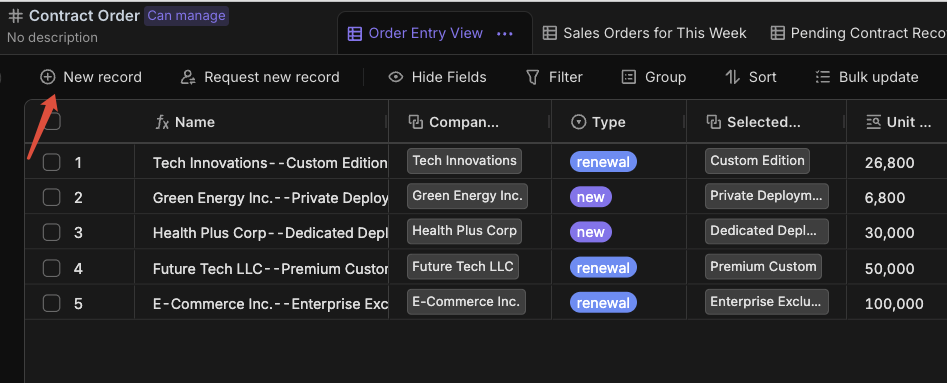
Contract Order: Manages detailed information about all sales contracts, including contract details, amounts, payment methods, purchase duration, and sales follow-up person.
-
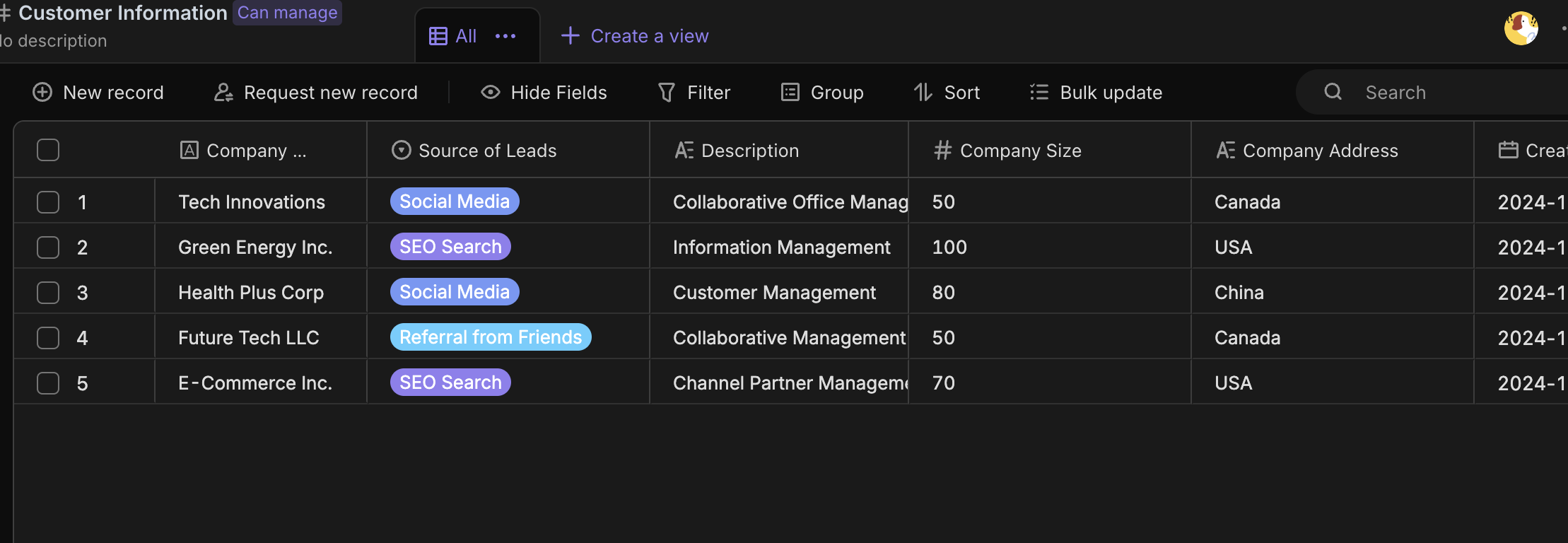
Customer Information: Records basic information about cooperating customers, including contact details and historical transaction data.
-
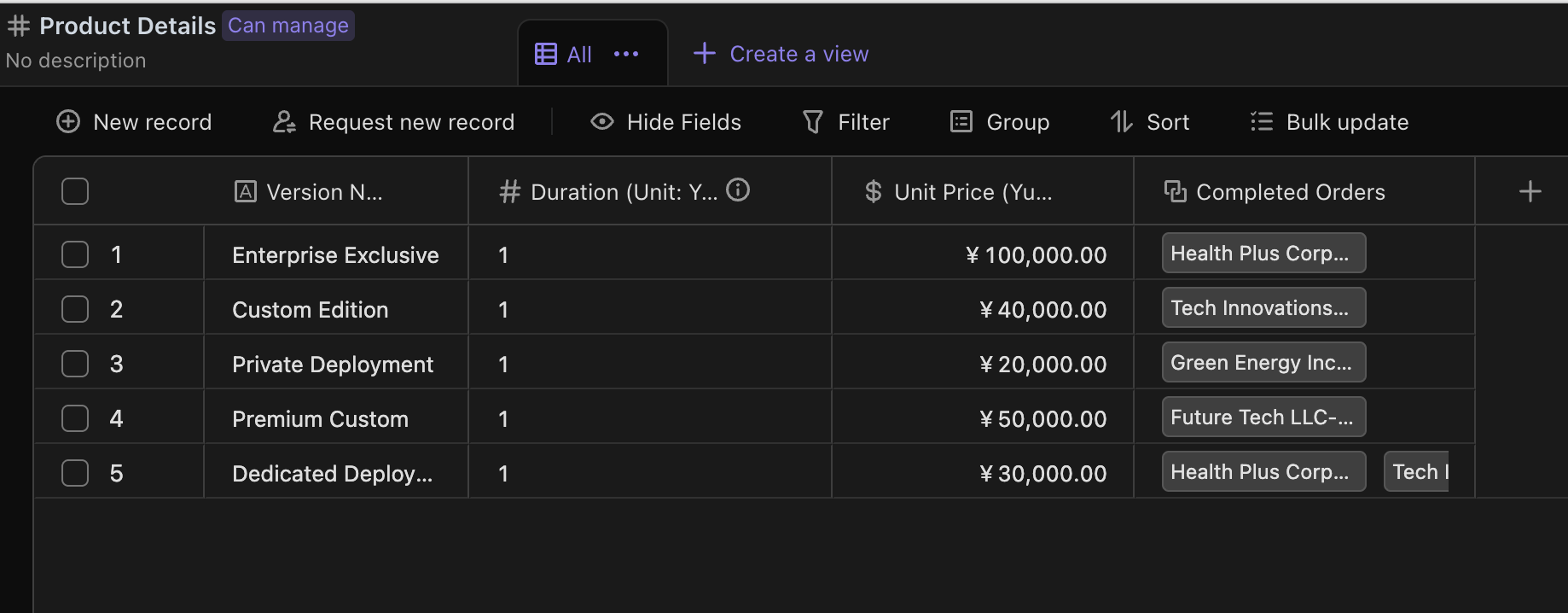
Product Details: Registers basic information about existing products, such as version name, duration, unit price, and details about customers who purchased the product.
🎯 Steps to Use
-
Enter the basic customer information in the Customer Information.
-
Add basic product information in the Product Details Sheet.
-
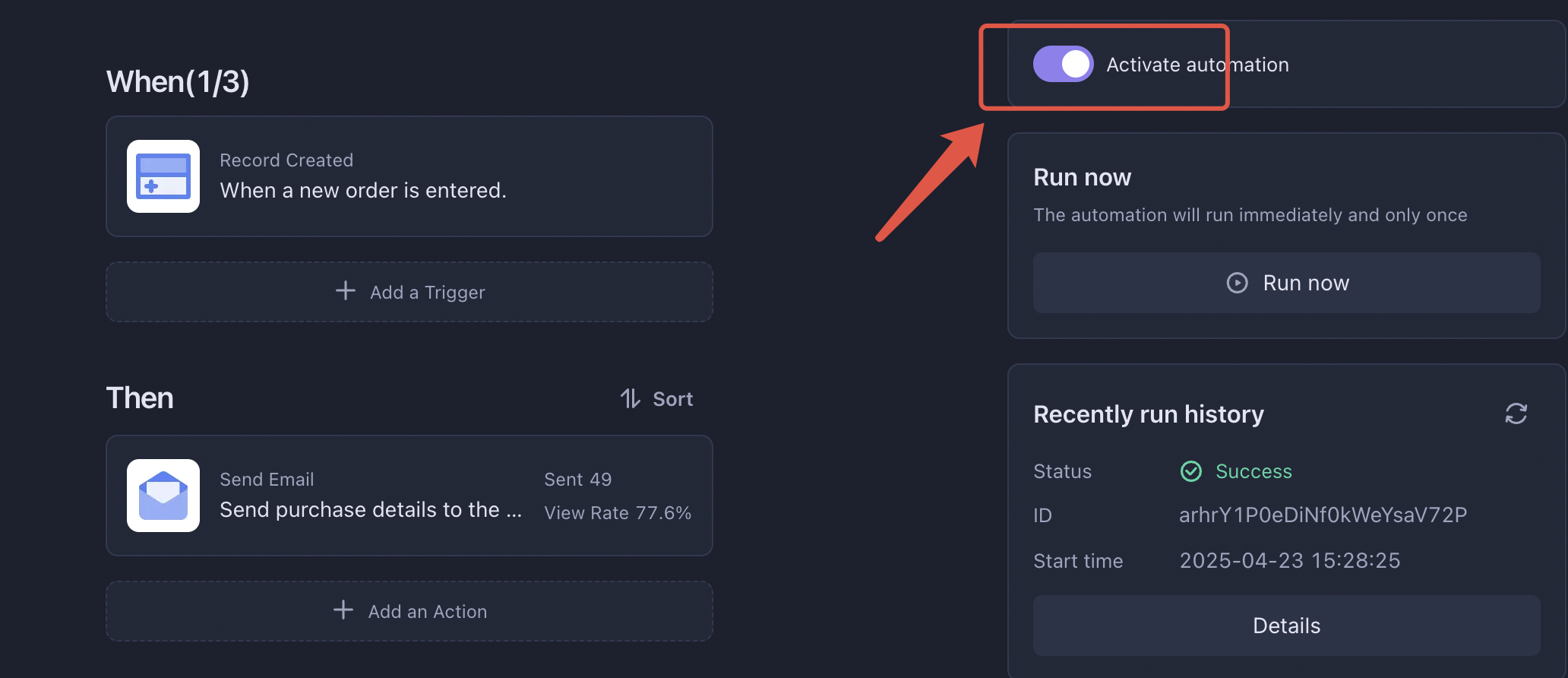
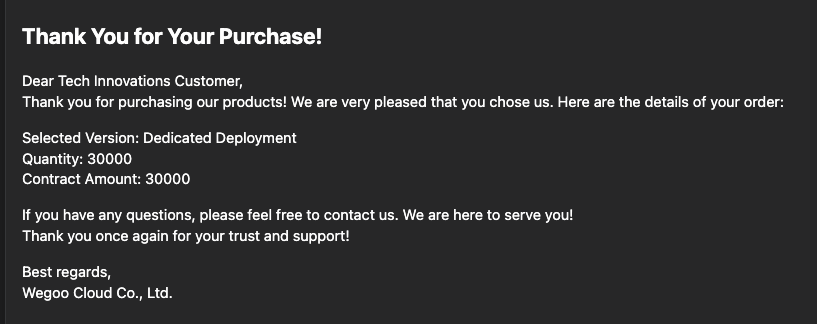
Email notifications for completed orders: When a new record is created in the contract order form or the order entry form, a purchase detail will be automatically generated and sent to the corresponding customer’s email and the sales follow-up person's email.
- Turn on automation.
- Enter a new record in the Contract Order Table or Order Entry Form. Refer to step 4 for details.
- The corresponding email will receive a message like this, indicating that the automation has been successfully configured.
-
New order information can be directly added in the Contract Order Table or filled out in the Order Entry Form based on the customer’s actual situation. Filling out the form will trigger the Email Notifications for Completed Orders automation.
-
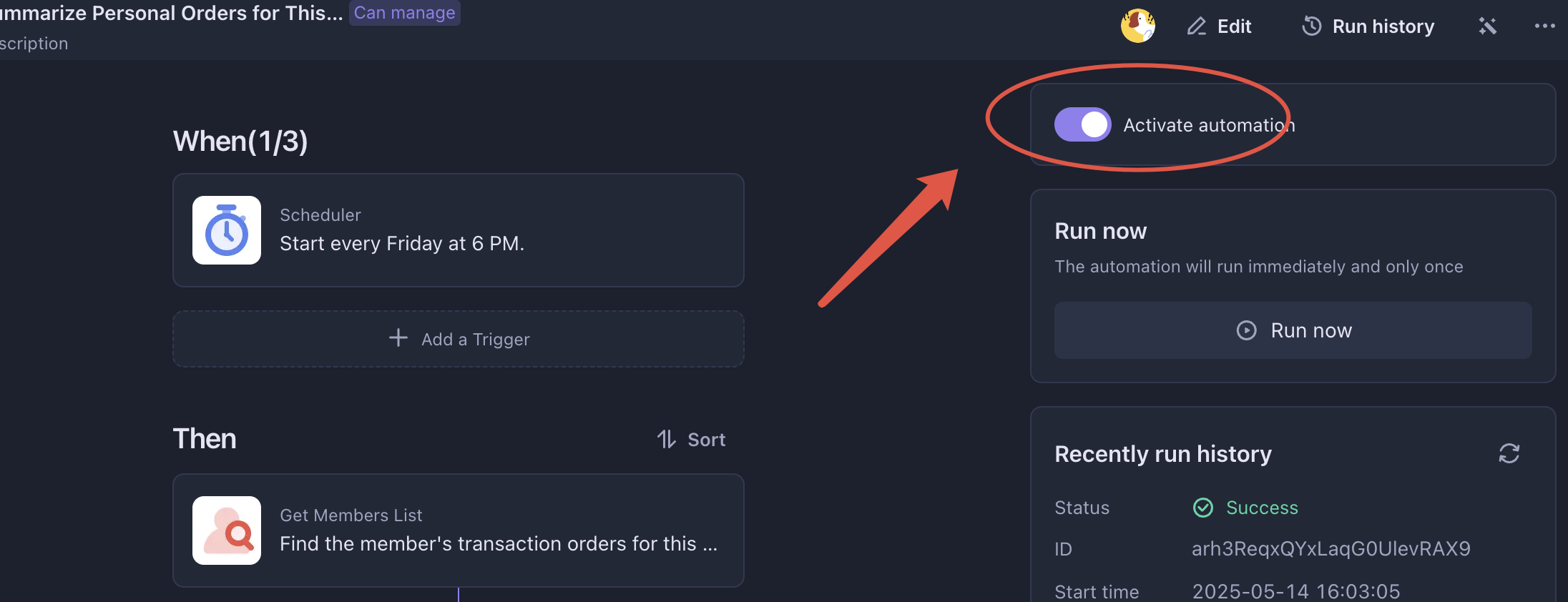
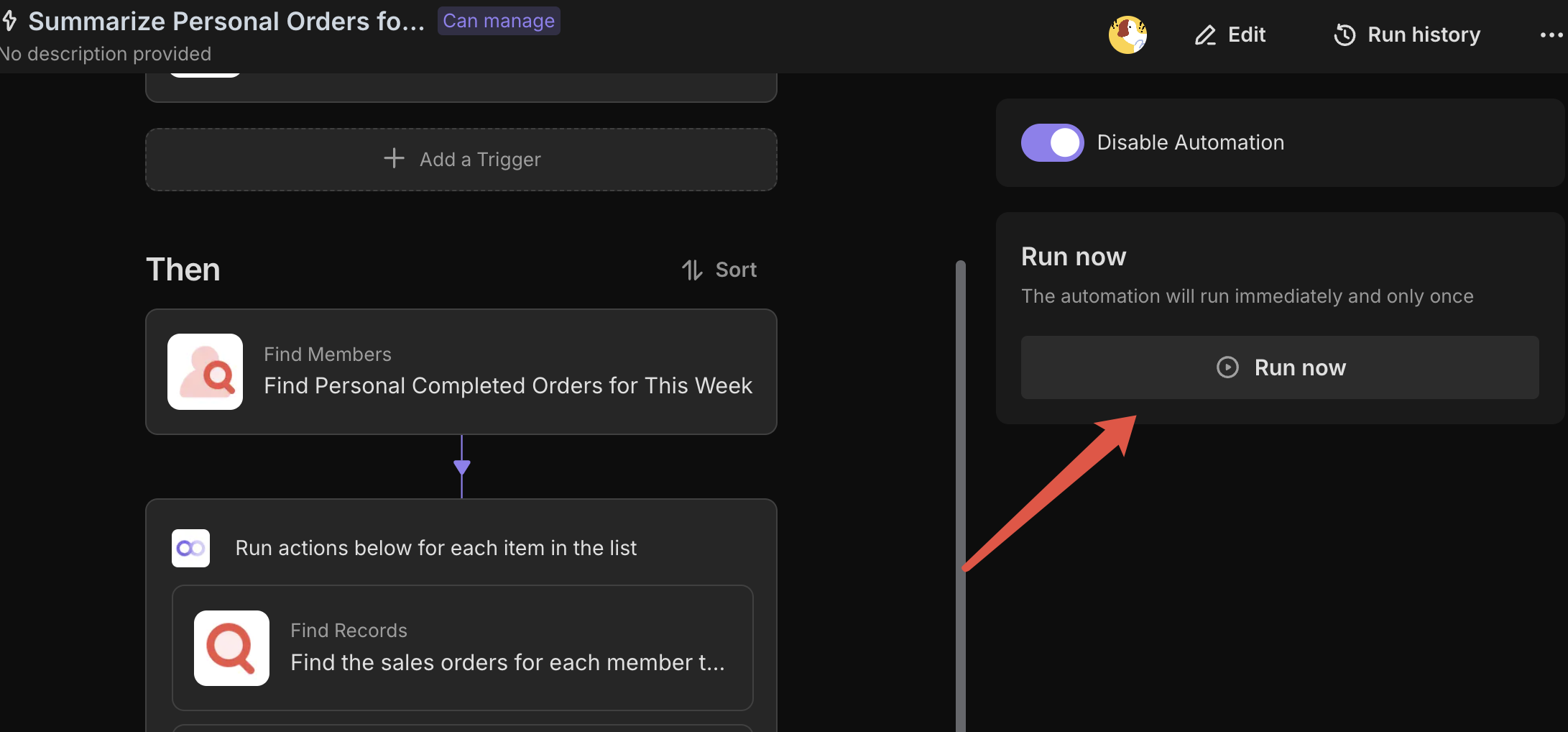
Weekly Personal Order Summary: Automation is set to trigger every Friday at 6 PM, and the system will automatically generate a personalized sales report for 【Sales Follow-up Person】.
-
Turn on automation.
-
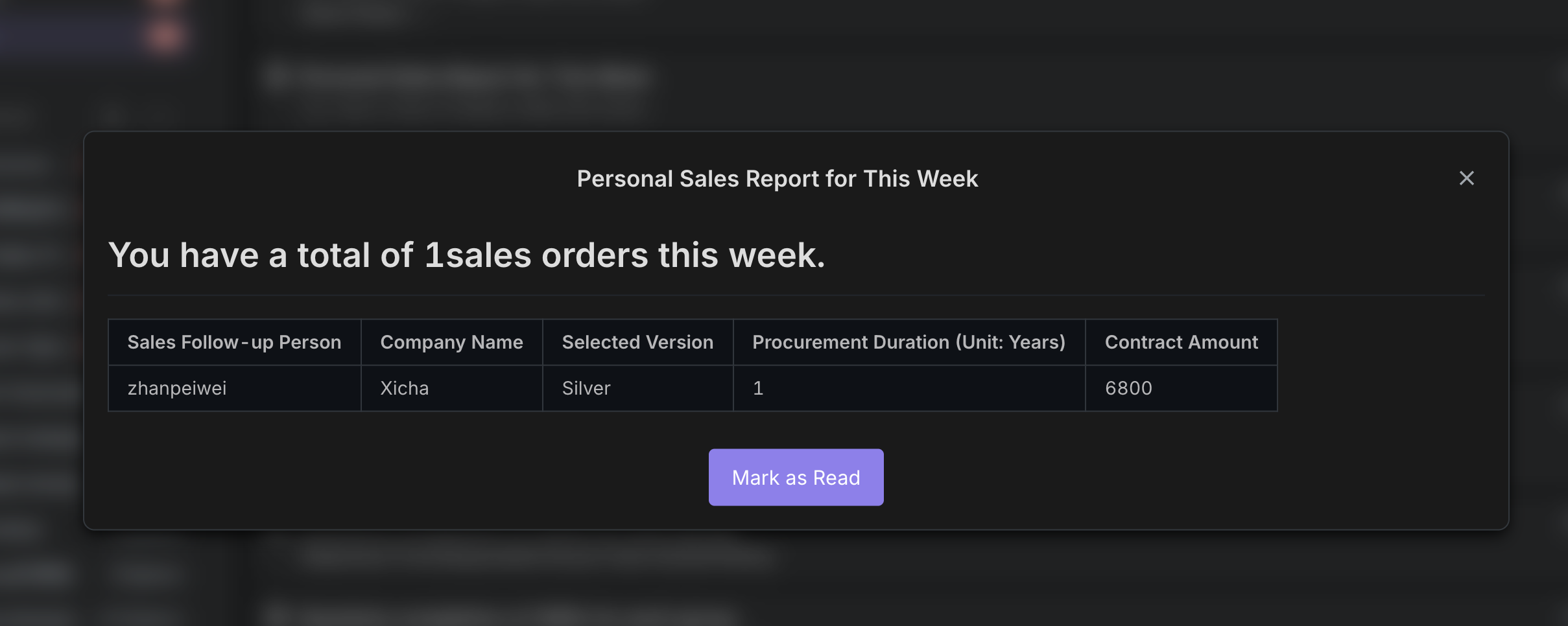
Click "Run Now" to test the automation; 【Sales Follow-up Person】 will receiving a summary report indicates successful configuration.
-
-
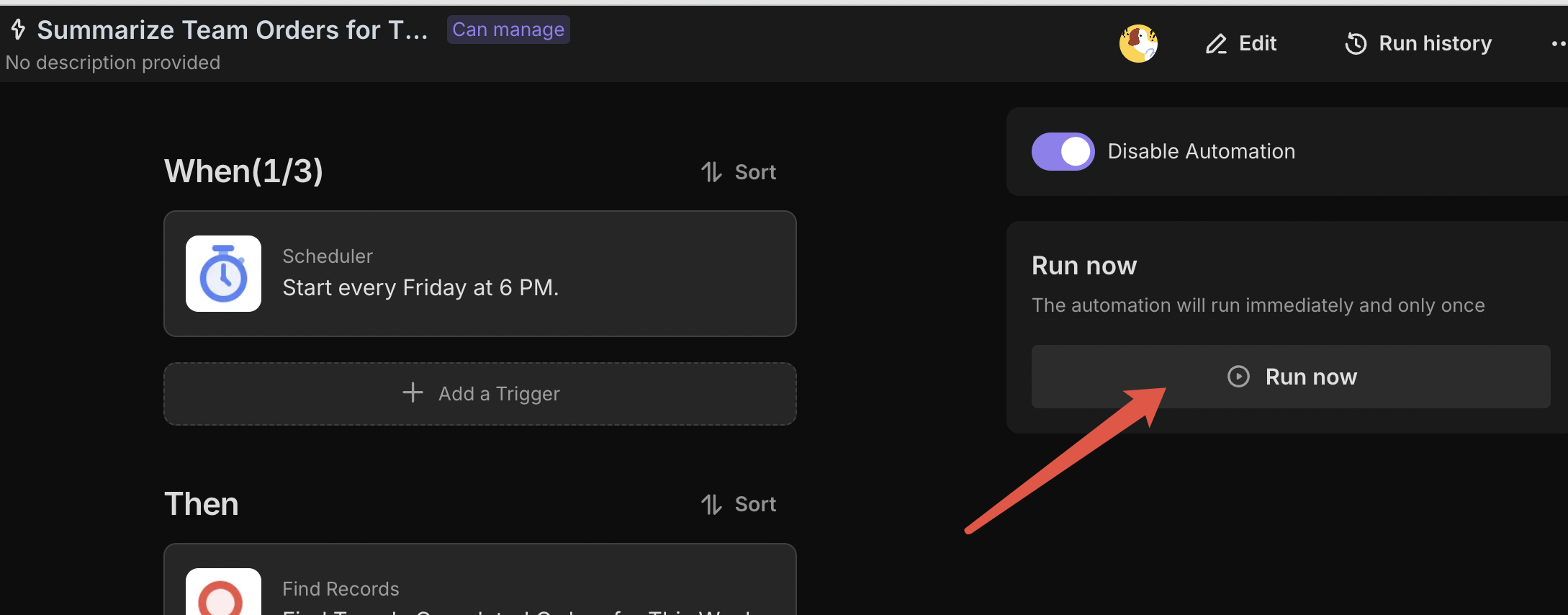
Weekly Team Order Summary: Automation is set to trigger every Friday at 6 PM, and the system will automatically generate a team sales report for the designated member.
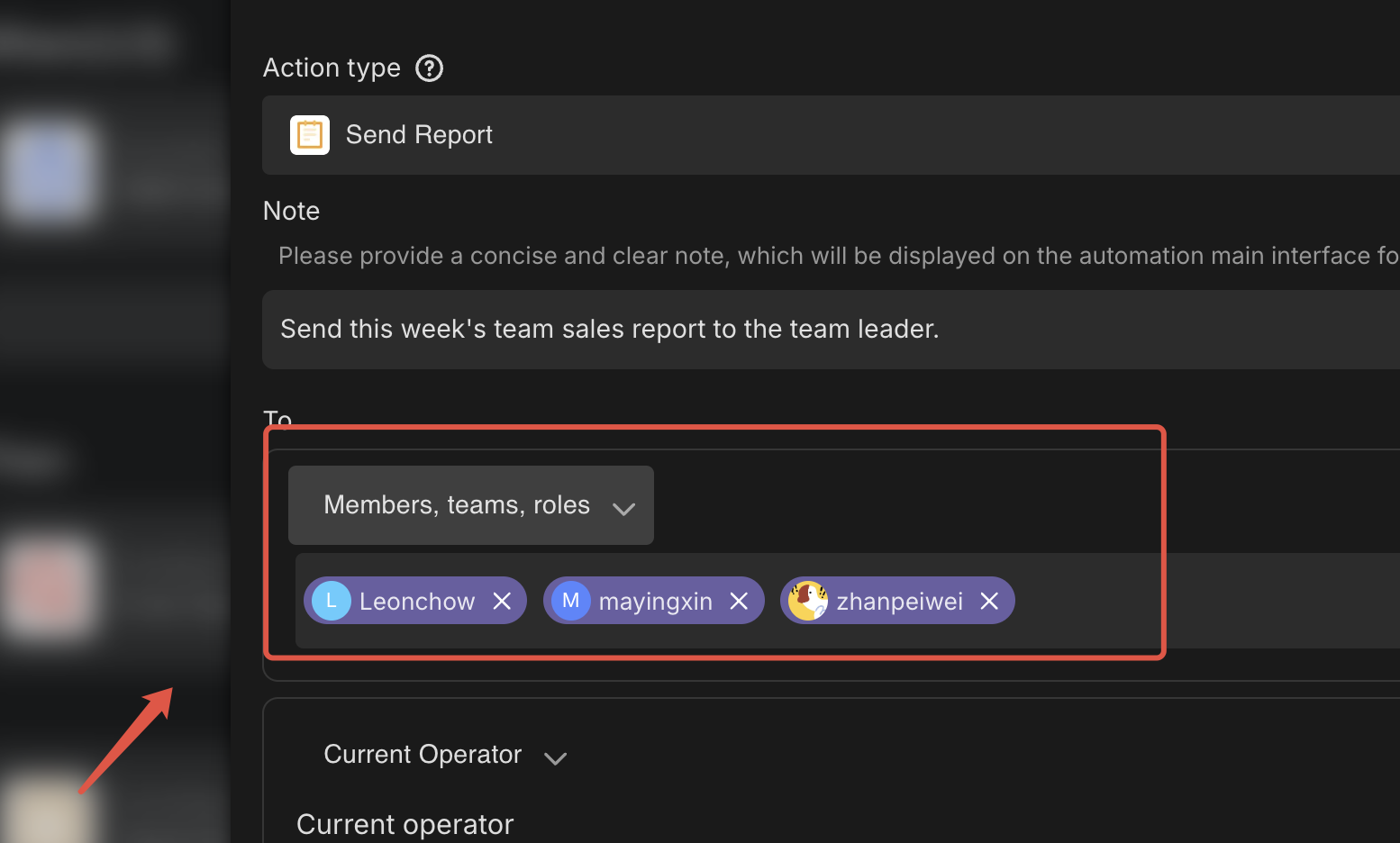
- First, configure the member roles and select the corresponding member.
- Click "Run Now" to test the automation; receiving a summary report indicates successful configuration.
👉 Suitable Users
This template is particularly suitable for companies that require manual order entry, manufacturers that provide highly customized products, and businesses that sell non-SaaS or privatized SaaS versions, such as Sales NV1. Regardless of your industry, this template can help you enhance order management efficiency.
FAQ
1. How do I change the text in the automated confirmation email?
The template comes with a default email message, but you likely want to add your company branding.
- Go to the Automation tab.
- Select the "Email Notifications for Completed Orders" workflow.
- Click on the "Send Email" action node.
- Here you can edit the Subject and Body. You can insert "Dynamic Fields" (like
{Customer Name}or{Order Amount}) to make the email personalized for every order.
2. Why can't I see a specific product in the "Order Entry Form"?
The Order Entry Form pulls its options from the Product Details table. If a product isn't showing up in the dropdown menu:
- Go to the Product Details table.
- Add a new record with the new product's name and price.
- Return to the Order Entry Form; the new product will now be available for selection.
3. Can I change the Weekly Report to be sent on Monday morning instead of Friday?
Yes.
- Open the "Weekly Team Order Summary" (or Personal Summary) automation.
- Click on the first node, labeled "Scheduled Trigger".
- Change the "Run On" setting from Friday to Monday, and adjust the time to your preference (e.g., 09:00 AM).
4. How does the system know who the "Team Leader" is?
For the Weekly Team Order Summary, you must manually specify the recipient.
- Open the automation configuration.
- Click on the "Send Email" node.
- In the "To" field, select the specific member of your workspace who should receive this report. You can select multiple people if you have multiple managers.

Recommend Reading
Recommend AI Automation Templates