AI Sales Report


The AI Sales Report template turns raw sales data analysis into automated sales reporting and a clear weekly sales report for every store. Use AI sales analytics and AI retail analytics to run sales performance analysis, sales performance monitoring, and sales trend analysis across locations. It works like AI business intelligence for retail teams, supporting business analyst reporting, automated report delivery, and trend analysis for sales so managers and analysts can make faster, data‑driven decisions without manual reporting.

Overview
AI Sales Report
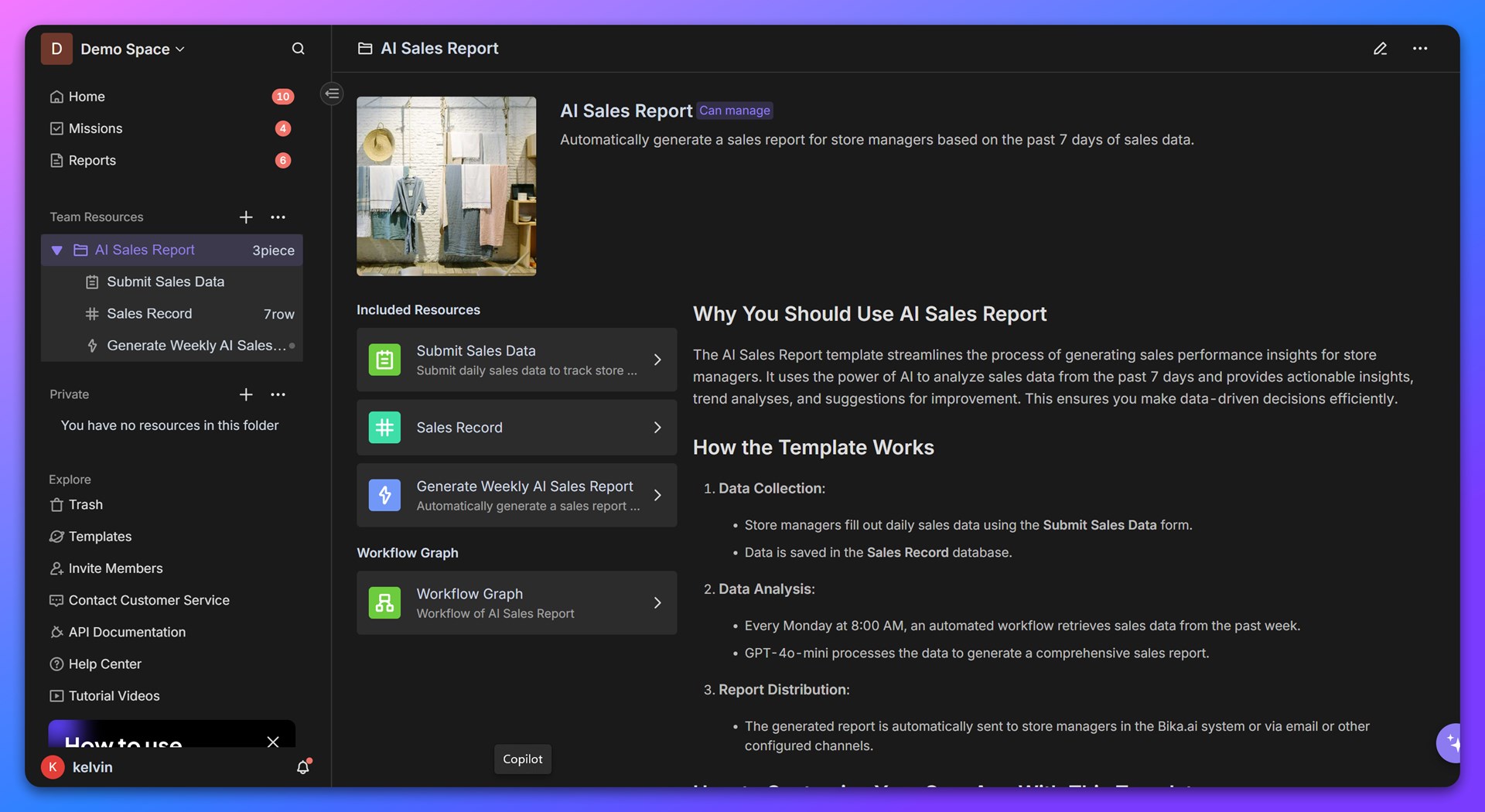
The AI Sales Report template streamlines the process of generating sales performance insights for store managers. It uses the power of AI to analyze sales data from the past 7 days and provides actionable insights, trend analyses, and suggestions for improvement. This ensures you make data-driven decisions efficiently.
How the template works
-
Data Collection:
- Store managers fill out daily sales data using the Submit Sales Data form.
- Data is saved in the Sales Record database.
-
Data Analysis:
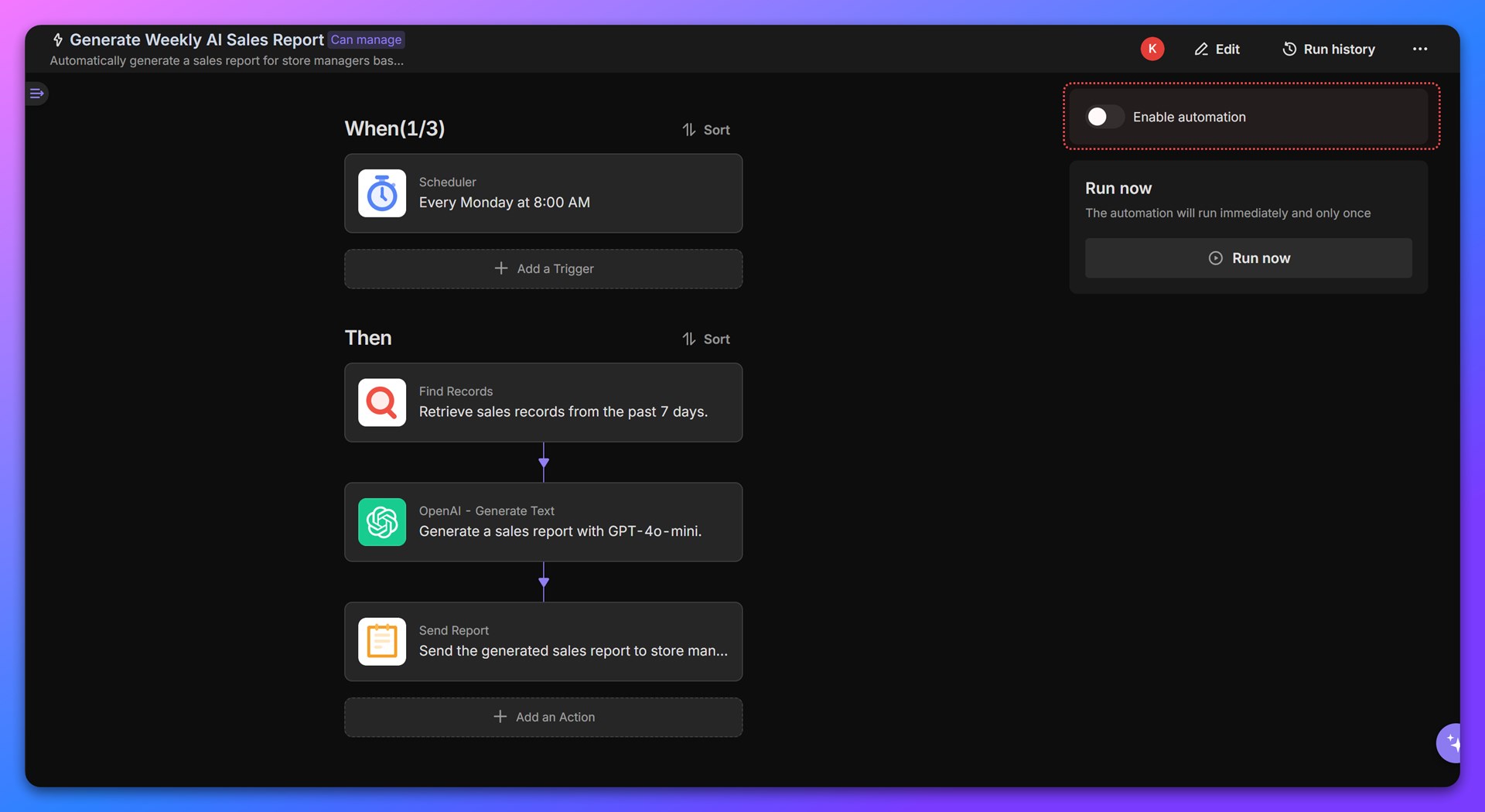
- Every Monday at 8:00 AM, an automated workflow retrieves sales data from the past week.
- GPT-4o-mini processes the data to generate a comprehensive sales report.
-
Report Distribution:
- The generated report is automatically sent to store managers in the Bika.ai system or via email or other configured channels.
🎯 Usage Steps
Once the template is installed, you can start using it right away. You can customize the forms, database, and automation settings to better suit your business needs.
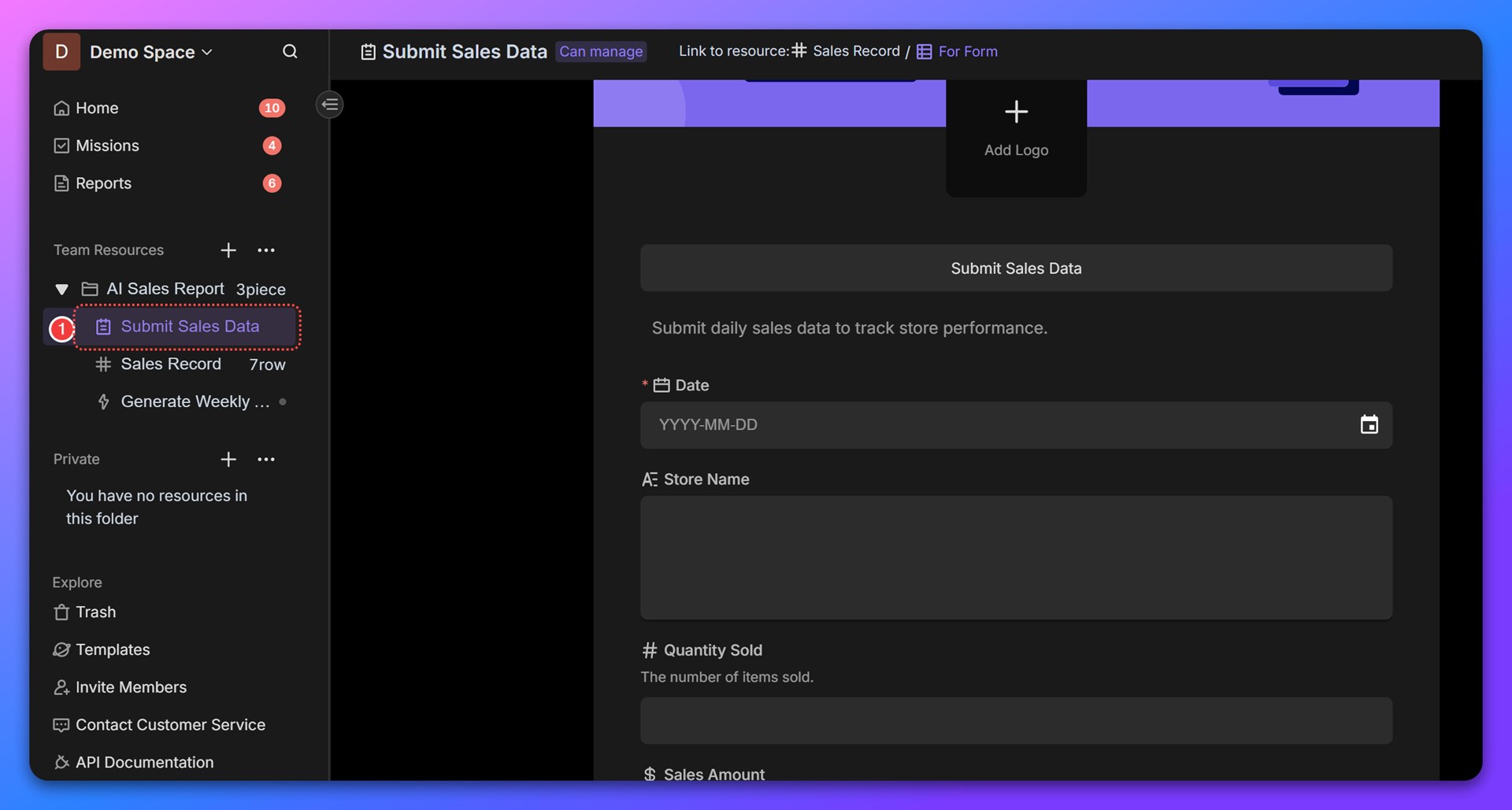
1. Enter Sales Data
At the end of each business day, stores need to fill out the Submit Sales Data form to record the day's sales data. Alternatively, you can manually enter sales data directly into the database.
Please note that the AI-generated sales reports are based on the sales data from the past 7 days. If you'd like to experience the AI reporting feature immediately, try entering 7 sets of sample sales data.
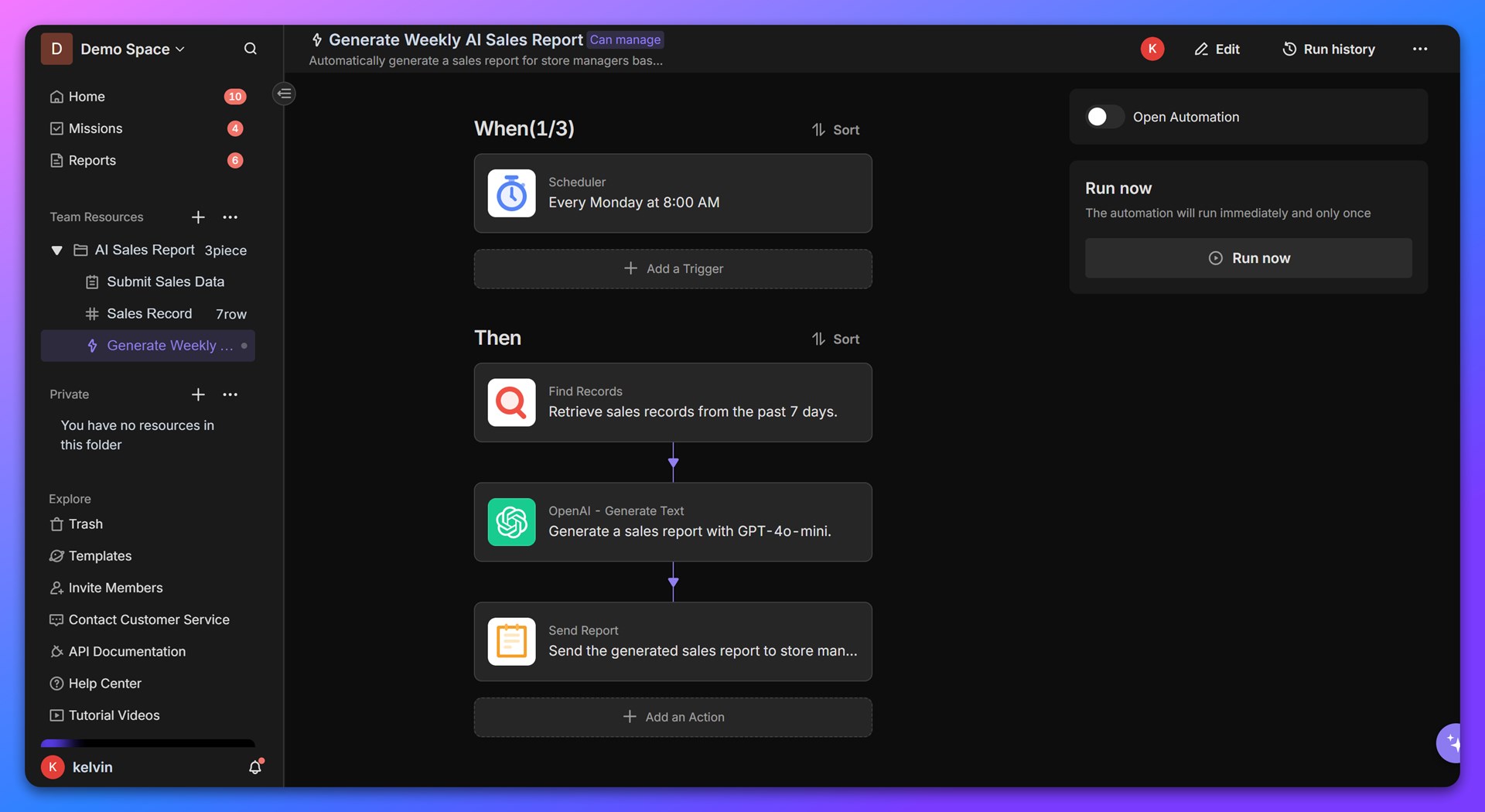
2. Configure Automation
After installing the template, automation is disabled by default. You’ll need to manually configure your OpenAI API key to enable AI sales report generation.
Go to the Generate Weekly AI Sales Report automation page, and in the “OpenAI - Generate Text” action, add your OpenAI API key. Follow these steps:
- Add an OpenAI integration instance.
- Select the instance in the action.
- Click "Save" after completing the configuration.
3. Test Automation Tasks and View AI Sales Reports
On the automation task's editing page, click the Run Now button to manually trigger the task. You can check the execution logs via the Run History option in the top-right corner of the page to monitor the task's status.
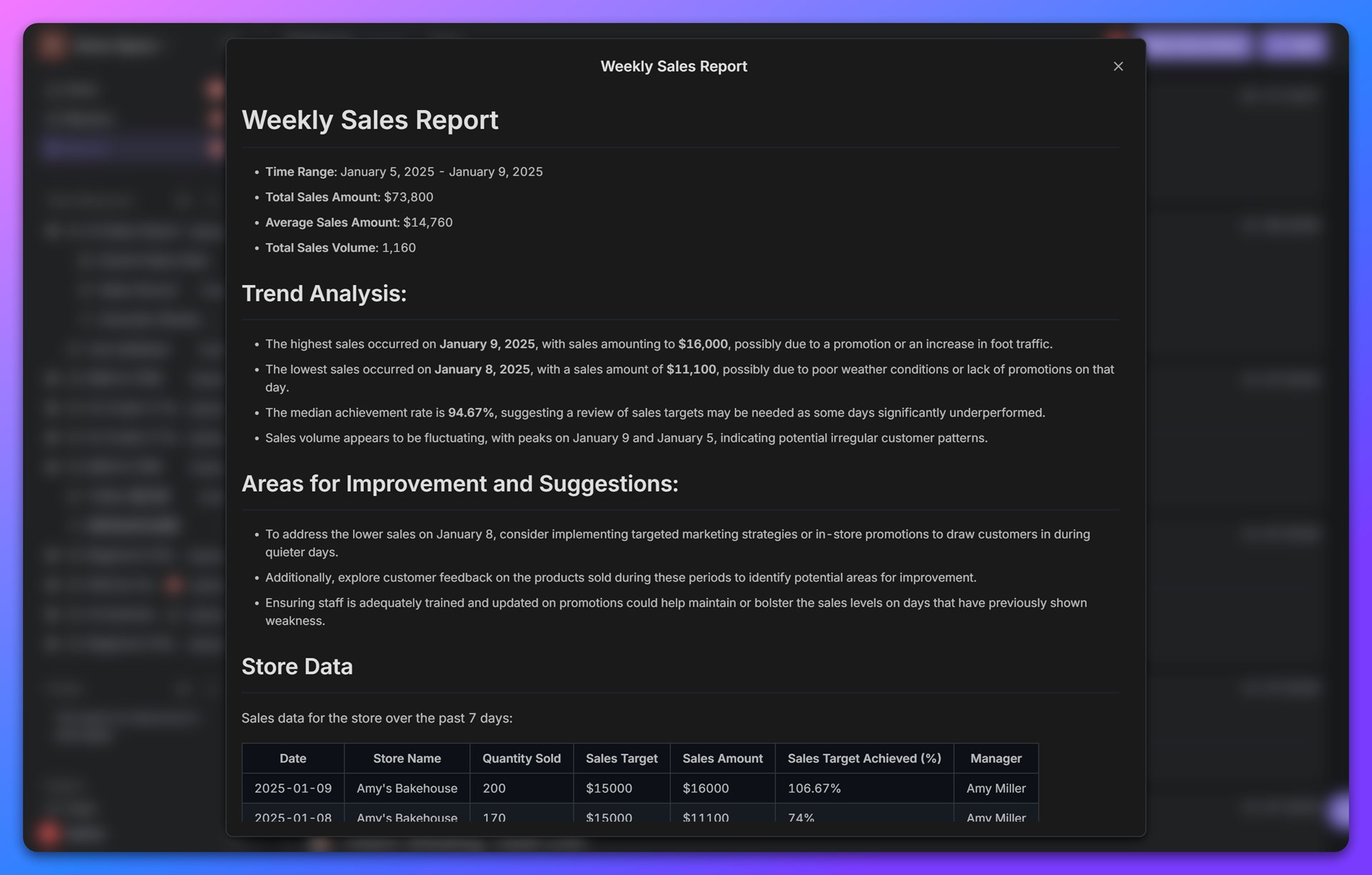
Once the task is complete, you can view the AI-generated sales report via the Smart Reports section at the top of the left navigation bar in Bika.
4. Enable Automation Tasks
After successful testing, click the Enable button on the automation task's editing page to officially activate the task. The automation task will then automatically run every Monday at 8:00 AM to generate the latest AI sales report.
Suitable Users
- Store Managers:
- Monitor store performance and identify areas for improvement.
- Regional Sales Directors:
- Gain insights across multiple stores and spot trends.
- Business Analysts:
- Analyze historical data to enhance sales strategies.
- Retail Operations Teams:
- Automate reporting processes to save time and improve accuracy.
Key benefits of AI sales report
- Automation: Automatically generates weekly sales reports without manual effort.
- Insights: Provides actionable insights and trend analyses for better decision-making.
- Customization: Easily adaptable to any retail business workflow.
- Efficiency: Saves time by automating repetitive tasks.
- Data-Driven Decisions: Leverages AI to highlight key areas of focus and improvement.
FAQ
1. Can I customize the AI analysis?
Yes, the AI prompt and parameters can be adjusted to focus on specific metrics or add new analyses.
2. How do I integrate this template into my existing system?
You can transfer data from your existing system using to Bika via Bika API, or extend functionality through Zapier or Make.com connections.
3. Can I change the report distribution schedule?
Absolutely! Update the scheduler in the automation trigger to match your preferred timing.
4. Is this template suitable for multi-store management?
Yes, you can scale this template to manage multiple stores by customizing the database fields and automations.

Recommend Reading
Recommend AI Automation Templates