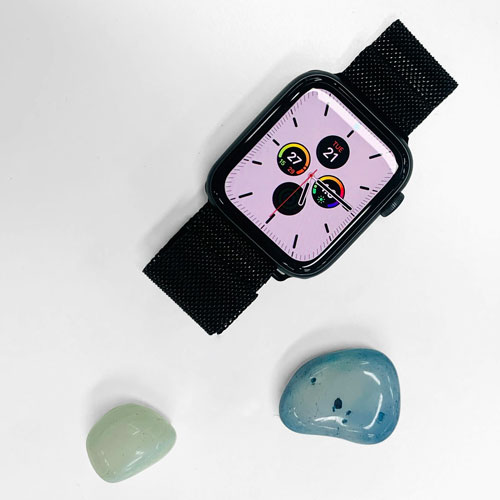
Product Catalog


Organize and manage your product catalog efficiently with our Product Catalog template. Track product types, attributes, links, and pricing, manage vendor databases and supplier information, categorize and monitor products, and streamline product workflows with reporting and localization support. Perfect for sales, operations, and procurement teams looking to centralize product and vendor management.
Overview
Product Catalog
The Product Catalog template is a lightweight product data management solution specifically designed for organizing and managing product information and vendor relationships. The template consists of two primary databases:
-
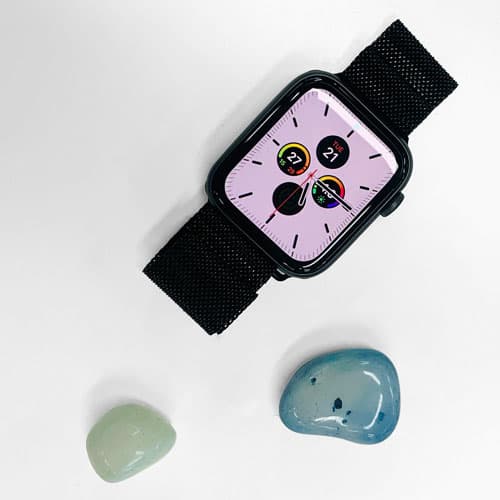
Products Database: A comprehensive system for recording detailed product information, including product names, types, images, stock status, and unit costs. This template uses "Apple Watch Bands" as a product example, allowing for the recording of professional parameters such as case size, material, color, and more.
-
Vendors Database: A dedicated system for managing vendor information, including vendor names, contact details, and sales representatives, creating smart links between products and their suppliers.
How to install and use product catalog template
-
Template Installation
- Select "Product Catalog" from the template center
- Click "Use This Template" to create your product catalog
-
Basic Usage Steps
- Begin by adding your vendor information to the Vendors database
- Add products to the Products database and link them to corresponding vendors
- Utilize the built-in database view to manage and review all product information
- Switch between interface languages as needed (supports English, Simplified Chinese, Traditional Chinese, and Japanese)
-
Product Information Management
- Record basic product details (name, type, images)
- Set product specifications (size, materials, colors)
- Manage inventory status and pricing information
- Add product links and detailed notes
Who is this product catalog template for?
This template is specifically designed for:
- Watch Band Distributors: Perfect for managing various types of watch bands, including fish scale pattern metal, Milanese metal magnetic, and nylon woven styles. Of course, it can be easily adapted for other product types.
- Sales Teams: Sales professionals who need unified management of product information and vendor relationships
- Procurement Officers: Purchasing staff tracking product costs and vendor information
- Operations Managers: Managers requiring comprehensive oversight of product catalogs and supply chain information
Benefits of using our product catalog template
-
Professional Data Structure
- Pre-configured comprehensive product attribute fields
- Intelligent vendor relationship management
- Flexible multilingual support system
-
Efficient Information Management
- Centralized product and vendor information
- Intuitive database view presentation
- Convenient product categorization and filtering
-
Comprehensive Features
- Support for product image attachments
- Precise price management (with currency symbols and thousand separators)
- Detailed notes fields
- Product link management
-
Optimized User Experience
- Clean interface layout
- Multilingual localization support
- Intuitive operational workflow
- Professional data presentation
The template offers a robust solution for businesses looking to streamline their product catalog management while maintaining detailed records of both products and vendor relationships. Its flexible structure allows for easy customization while providing all the essential features needed for effective product management.
FAQ
1. How do I link a product to its supplier?
In the Products Database, locate the "Vendor" field. Click the "+" button to select an existing supplier from your Vendors Database or type a new name to create a record immediately.
2. Can I use this template for products other than watch bands?
Yes. Simply rename the existing categories and specification fields (like "Case Size" or "Material") in the Products Database to match your specific industry, such as electronics, apparel, or furniture.
3. How do I manage prices in different currencies?
You can customize the "Unit Cost" field settings. Click the field header, select "Edit field," and choose your preferred currency symbol and decimal precision to ensure all pricing data is formatted correctly for your region.

Recommend Reading
- HR Workflow Automation: Definition, Examples, and Implementation
- How Is AI Different from Automation? Key Features Compared
- Ultimate Guide: How Marketing Automation Increases Online Store Sales
- What is a Marketing Automation Platform: How to Choose the Right One
- How Top Consultancies Use AI and Automation
Recommend AI Automation Templates



Coming soon