
Automated Stock Data Retrieval (Python)


The Automated Stock Data Retrieval (Python) template automatically fetches US stock data every day and writes it into a structured table, giving you clean, consistent time series for analysis. Use it as part of your financial data automation stack to power stock trend analysis, dashboards, alerts, and quantitative analysis data for models and backtests. Designed for financial analysts, investment managers, data scientists, quants, and portfolio managers, it saves time on manual data collection so you can focus on research, strategy, and better investment decisions.

Overview
Automated Stock Data Retrieval Template
To facilitate the work of financial analysts and investment managers, the system will automatically collect information about specific stocks and save it to a database based on your settings. This way, you can easily track and analyze stock trends, save time, and improve investment decisions.
👉 How the Template Works
This template includes a database and an automation task.
- Stock List: Used to store the stock symbols that need to be queried.
- Stock Data: Used to store stock information collected daily.
- Stock Information Automation: Collects specified stock information at scheduled times and writes it to the database.
🎯 Steps to Use
1. Install the Template
Install this template into your Bika space. If you need to manage multiple projects simultaneously, you can install this template multiple times. One template corresponds to one project.
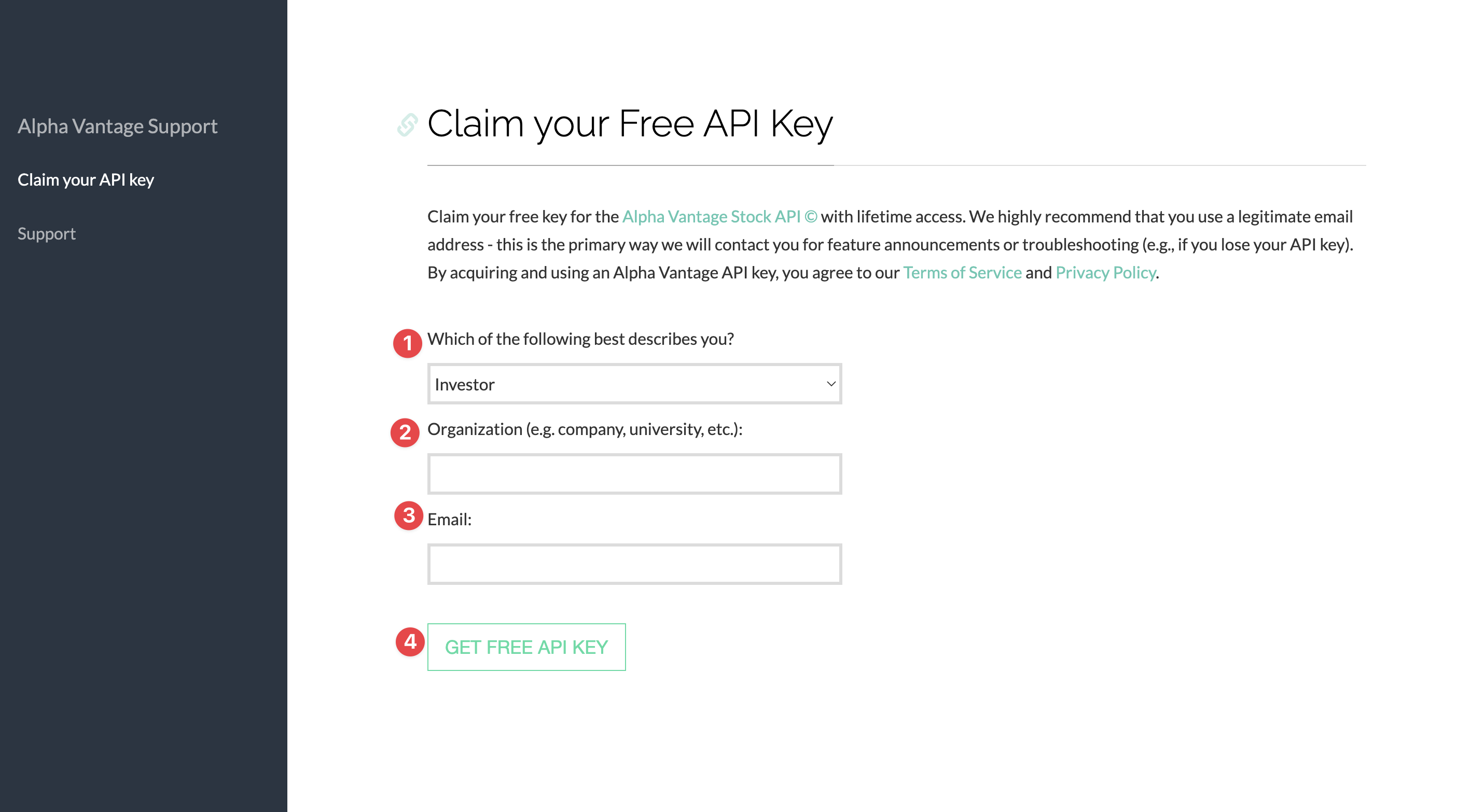
2. Get API Key
This template uses the Alpha Vantage API to retrieve stock information. You need to apply for an API key from the Alpha Vantage official website, which is free (note: only U.S. stocks are supported).
3. Configure Stock Symbols
Enter the Stock List database, which already has some preset stock symbols. You can directly replace these and add new ones. The automation task will recognize the stock symbols here to retrieve data.

4. Configure the Automation Task
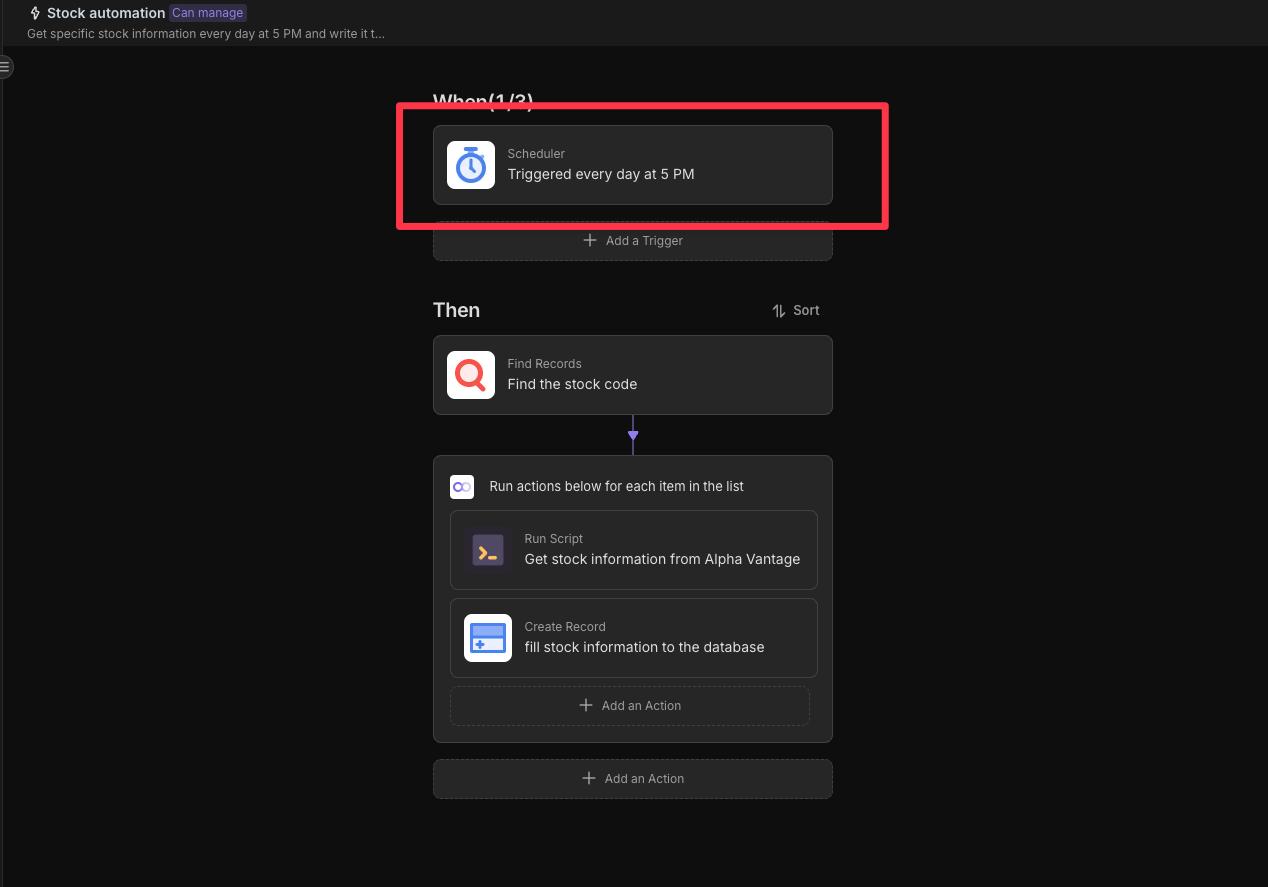
Enter the editing interface of the Stock Information Automation task, where you can modify the trigger conditions and actions. If not set, the default is to send reminders at 5 PM daily.
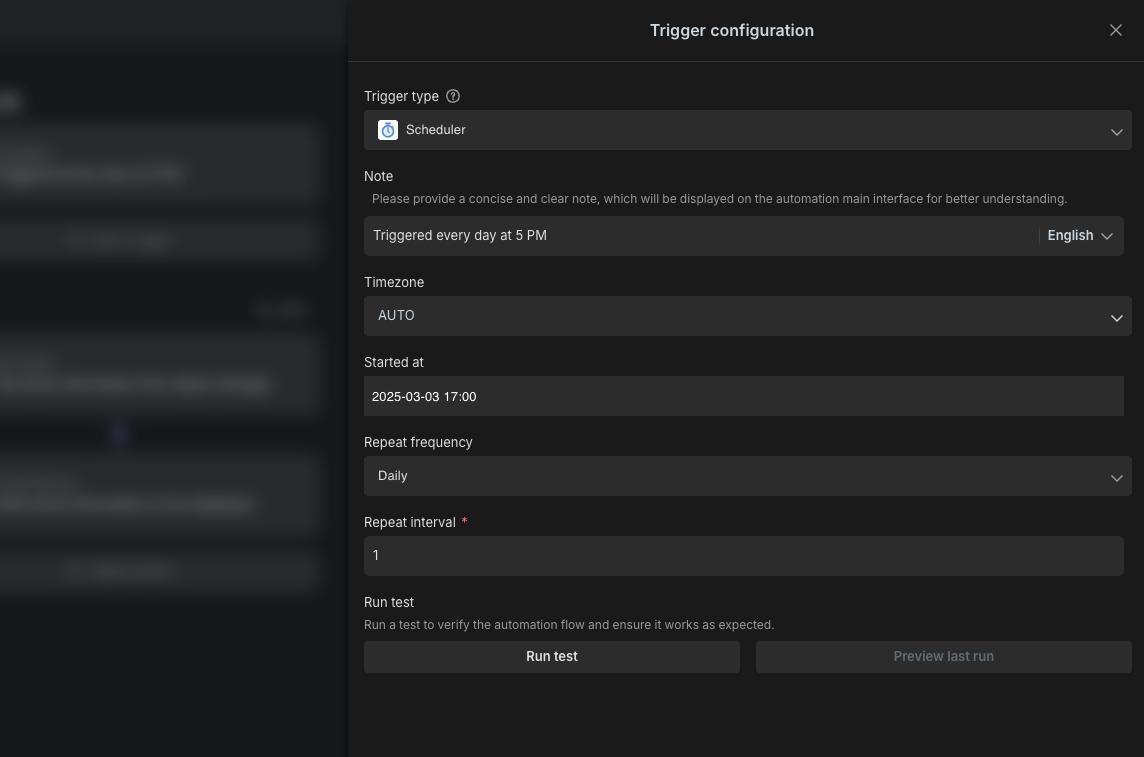
You can click on the trigger to set the reminder time in the "Trigger Conditions."
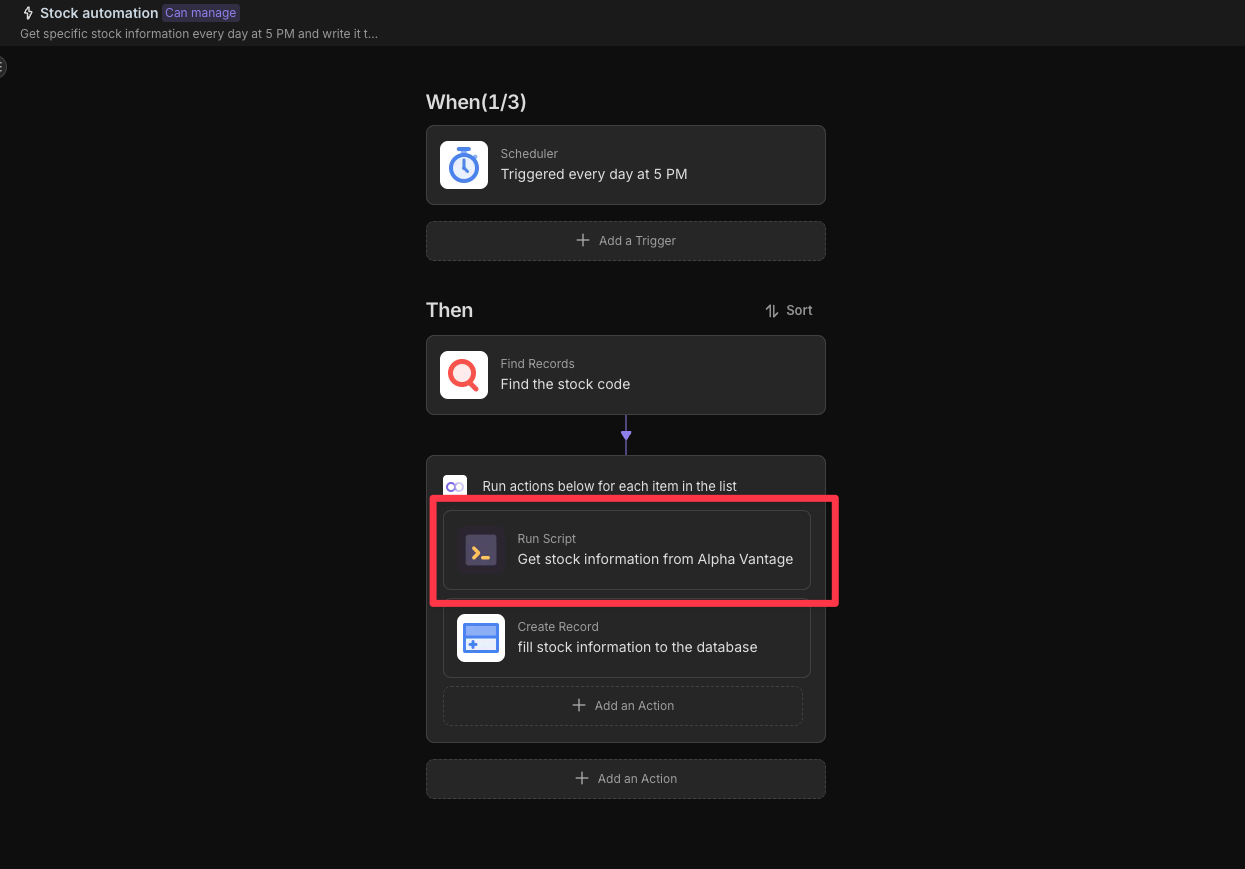
During configuration, you need to replace the __YOUR_API_KEY_HERE__ in the example with the API key provided by Alpha Vantage.
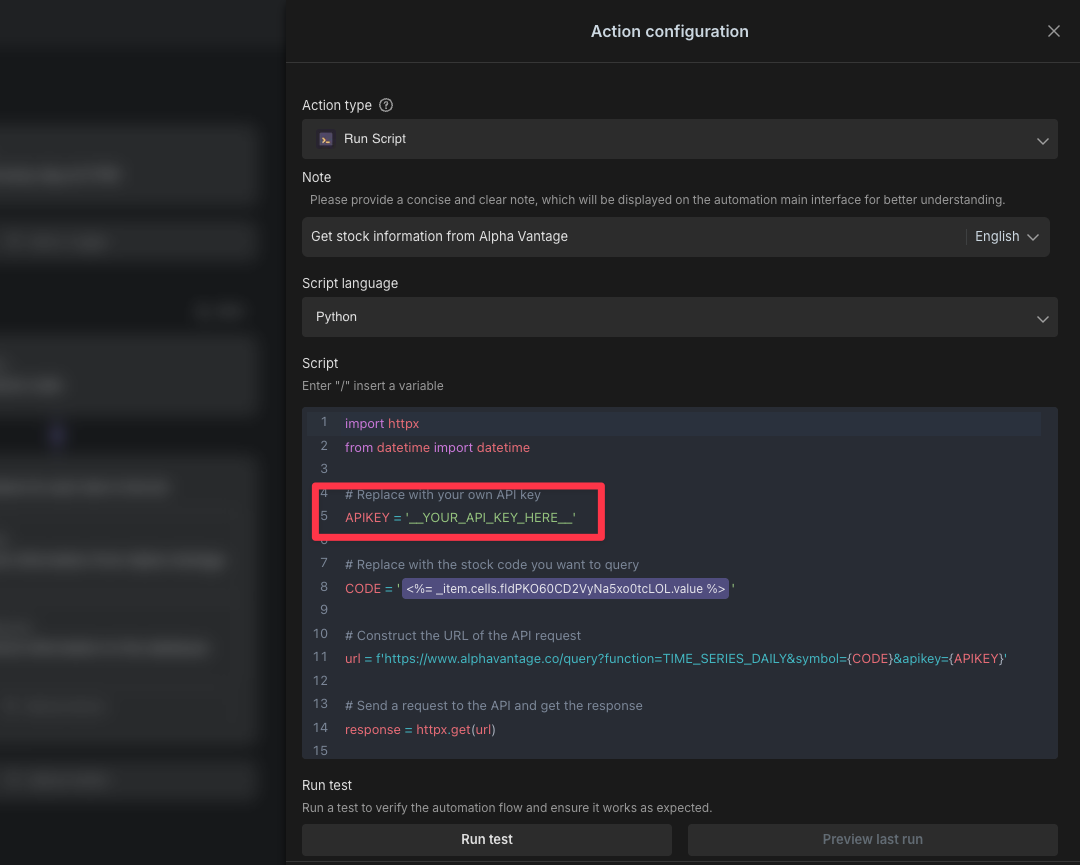
5. Test the Automation Task (Send Stock Information)
We have already set up the default Stock Information Automation task. You can manually enable it and check if the reminder notification is successfully sent at 5 PM daily. You can also directly click "Run Now" after configuring the API key and stock code to test if data is received.
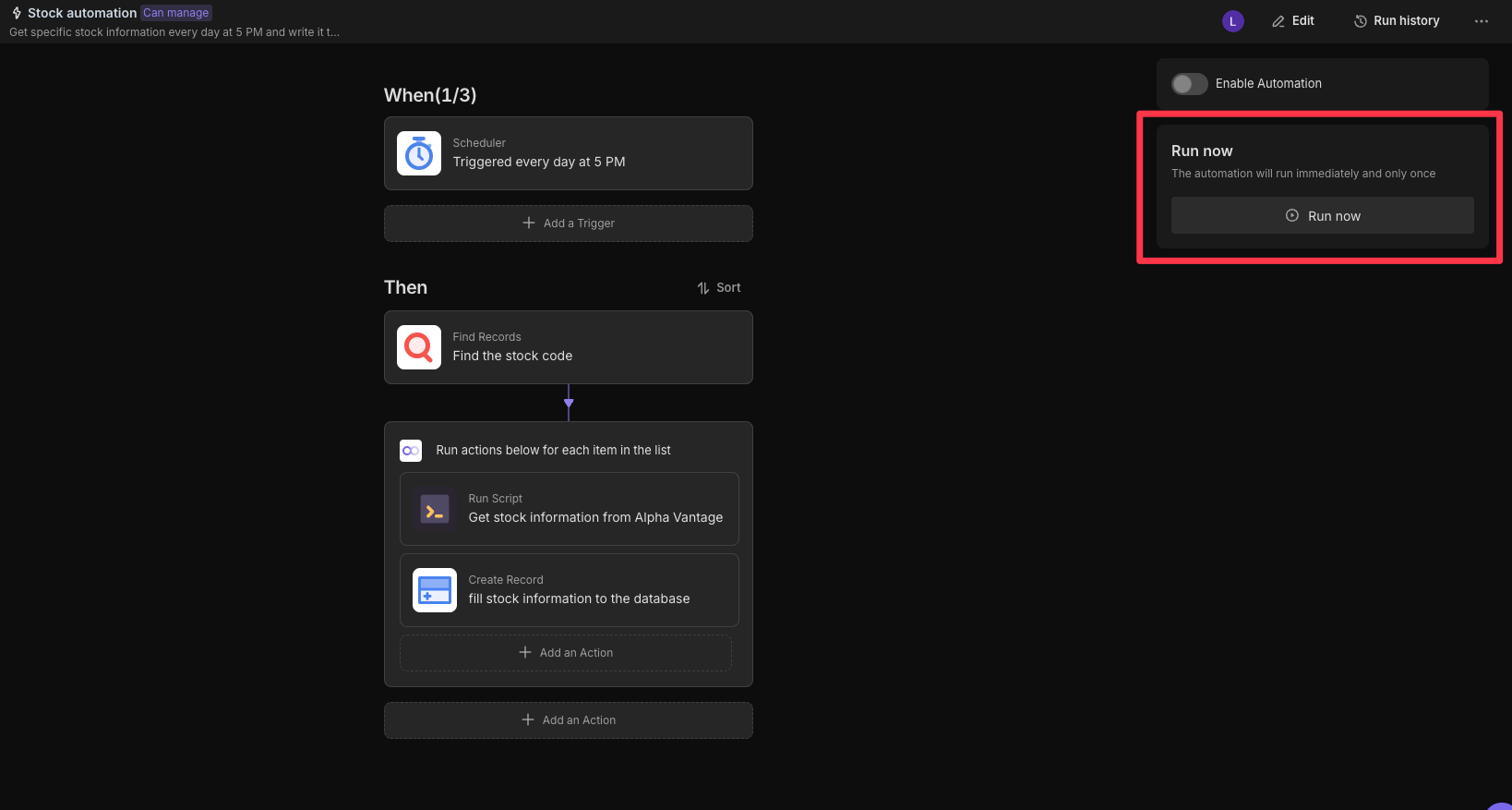
6. View Submitted Stock Data
All collected stock information will be stored in the Stock Data database, which you can view and manage at any time.
👉 Target Audience
This template is ideal for:
- Financial Analysts: Need to efficiently manage and collect stock data.
- Investment Managers: Need to analyze stock trends and make investment decisions.
- Data Scientists: Need to collect and process financial data.
- Software Developers: Need to integrate stock data APIs.
- Quantitative Analysts: Need to build and test algorithms.
- Portfolio Managers: Need to manage and optimize investment portfolios.
⭐ Key Features of This Template
- Efficient Management: Automate stock data collection and acquisition, improving work efficiency.
- Timely Feedback: Automatically send stock information, ensuring data is updated promptly.
- Data Organization: Centrally manage and organize stock data for easy subsequent processing.
- Reduce Omissions: Automated processes ensure all data is processed and tracked promptly.
🔧 FAQ
-
How do I change the reminder time and frequency?
You can modify the time and frequency set in the trigger conditions in the automation task editing interface. The automation task executes based on the set time and frequency, then sends reminder notifications.
-
How do I modify the API key and stock code?
In the automation task editing interface, find and replace the
__YOUR_API_KEY_HERE__and the stock code (e.g., IBM) in the example code. Make sure to use the actual API key you obtained from Alpha Vantage. -
What if I want to stop sending automated reminders?
You can turn off the switch on the automation page to stop automated reminders.
-
How do I view and manage stock data?
All collected stock information will be stored in the
Stock Datadatabase, which you can view and manage at any time.

Recommend Reading
- How to Automate Content Marketing with AI: The 2026 Ultimate Guide
- 6 Best Tools for Automating Contract Workflows in 2026 (Reviewed & Compared)
- 5 Best CRM Workflow Automation Tools in 2026
- How to Build an AI Agent Workflow Without Code
- CRM Workflow Automation: A Complete Guide to Workflow and Process Automation
Recommend AI Automation Templates