Daily Standup(Wecom)
v1.0.3
Arry
Automate your daily standup process with this powerful Daily Standup Template. Improve work progress tracking, streamline team check-ins, and eliminate manual updates through AI-powered workflows. With built-in daily task reminders, smart scheduling, and an advanced AI report generator for daily and weekly summaries, this template helps teams achieve true workday automation and stay aligned effortlessly.
📋 Project Management
🤖 Automation
Included Resources
Automation of Stand-up Briefing Filling Tasks
Morning Meeting Briefing
Automated Summarization of Daily Stand-up Meetings
AI to Analyze the Weekly Work Situation
Workflow Graph
Workflow Graph
Workflow of Daily Standup(Wecom)
Daily Stand-up (WeCom)?
The Daily Stand-up (WeCom) can quickly establish an automated daily work plan and synchronization process for enterprises: From task creation, content filling, to daily report summarization and weekly report analysis, the entire process requires no manual intervention.
Bika.ai automatically creates filling tasks every day and sends reminders through WeCom to prompt team members to fill in the briefings on time. After the morning meeting, at 10 a.m. every day, it automatically summarizes the team members' briefings and generates a daily report to ensure efficient team collaboration and information synchronization. Additionally, an AI can automatically generate a work analysis report every week, facilitating review, summarization, and continuous optimization. With just one template, you can achieve standardization of team management and transparency of data.
📌 How the Template Works
- Automation of Stand-up Meeting Briefing Filling Tasks: A scheduled task is triggered at 1 a.m. on working days to automatically create stand-up meeting briefing filling tasks and send WeCom reminders simultaneously.
- Morning Meeting Briefings: Structurally record all team members' stand-up meeting briefings, including content such as yesterday's completed tasks, today's plans, and obstacles.
- Automated Summarization of Daily Stand-up Meetings: At 10 a.m. on working days, it automatically summarizes the filling status of the briefings, generates a report, and sends it to the WeCom group.
- AI Analyzes Weekly Work Situation: Triggered at a fixed time every week, based on the team members' weekly report data, an AI generates a work analysis report and synchronizes it to the group chat and managers.
🎯 Steps to Use
I. Configure the Automation of Stand-up Meeting Briefing Filling Tasks
-
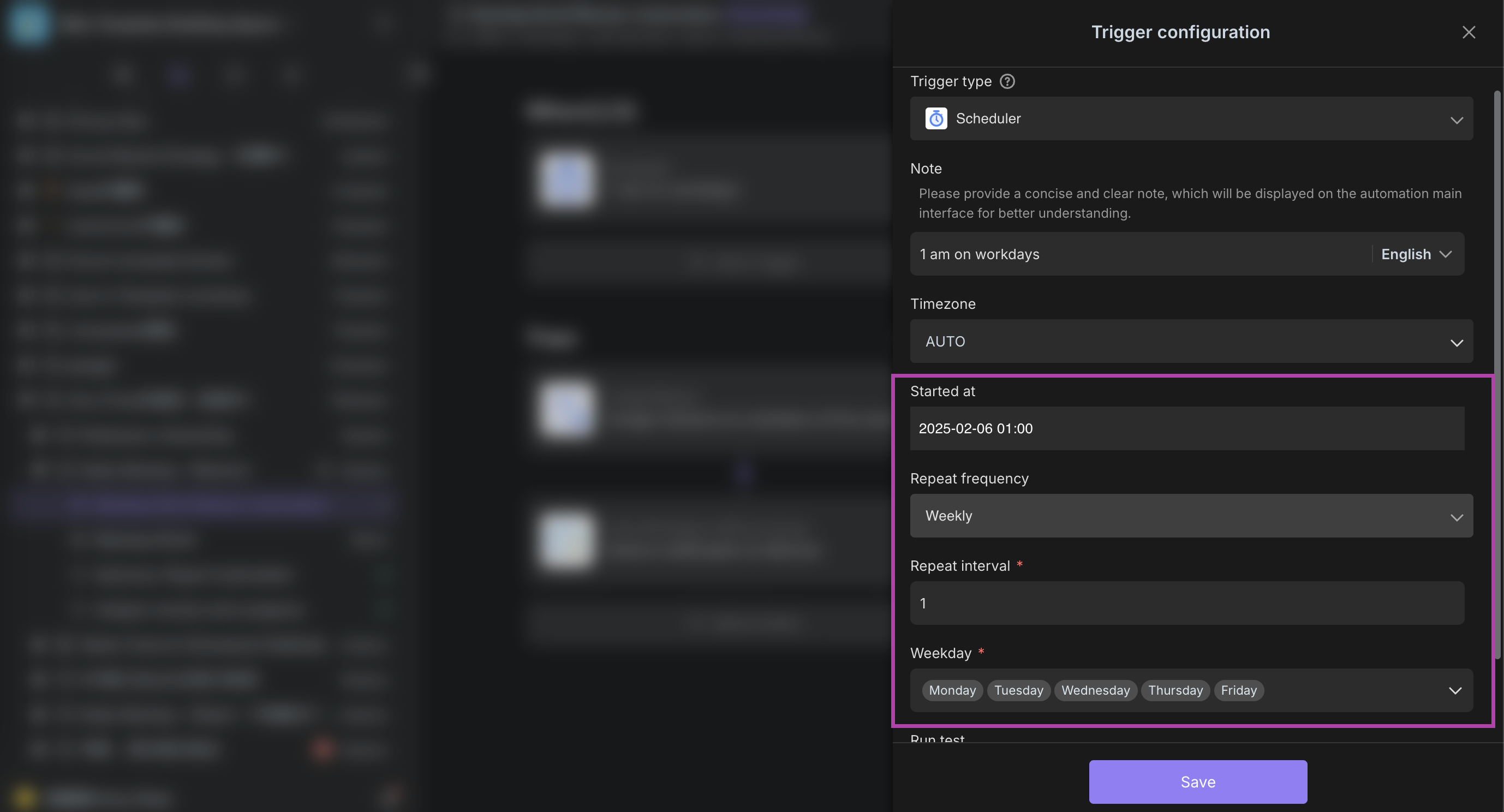
Set the Task Trigger Time
- Enter the configuration interface of "Automation of Stand-up Meeting Briefing Filling Tasks" and select the trigger time in the "Scheduled Trigger" module (set according to your needs).
- Tip: You can check the option "Execute Only on Working Days" to avoid generating invalid tasks on weekends.
-
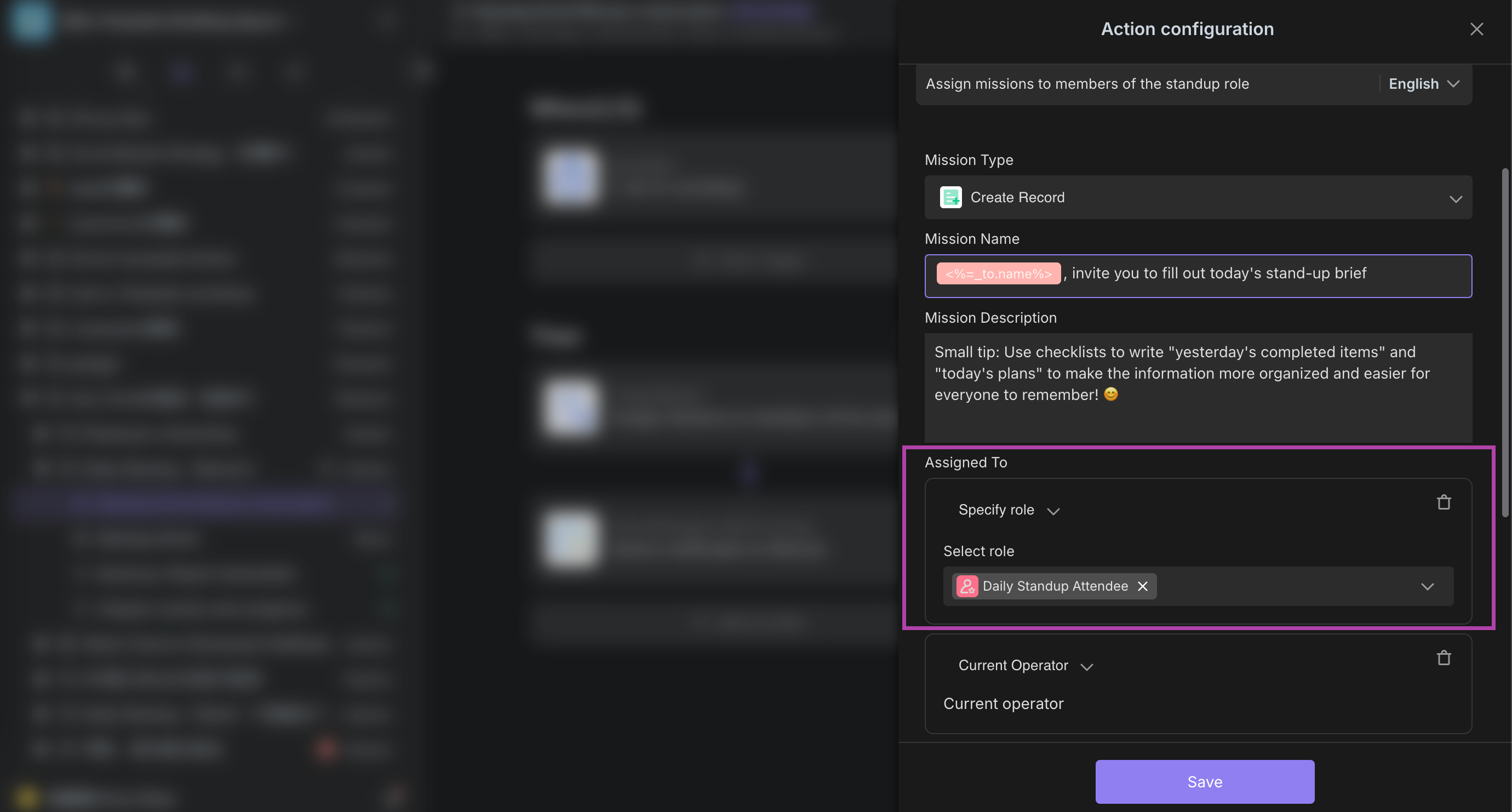
Assign Task Receiving Roles
- In the "Designated Members" module, select the roles that need to receive the tasks (such as Stand-up Meeting Participating Members) or manually add specific individuals.
- Tip: Roles need to be created in advance in the team background.
-
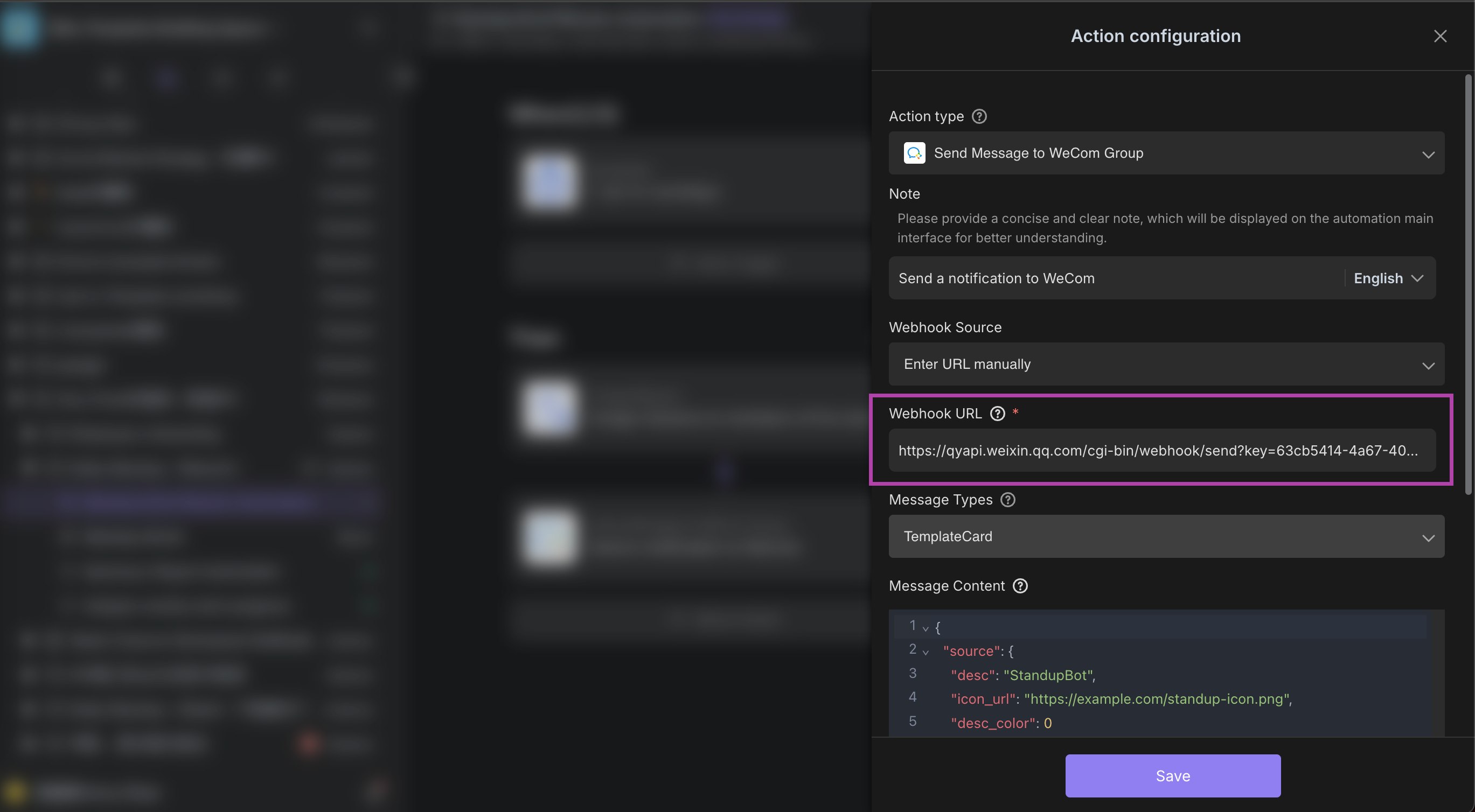
Configure WeCom Reminders
-
In the "WeCom Reminder" module, paste the obtained Webhook URL (Refer to the configuration tutorial: WeCom Webhook Configuration Guide).
-
Automation Logic: After the settings are completed, the system will automatically create filling tasks at the specified time and push reminders through WeCom.
-
Configuration Effect:
-
After the task is successfully created, you can view the task in the automation task list:

-
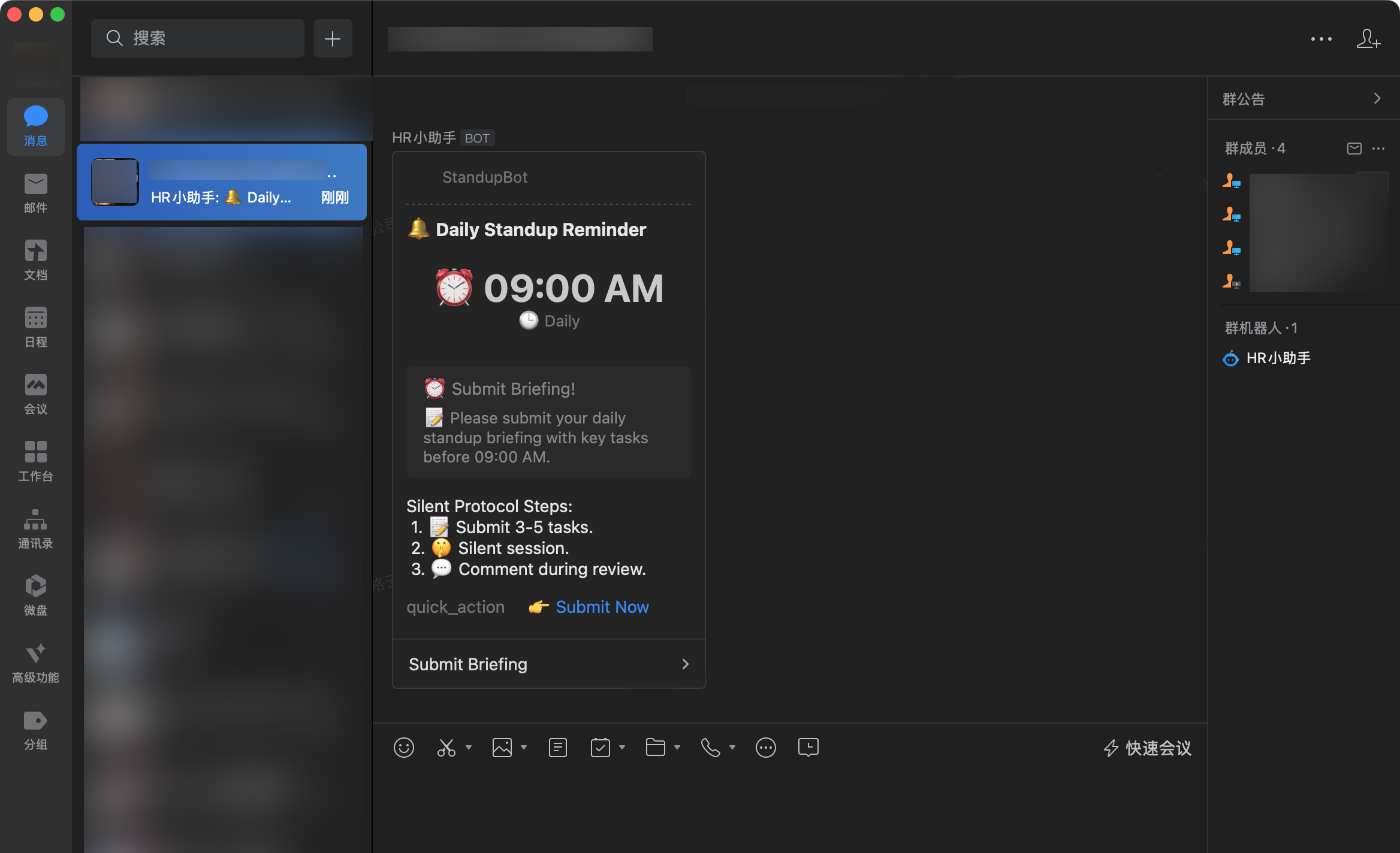
Team members will receive WeCom reminders, and the content includes the task link:
-
II. Team Members Fill in the Morning Meeting Briefings
-
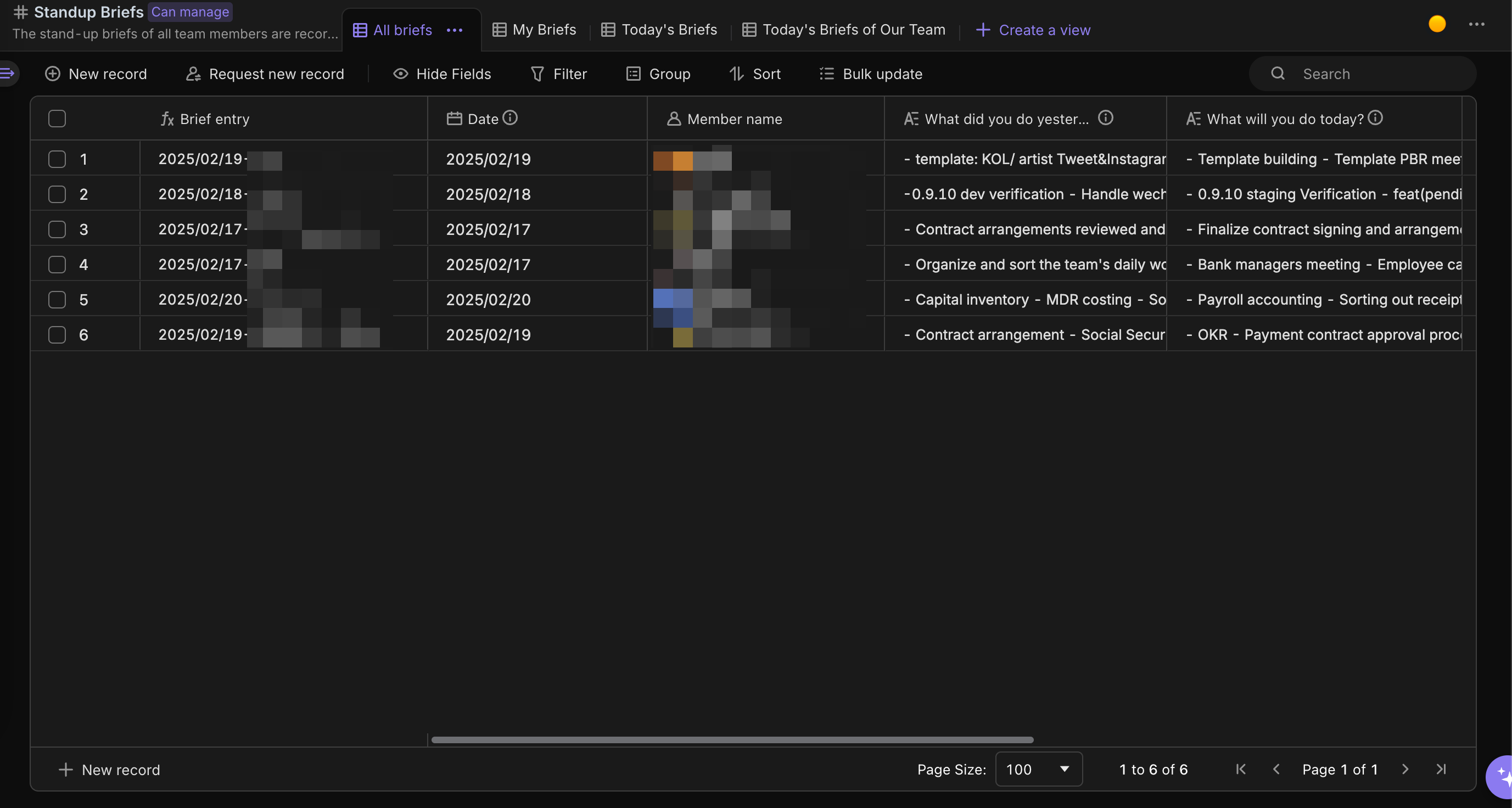
Operation: After receiving the WeCom reminder every day, fill in the content through the "Morning Meeting Briefing" form, including yesterday's completed tasks, today's plans, and the obstacles encountered.
-
Key Tips: Keep the filled content concise. You can quickly filter and view the corresponding briefing records through views such as "All Briefings/My Briefings/Today's Briefings/Today's Briefings of This Group" at the top of the form to improve the filling and viewing efficiency.
III. Configure the Automated Summarization of Daily Stand-up Meetings
-
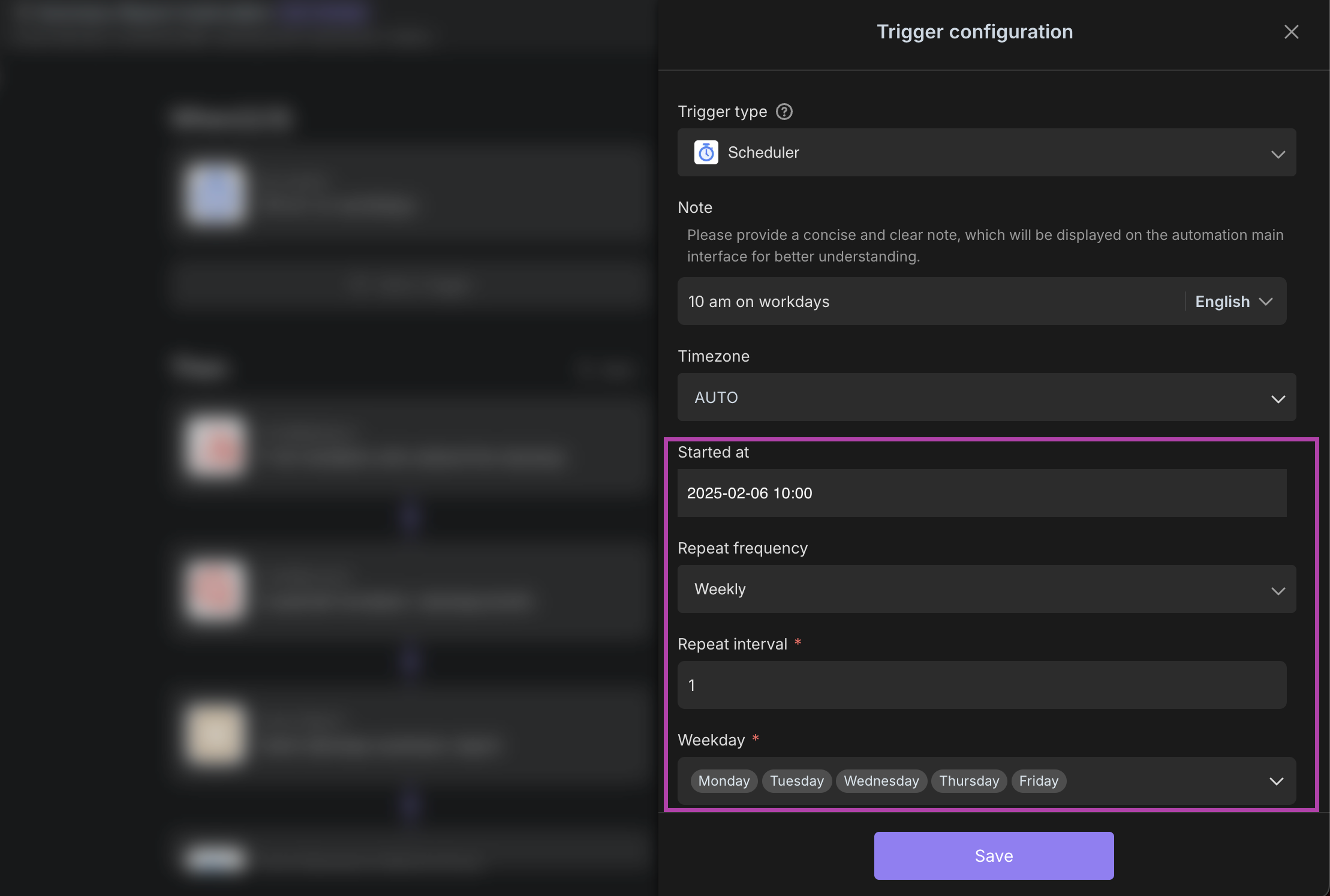
Set the Scheduled Trigger Time
- Enter the configuration interface of "Automated Summarization of Daily Stand-up Meetings", confirm the time as 10 a.m. on working days in the "Scheduled Trigger" module, and ensure that the repetition on working days (such as Monday to Friday) is checked.
- Key Tip: If you need to adjust the time, click to edit the trigger and modify it. You can run a test to verify the settings before saving.
-
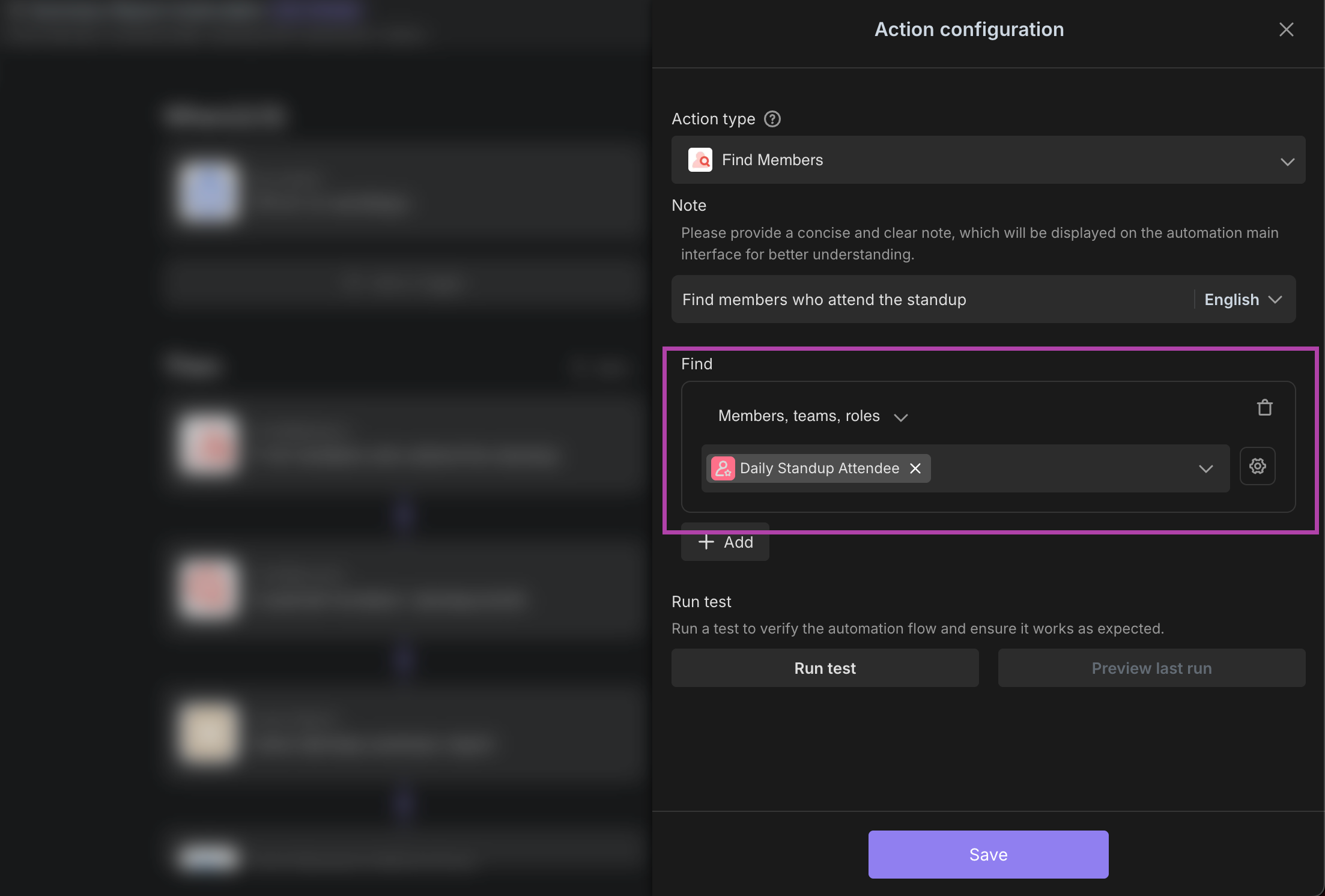
Configure Finding Participating Members
- In the "Find Members" executor, select the member scope that needs to be summarized (such as the specified role "Daily Stand-up Meeting Participants").
- Tip: Roles need to be created in advance in the team background to ensure that members are correctly assigned.
-
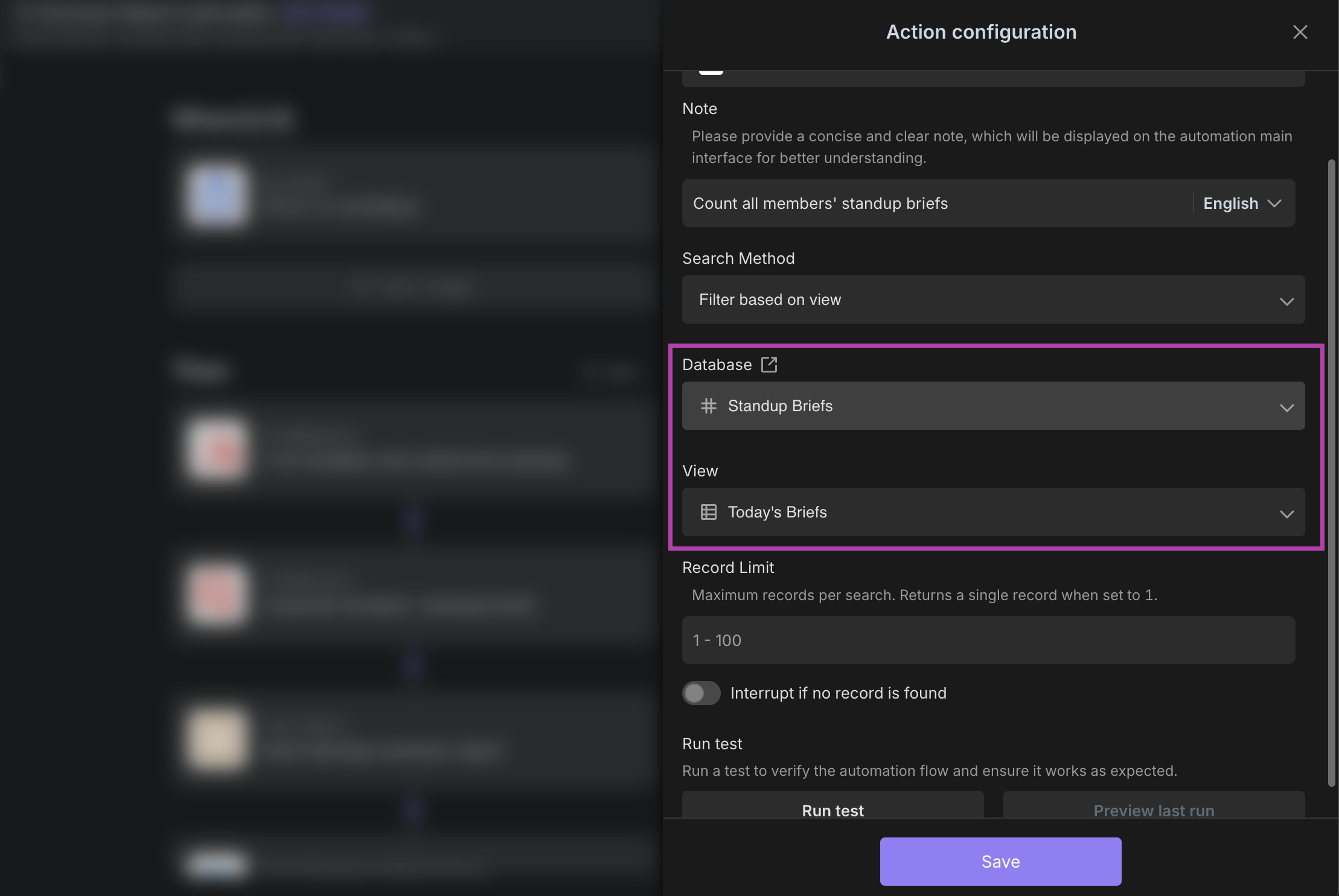
Configure Finding Briefing Records
- In the "Find Records" executor, select the data source as the "Morning Meeting Briefing" form and specify the view (such as "Today's Briefings").
- Key Tip: The view needs to be set in advance in the "Morning Meeting Briefing" to ensure accurate data filtering.
-
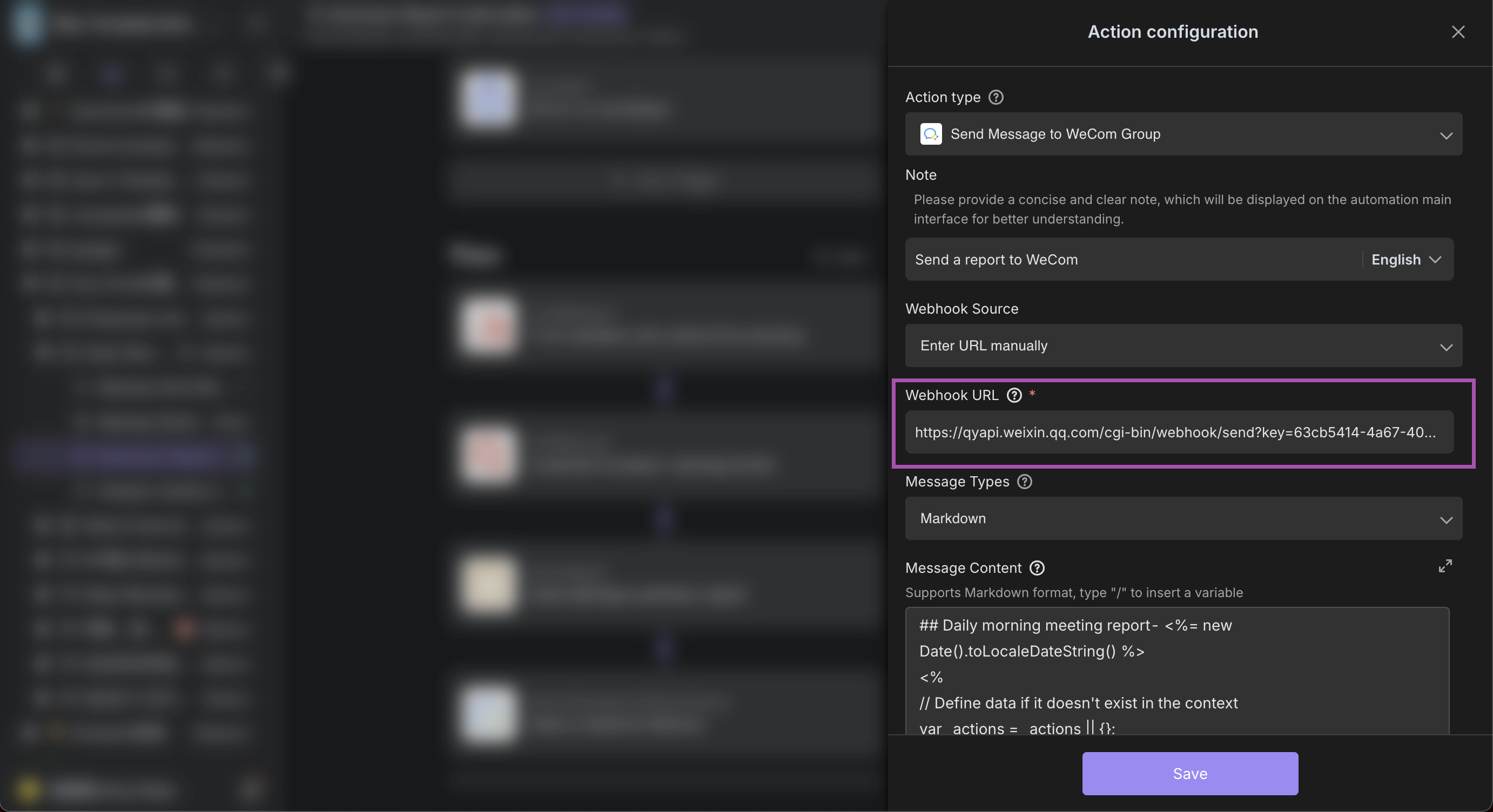
Check the Report Sending Settings
-
In the "Send to WeCom Group" executor, paste the WeCom Webhook URL (Obtaining Tutorial: WeCom Webhook Configuration Guide) and ensure that the message type and content are correct.
-
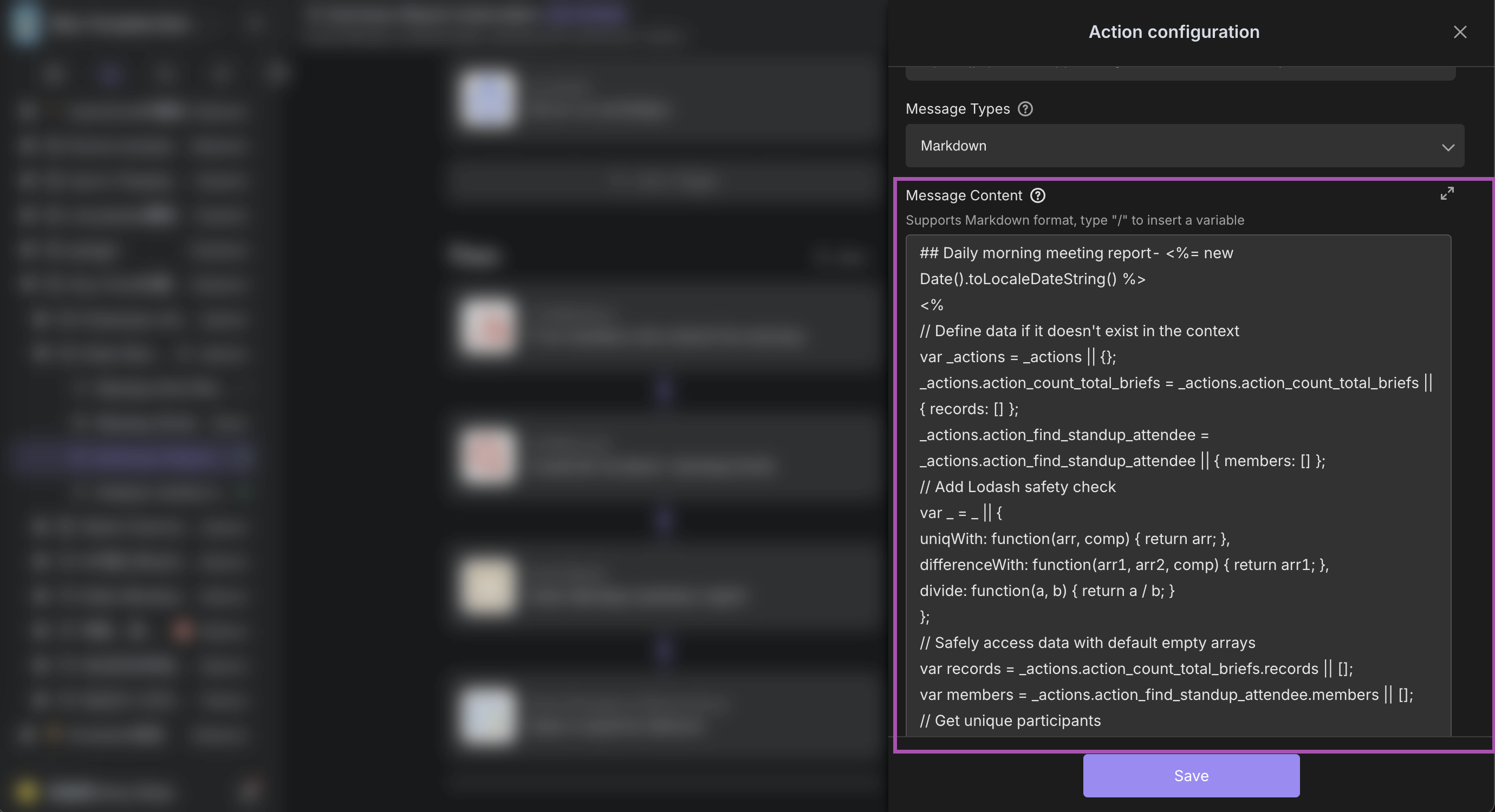
In the "Send Report" executor, confirm the report theme and content format.
-
Code Style: Add ’<%= new Date().toLocaleDateString() %>’ to the title to obtain the current date.
-
Content Adjustment: If you need to adjust the pushed content (such as adding new fields or formats), you can refer to the official WeCom tutorial: WeCom Message Format Configuration Guide.
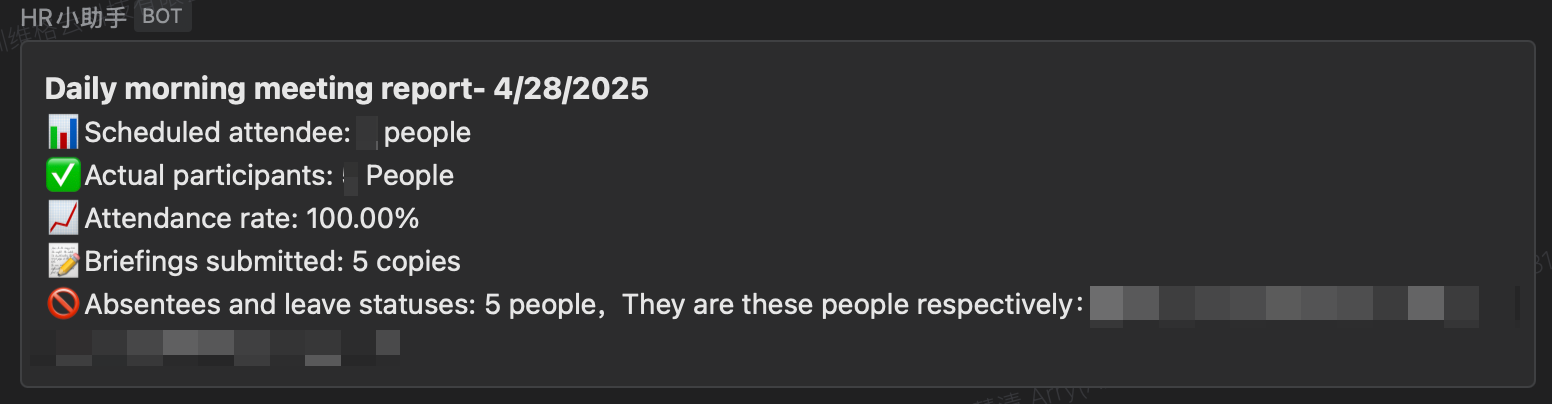
📌 Configuration Effect
-
The system will automatically generate a summary report and push it to the specified group chat:
-
IV. Configure the AI to Analyze the Weekly Work Situation
1. Set the Push Schedule
- Operation:
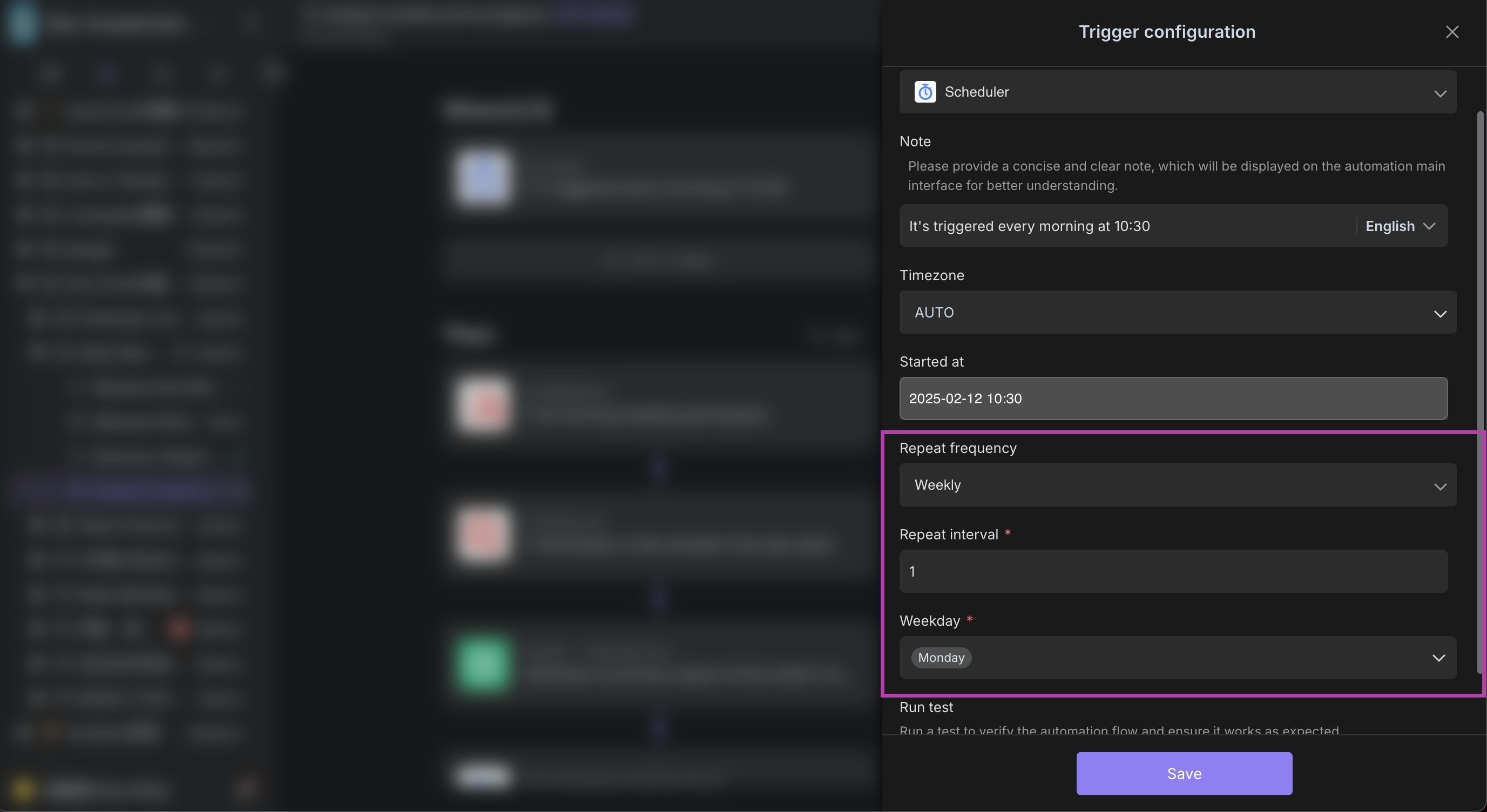
- Enter the automation configuration page of "AI to Analyze Weekly Work Situation" → the "Scheduled Trigger" executor.
- Set the trigger time to 10:30 a.m. on Monday (It is recommended to automatically generate the weekly report after the morning meeting).
- Check "Repeat Weekly" and confirm the date range (such as long-term validity).
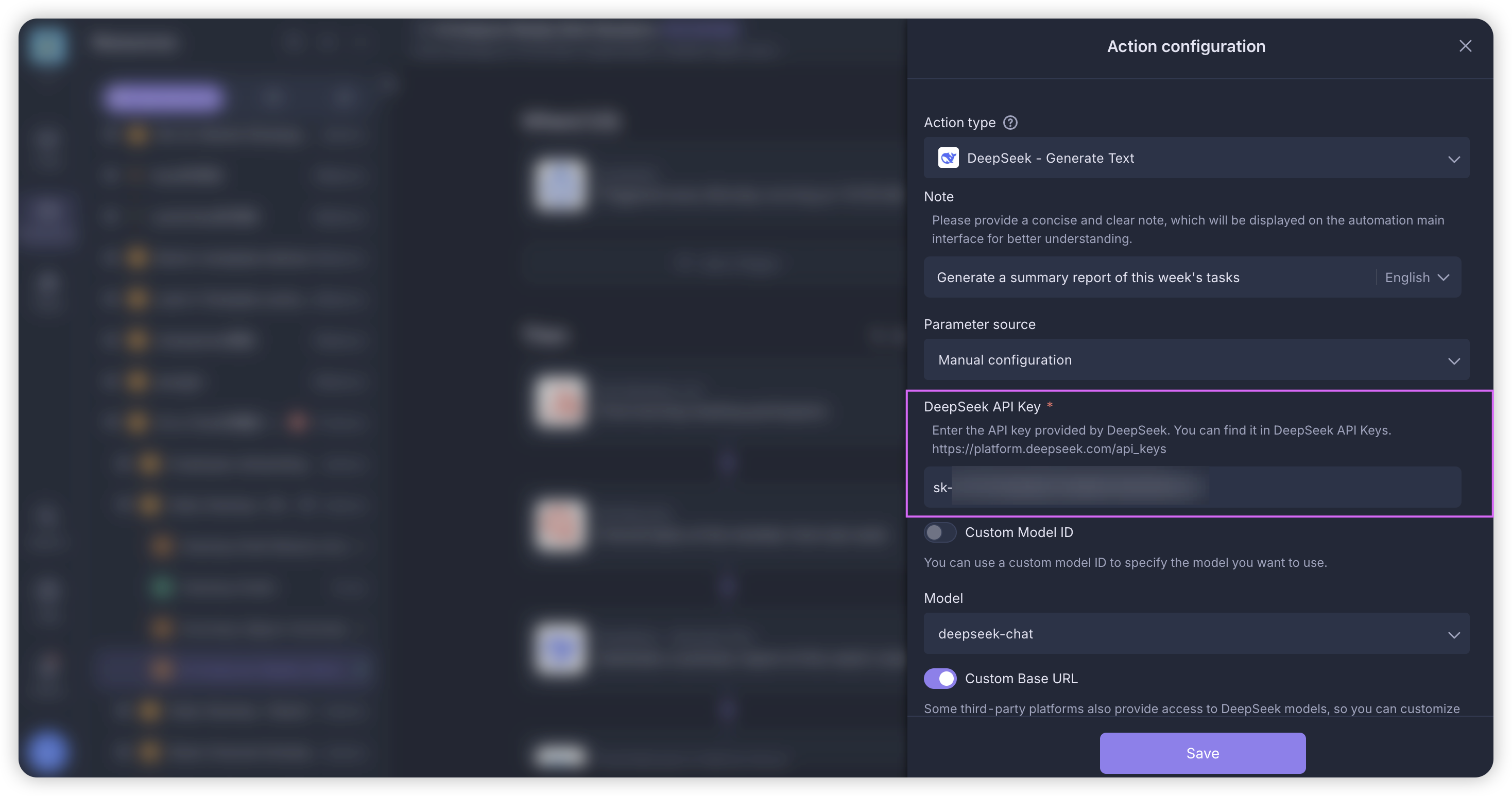
2. Obtain the API Key
- Steps:
- Visit the DeepSeek API Documentation, log in to your account and go to "API keys".
- Click "Create API key" and copy the generated key (in the format of
sk-xxx). - Fill it into the "API key" field of the "Generate a summary report of this week's tasks" executor.
3. Configure the Model Parameters
- Operation:
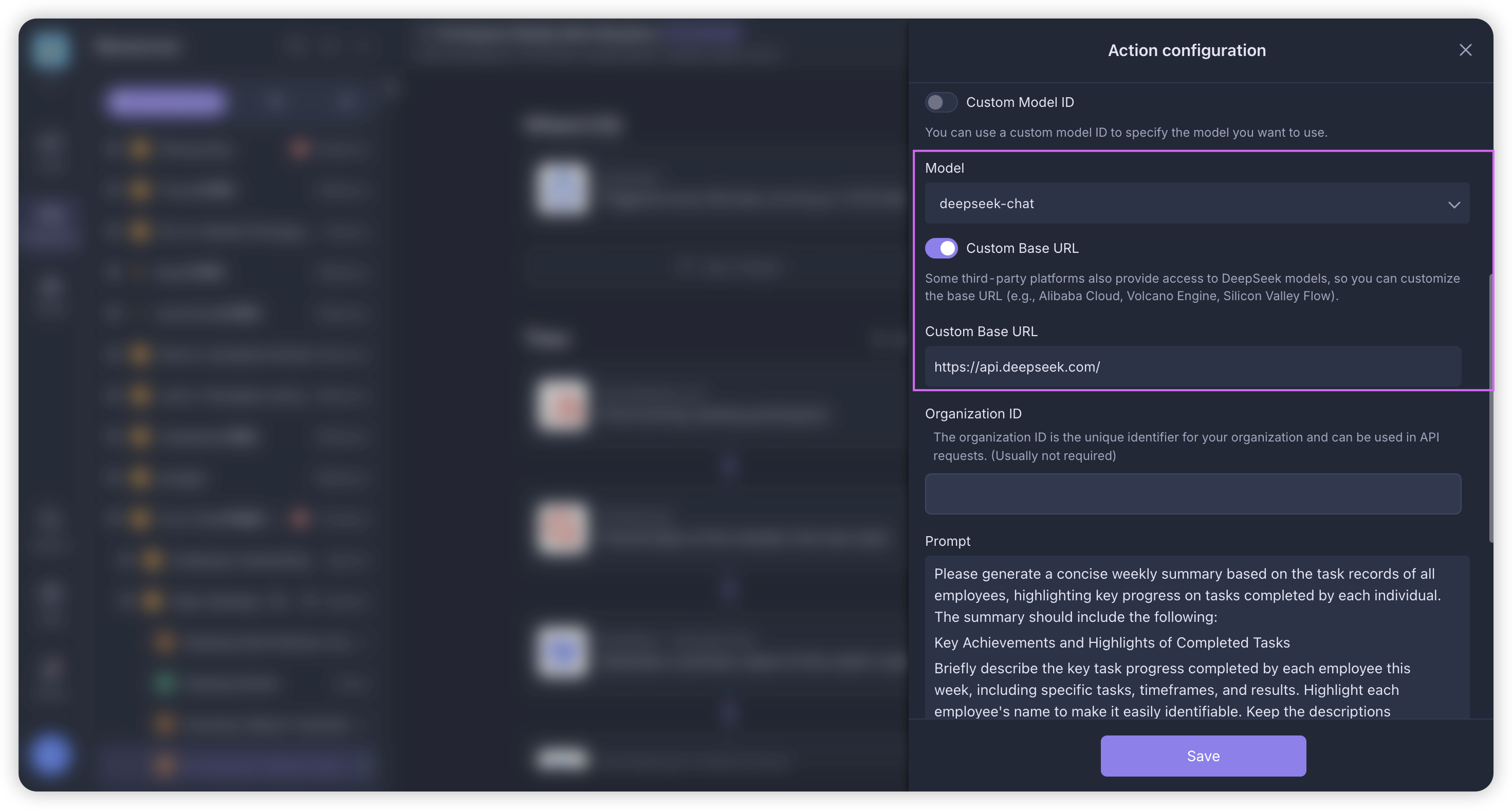
- Model Name: Enter
DeepSeek-chatorDeepSeek-reasoner(or other selected models). - Base URL:
https://api.deepseek.com/. - Tip: If you need to switch to other models (e.g., OpenAI), you need to modify the name and URL synchronously (e.g.,
gpt-4-turbo+https://api.openai.com/v1).
- Model Name: Enter
4. Customize the Analysis Rules
- Prompt Example:
Based on the data of this week's team morning meeting briefings, generate a weekly report in Markdown format, which should include:
1. Task completion rate
2. This week's main work achievements
3. This week's main obstacles and solution progress
Output Requirements: Explain point by point, use concise language, and complex tables are prohibited.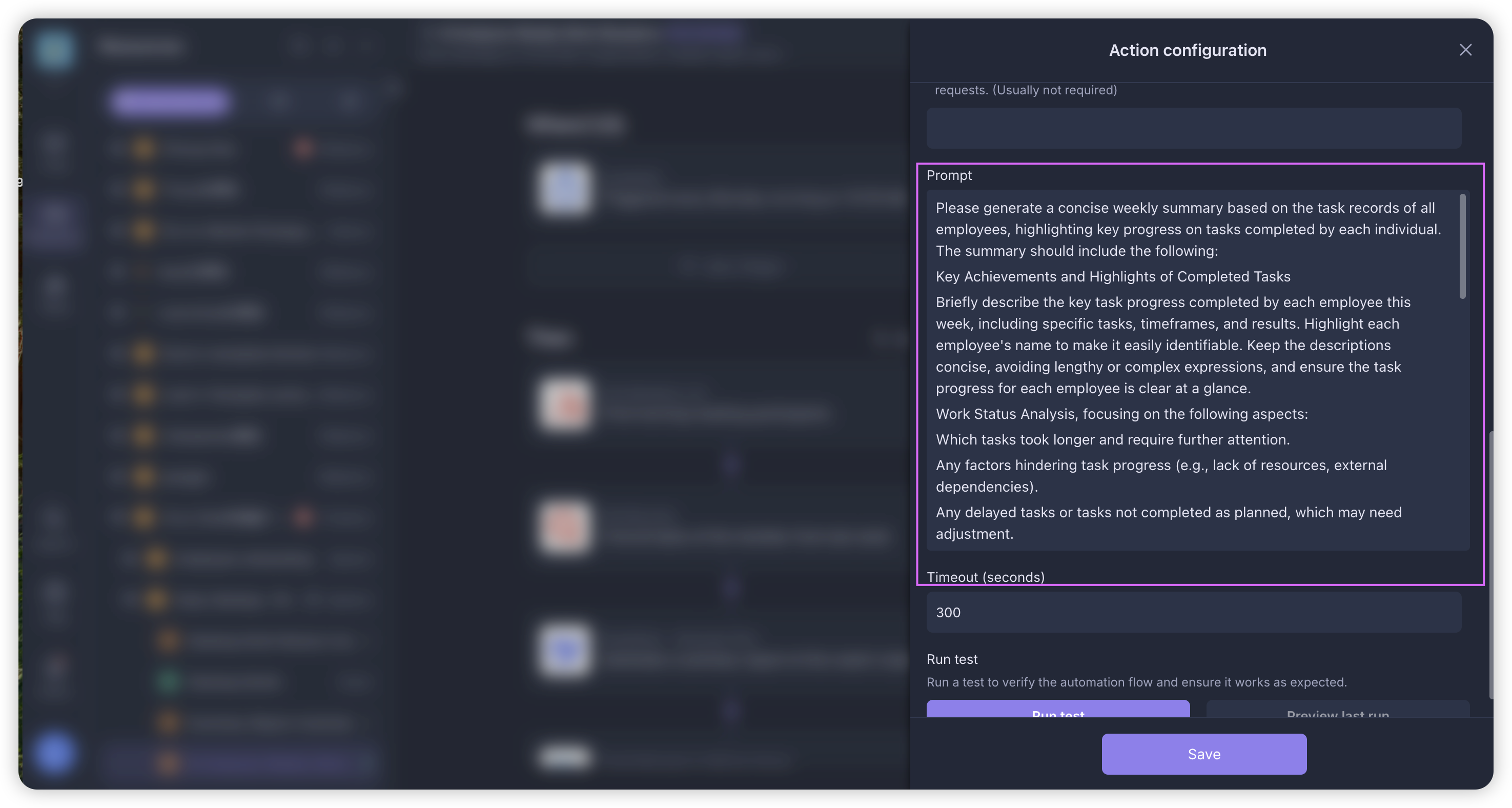
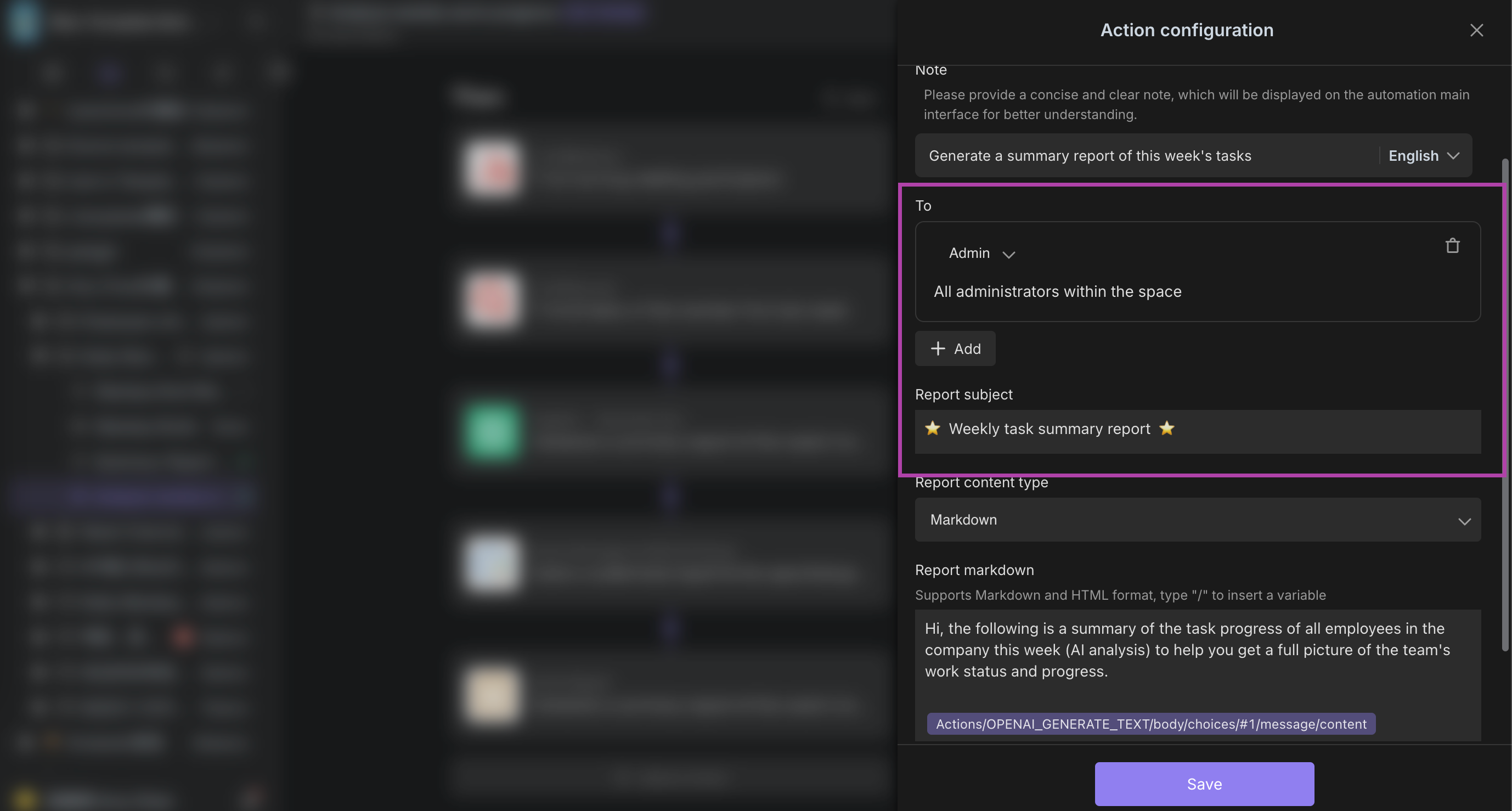
5. Set the Report Push
-
Operation:
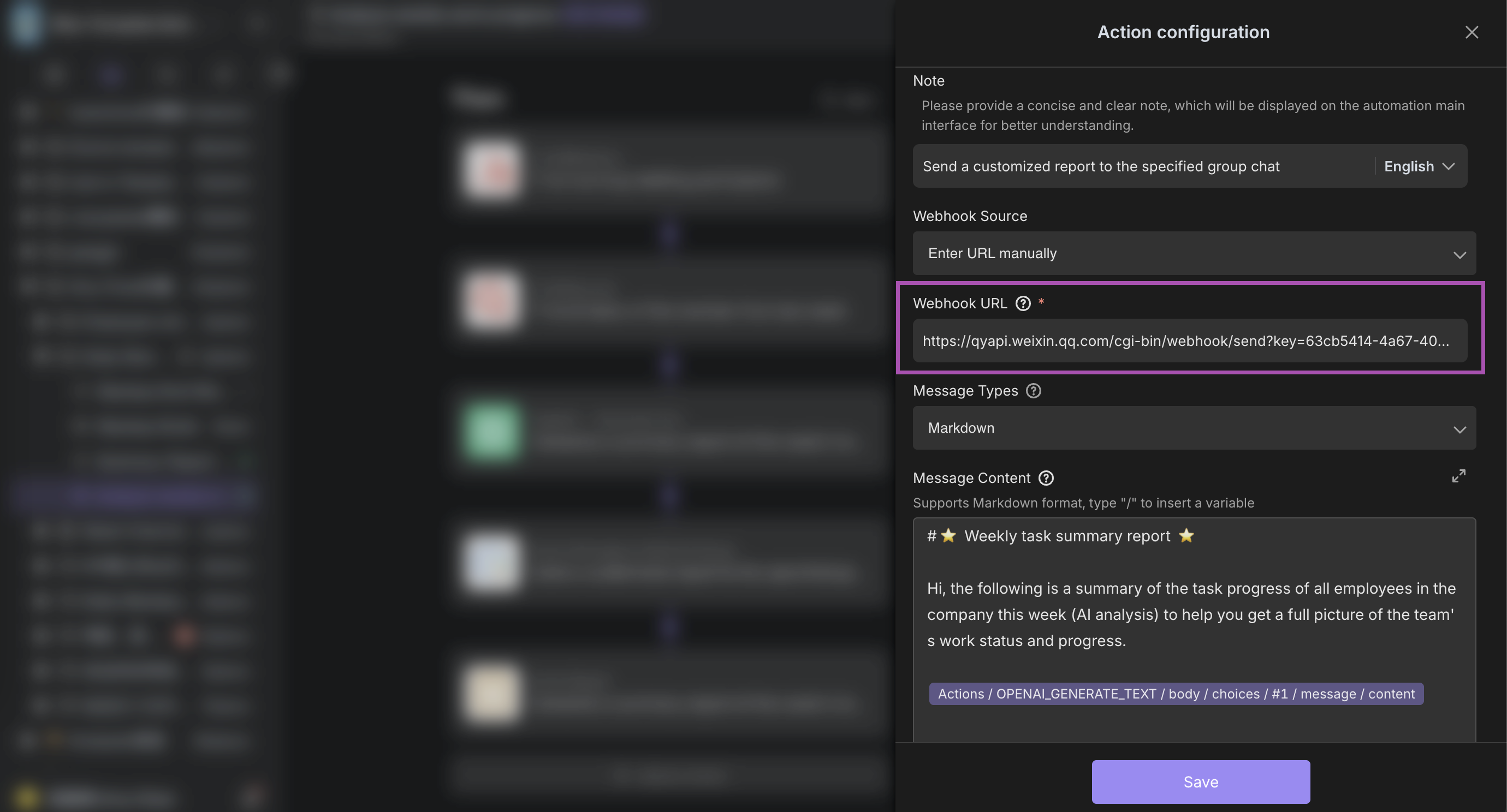
- Email Push: Fill in the manager's email address and the email subject.
- WeCom Push: Paste the WeCom group Webhook URL (shared with the stand-up meeting reminder).
6. Configuration Effect
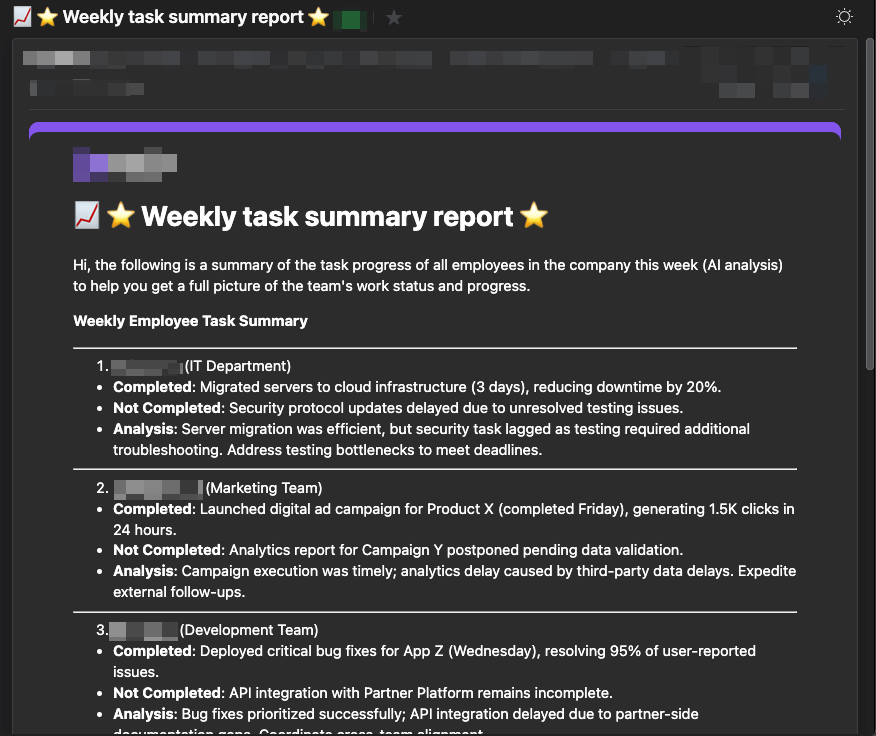
-
AI-generated Weekly Report Email Style:
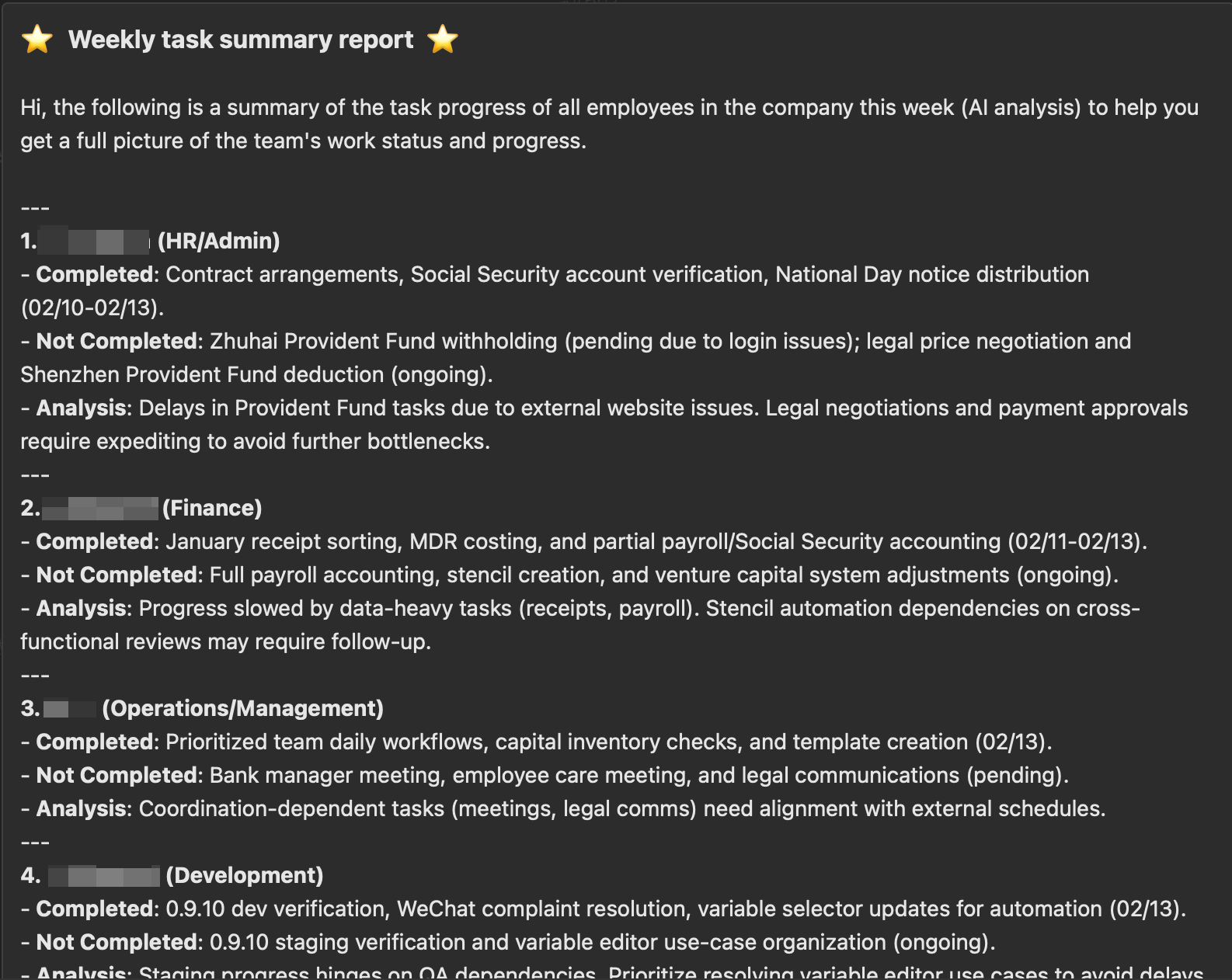
-
WeCom Message Style:
After the Configuration is Completed:
- The system automatically analyzes the data of the previous week's morning meetings every Monday → generates a structured weekly report → pushes it to the specified email and group chat.
- If the effect of the prompt is not good, you can try modifying the prompt or adding an example format.
Related Functions:
- You need to complete the filling of the [Morning Meeting Briefing](Morning Meeting Form Link) first to ensure the integrity of the data source (the system automatically captures the content of the previous week's morning meetings for analysis).
👉 Suitable Users
- Agile Team Managers: Those who need to automatically collect daily work progress and quickly generate data-driven decision-making bases.
- Project Team Members: Receive task reminders through WeCom, fill in the briefings in a standardized manner, and synchronize work obstacles.
- Cross-departmental Collaboration Teams: Those who rely on automated summary reports to achieve information alignment among multiple teams and reduce repetitive communication.
- Small and Medium-sized Enterprises: Those who need low-cost agile management tools and optimize the efficiency of review and planning through AI weekly reports.
⭐️ Main Features
- Scheduled Task Trigger: Automatically generates briefing tasks at 1 a.m. and pushes summary reports at 10 a.m.
- Deep Integration with WeCom: All-process message reminders are directly sent to WeCom, and there is no need to switch platforms for operation.
- View-based Data Management: Quickly filter data through multi-dimensional views such as "Today's Briefings/Briefings of This Group".
- Dual-channel Push: Supports sending key reports simultaneously via email and WeCom group.
FAQ
1. How does the automated daily stand-up process work?
The system automatically creates "briefing filling tasks" at 1 AM every workday and sends WeCom reminders. Team members simply fill in a quick form (yesterday's tasks, today's plans, obstacles), and the system automatically compiles and posts a summary report to the group chat at 10 AM.
2. Do I need to manually write the weekly analysis report?
No. An AI agent (configured with DeepSeek or similar models) automatically analyzes the previous week's briefing data every Monday at 10:30 AM. It generates a structured work analysis report and sends it via email and WeCom.
3. What is required to enable WeCom notifications?
You need to obtain a Webhook URL from your WeCom group bot and paste it into the automation configuration. This allows the system to send task reminders and daily/weekly reports directly to your team's chat.