Information Query (Student Grades)
v1.0.8
pengjin
Easily retrieve student grades and exam results with Bika.ai's Information Query template. Submit queries via the intuitive Query Form, track Query Records, and access Score Information or Academic Scores instantly. Receive real-time Query Results through automated email notifications and feedback automation. Perfect for students, parents, homeroom teachers, and teaching assistants, this system streamlines student feedback, ensures accurate result verification, and enhances academic information management.
📋 Project Management
Included Resources
Query Form
Query Record
Score Information
Candidate Information
Records Queried From The Database Are Returned
Workflow Graph
Workflow Graph
Workflow of Information Query (Student Grades)
Information Query(Student Exam Information Query)
The Information Query Template is designed for the scenario of student exam information retrieval, providing real-time feedback on query results to ensure efficient responses and accurate data retrieval, thus enhancing the query experience and accuracy. This template can also be flexibly applied to other information query scenarios.
👉 How the Template Works
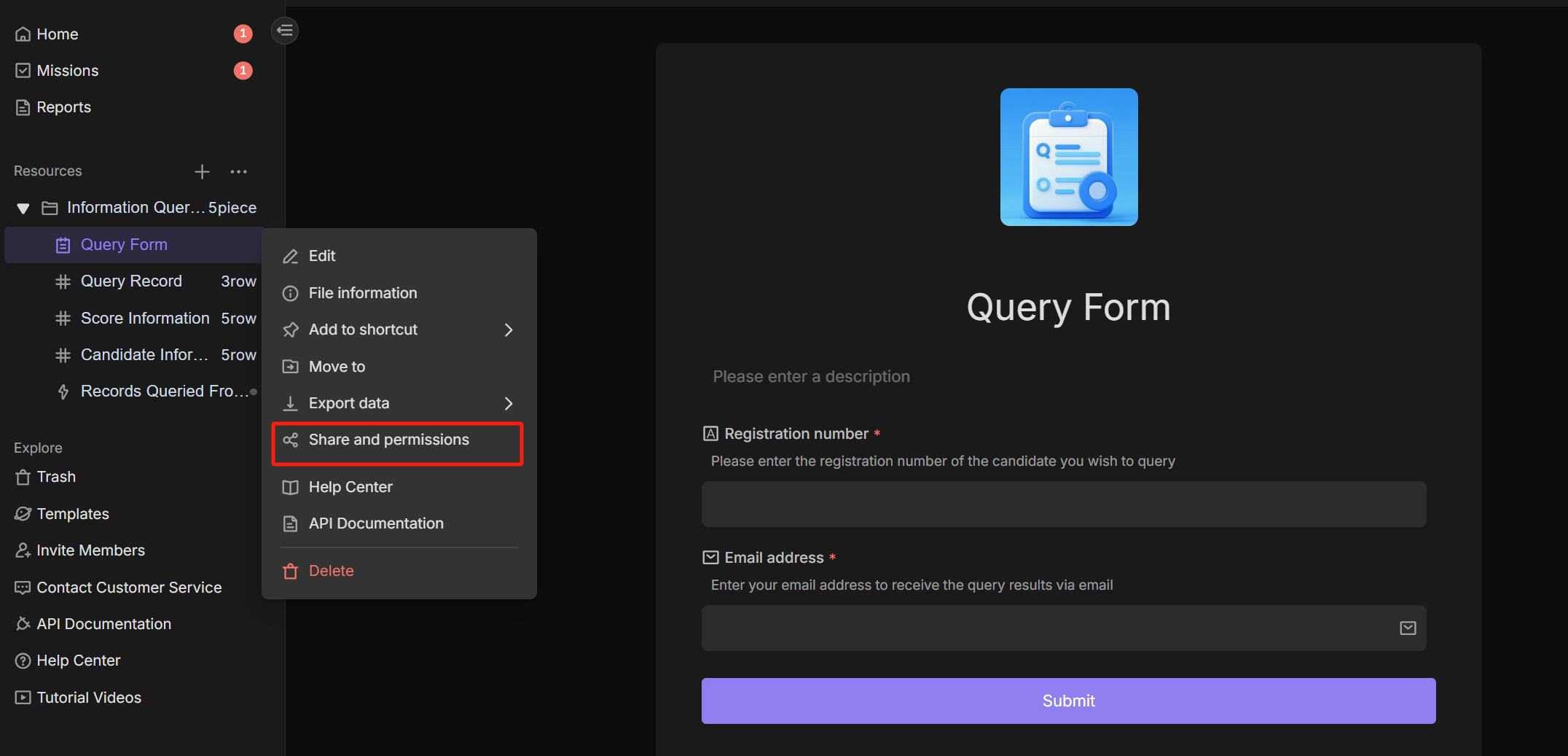
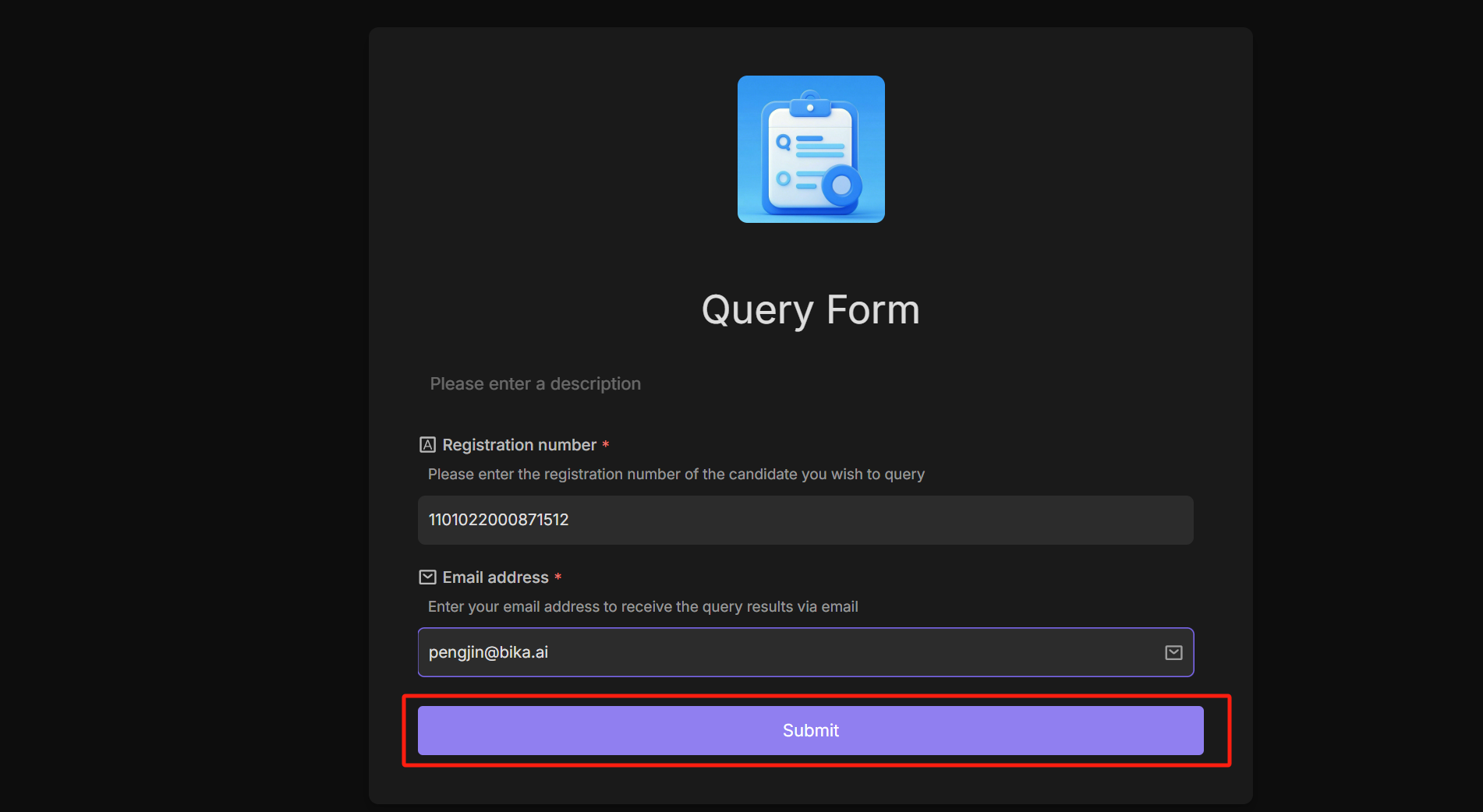
- Query Form:This form is mainly used to submit query records.
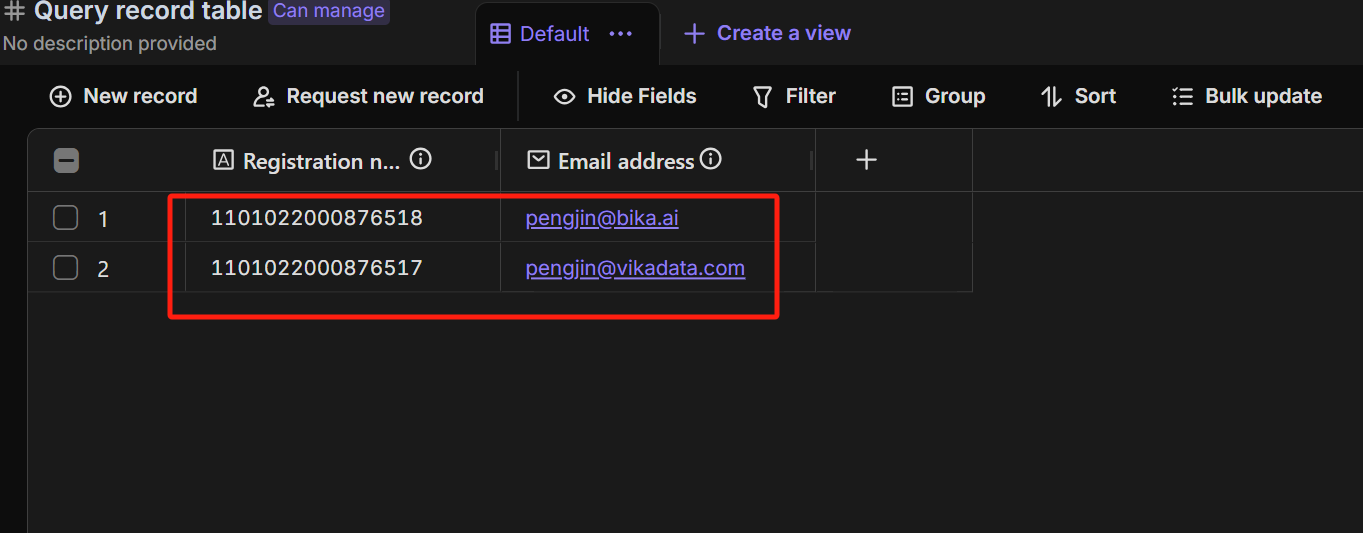
- Query Record: This table is used to store records submitted by users through the "Query Form".
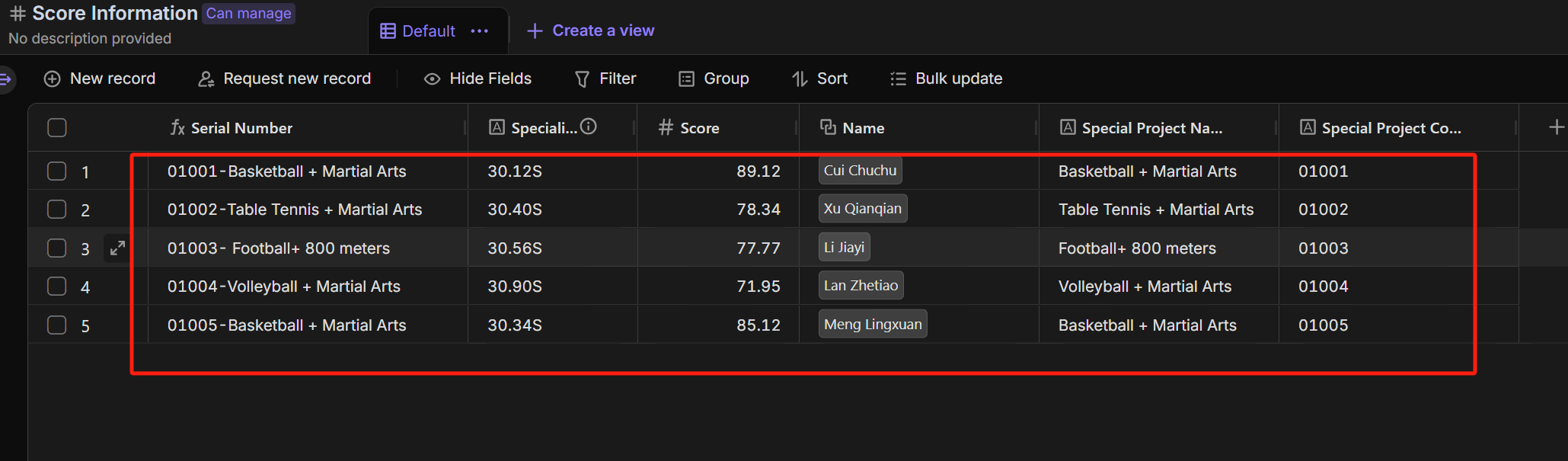
- Score Information: This table is used to store score information for specialized exams and is linked with the Candidate Information Table.
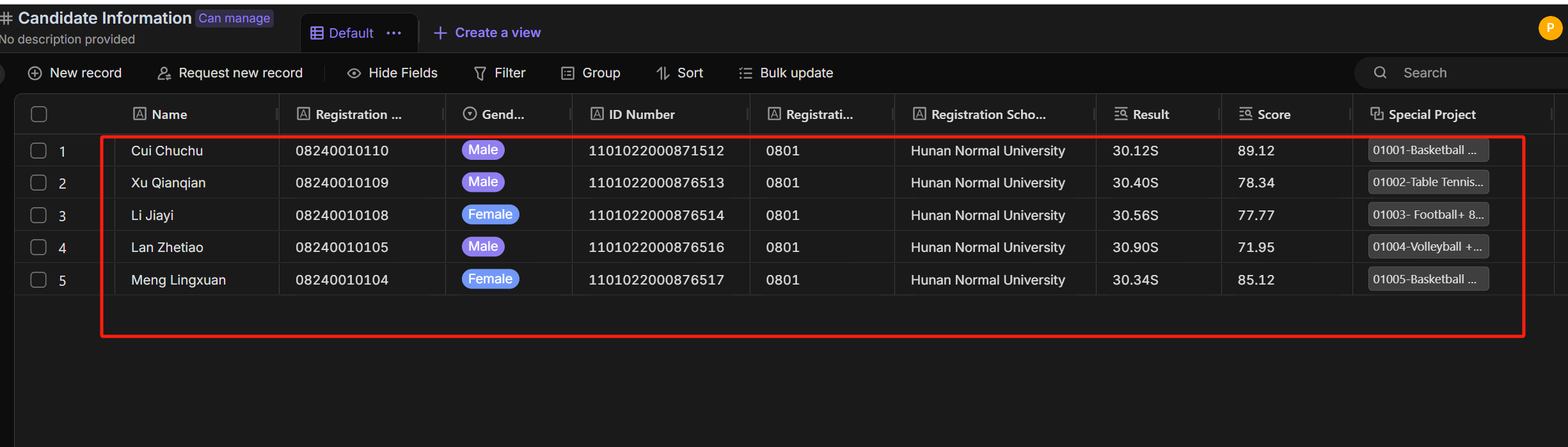
- Candidate Information: This table is used to store detailed student information, which is compared with the records submitted through the form.
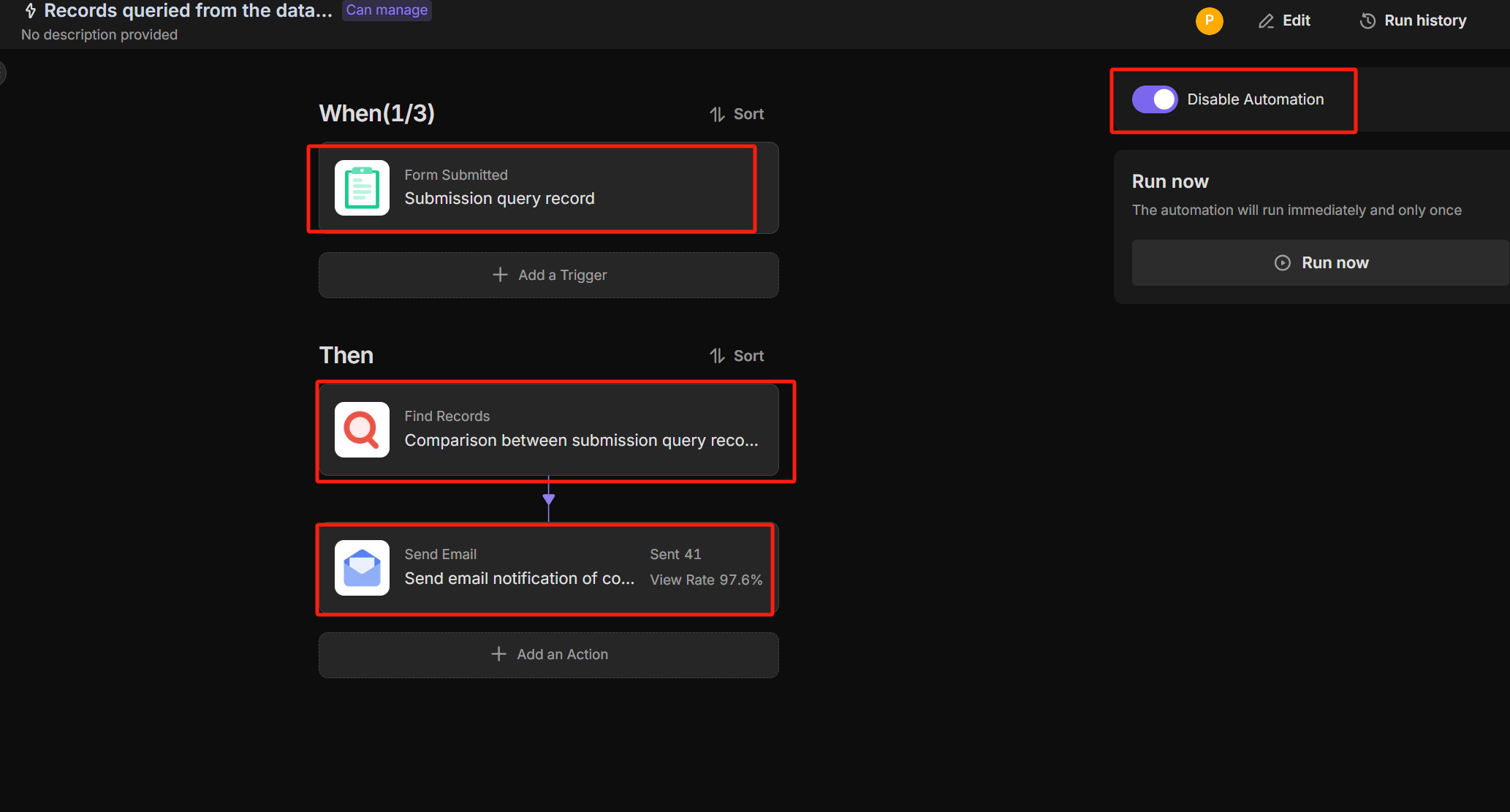
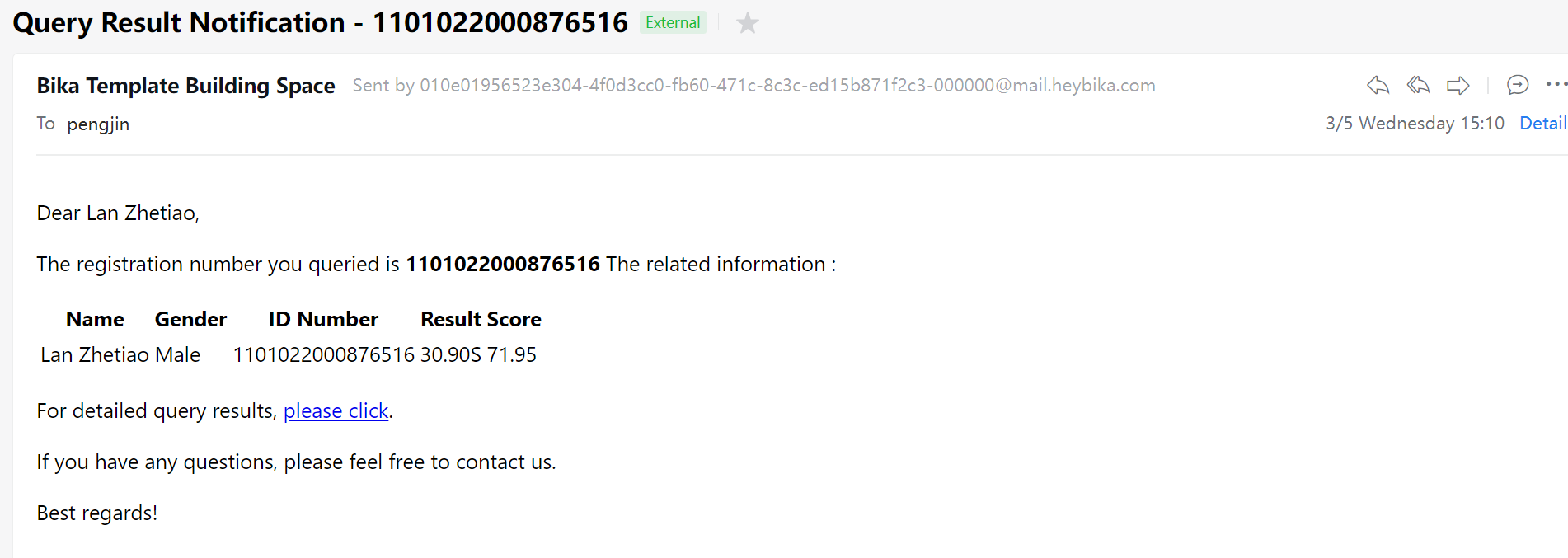
- Records Queried From The Database Are Returned: When the queried records exist in the "Candidate Information Table", the query results will be sent via email.
🎯 Steps for Use
-
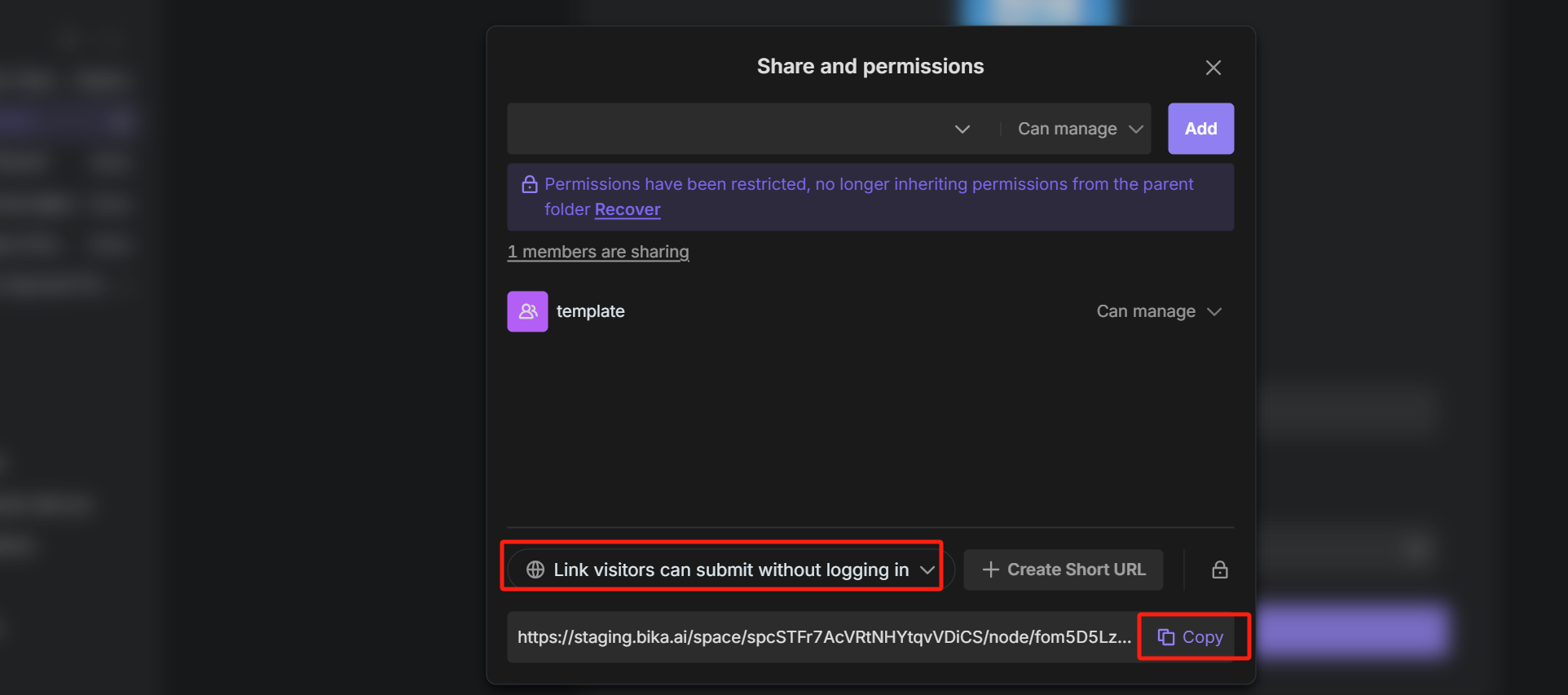
Submit the required query record information via the "Query Form".
-
The submitted query record will be stored in the "Query Record Table".
-
The "Score Information" stores student exam score information and is linked with the Candidate Information Table
-
The query record information will be compared with the candidate information stored in the "Candidate Information Table".
-
If the query record exists in the "Candidate Information Table" the query result will be notified via email.
👉 Suitable Users
Counselors,candidates,teaching assistants,homeroom teachers,candidates parents
⭐ Key Features of This Template
- Information storage
- Real-time information query
- Real-time query result notifications
FAQ
1. How do I bulk upload student scores?
You don't need to enter them one by one.
- Go to the Score Information table.
- Click the "..." menu next to the "New Record" button.
- Select "Import from Excel/CSV" to upload your entire class grade sheet at once.
2. How does the system match the inquiry to the correct student?
The automation looks for exact matches between the Query Form submission and the Candidate Information table. It typically compares unique fields like Student ID or Exam Ticket Number to ensure the right data is retrieved.
3. Will students see other people's scores?
No. The Query Form is for input only. Users cannot view the database. The system sends the specific result privately via email to the address provided in the form (or the one registered in your system), ensuring privacy.
4. Can I customize the email message sent to students?
Yes.
- Go to the Automation tab.
- Open the "Records Queried From The Database Are Returned" workflow.
- Click the "Send Email" node.
- You can edit the text and insert dynamic variables (like
{Score}or{Subject}) to personalize the notification.