AI Project Issues and Tickets
v0.2.12
pengjin
Use the AI Project Issues and Tickets template as a complete issue tracking template and AI-powered project ticket system for product and project teams. Collect bug tickets, customer support tickets, and feature request form submissions in one place, and manage ticket prioritization and status updates with automated notifications. Every week, an AI summary report aggregates all requests and bugs, giving project managers, product owners, QA engineers, customer support, and business analysts clear insights into user feedback, development progress, and your overall AI project workflow.
📋 Project Management
Included Resources
🌟Bug Report & Feature Request ticket
Requirement and Bug Feedback
Ticket Notification Automation
Ticket Status Change Notification Automation
AI Automated Reporting
Workflow Graph
Workflow Graph
Workflow of AI Project Issues and Tickets
AI Project Issues and Tickets
In daily project management, it is essential to constantly handle tickets, requirements, and bugs to keep the project on track. This process requires a lot of time and effort to collect, summarize, and urge handling, which can be interrupted by other tasks and may overlook important issues.
By using the "AI Project Issues and Tickets" template, the above problems will be solved. This template will help you automate the management of project tickets, requirements, and bugs without manual intervention, making your project management more efficient. You can automatically collect, summarize, and urge handling these tickets, and promptly feedback development progress to users.
👉 How the Template Works
- Bug Report & Feature Request ticket: Issues or suggestions encountered during use can be submitted through this ticket form.
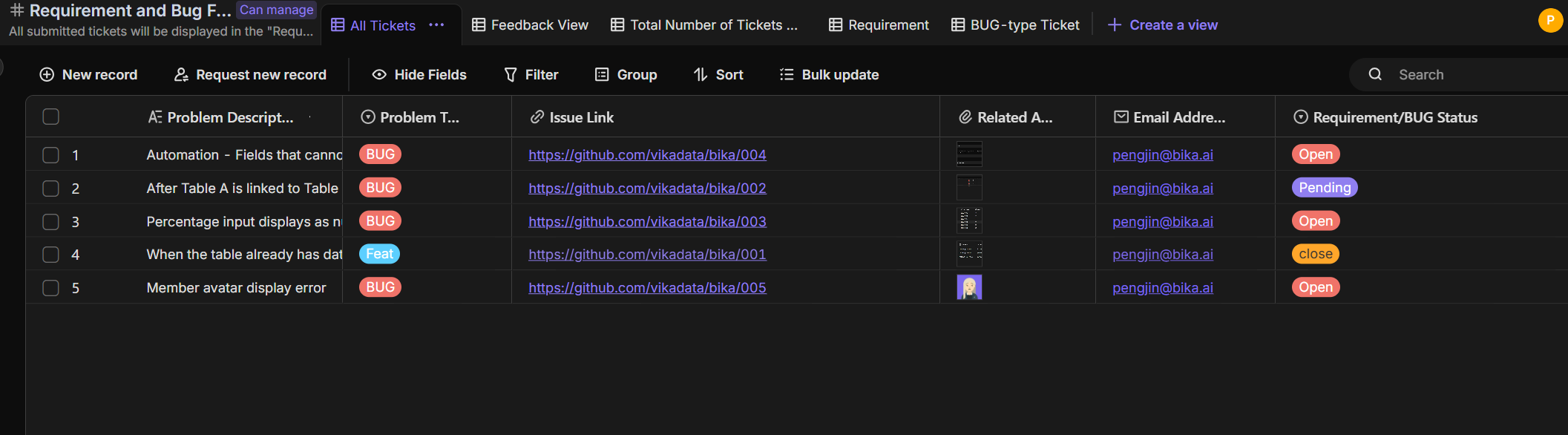
- Requirements and Bug Feedback:All submitted tickets will be displayed in the "Request and Bug Feedback" table. The "All Tickets" view shows all ticket data, the "Complaints View" is used for the creation of "Error Report & Feature Request" forms, the "Total Number of Tickets Submitted This Week" is used to count all tickets submitted this week, the "Request View" is used to count all request-type tickets, and the "Bug Tickets" view is used to count all bug-type tickets
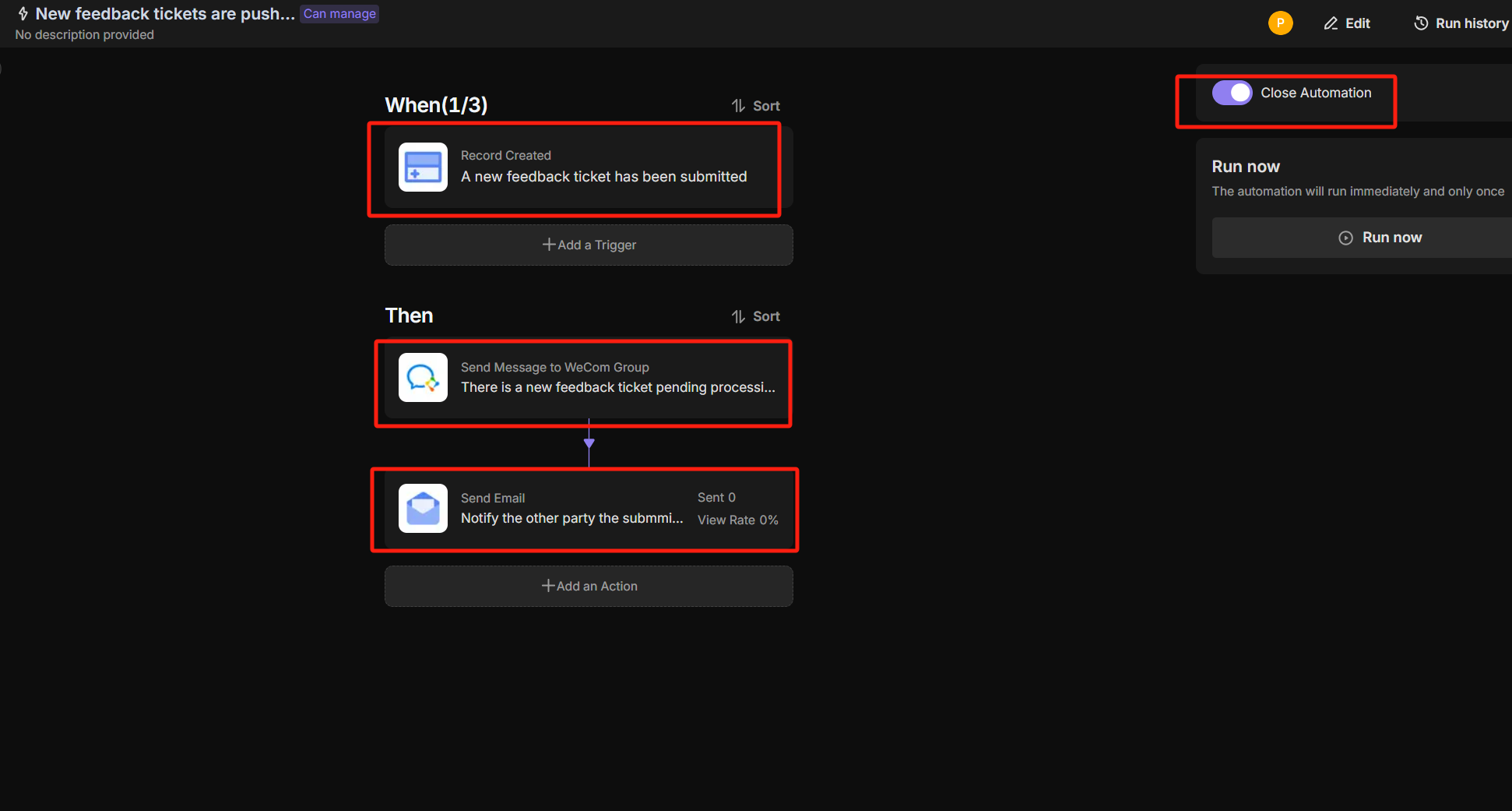
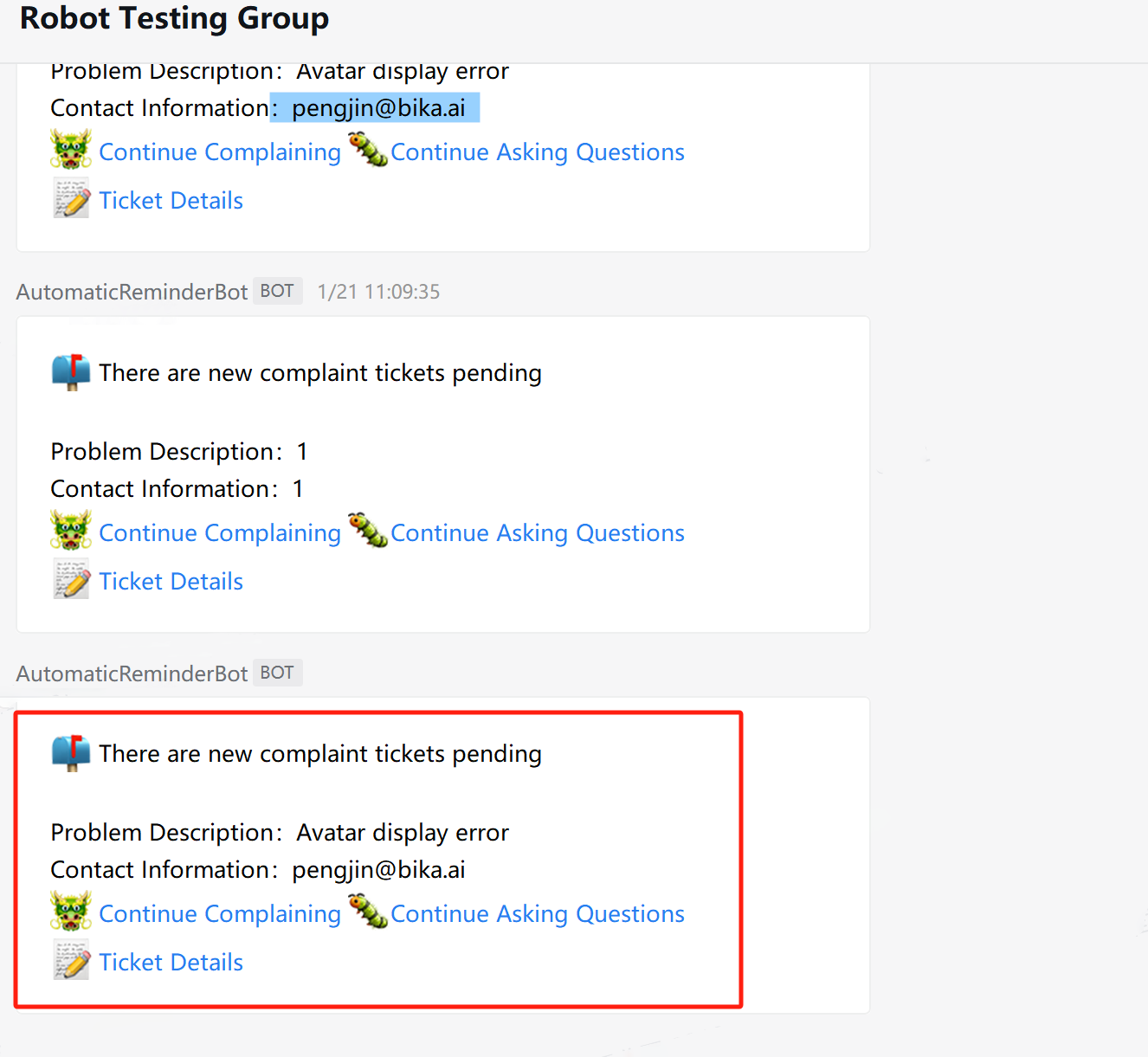
- Ticket Notification Automation: Automatically push ticket information to the WeChat Work group and send an email to the ticket submitter.
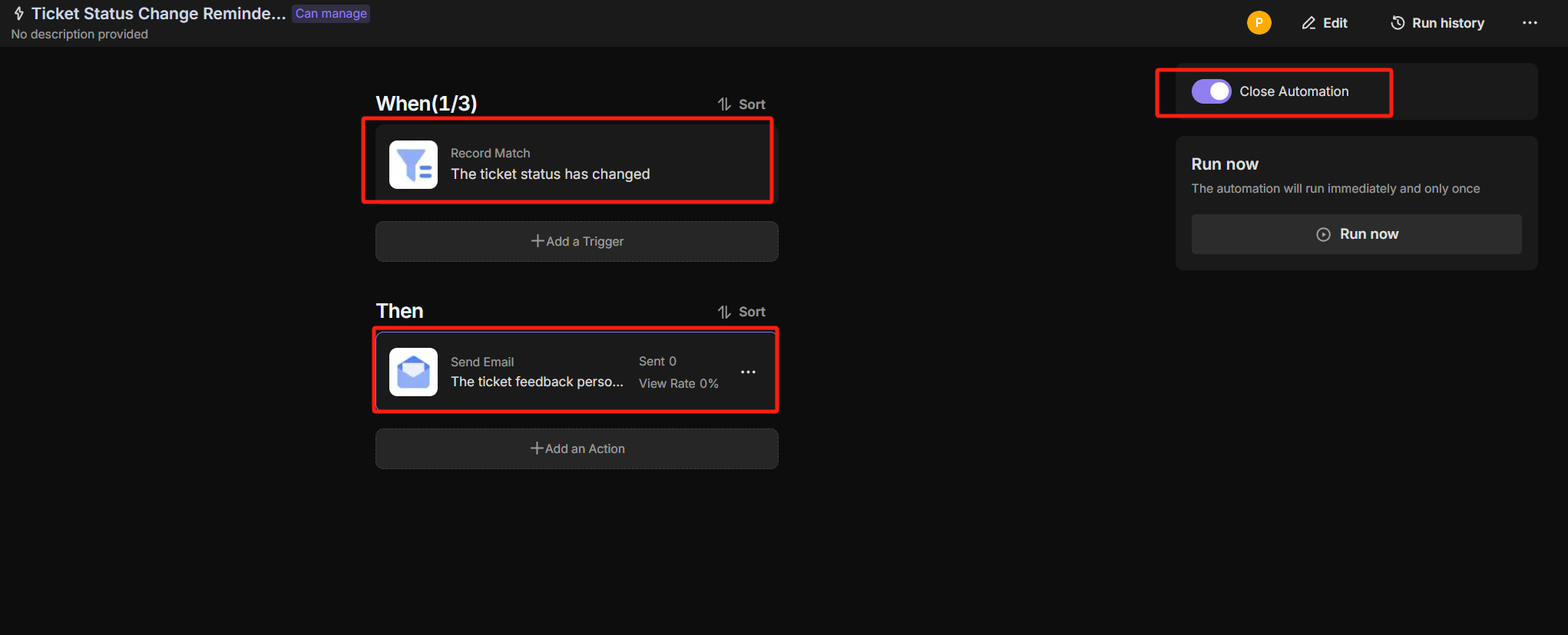
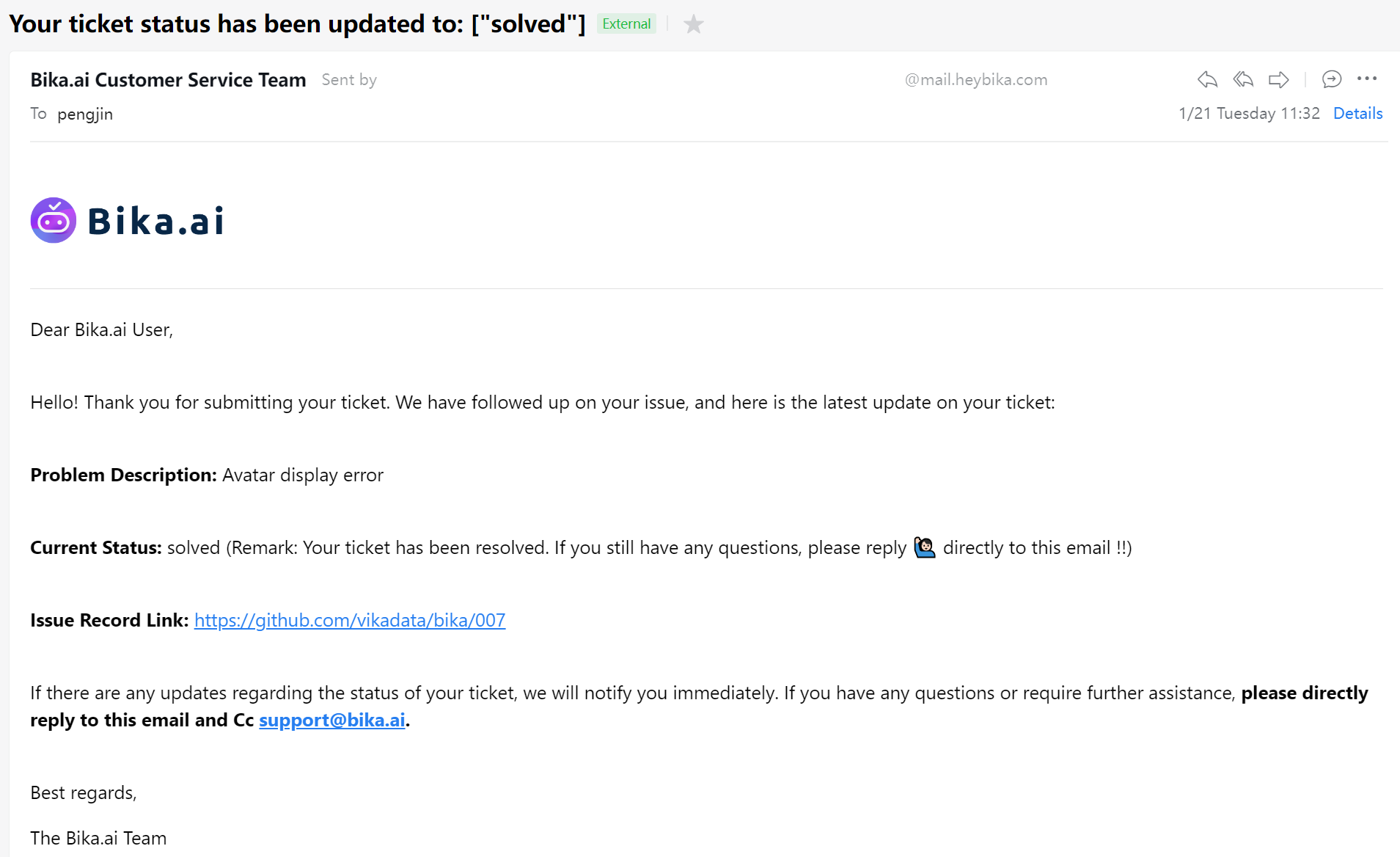
- Ticket Status Change Notification Automation: When a ticket's status changes, an email reminder is automatically sent to the submitter to inform them of the ticket's progress.
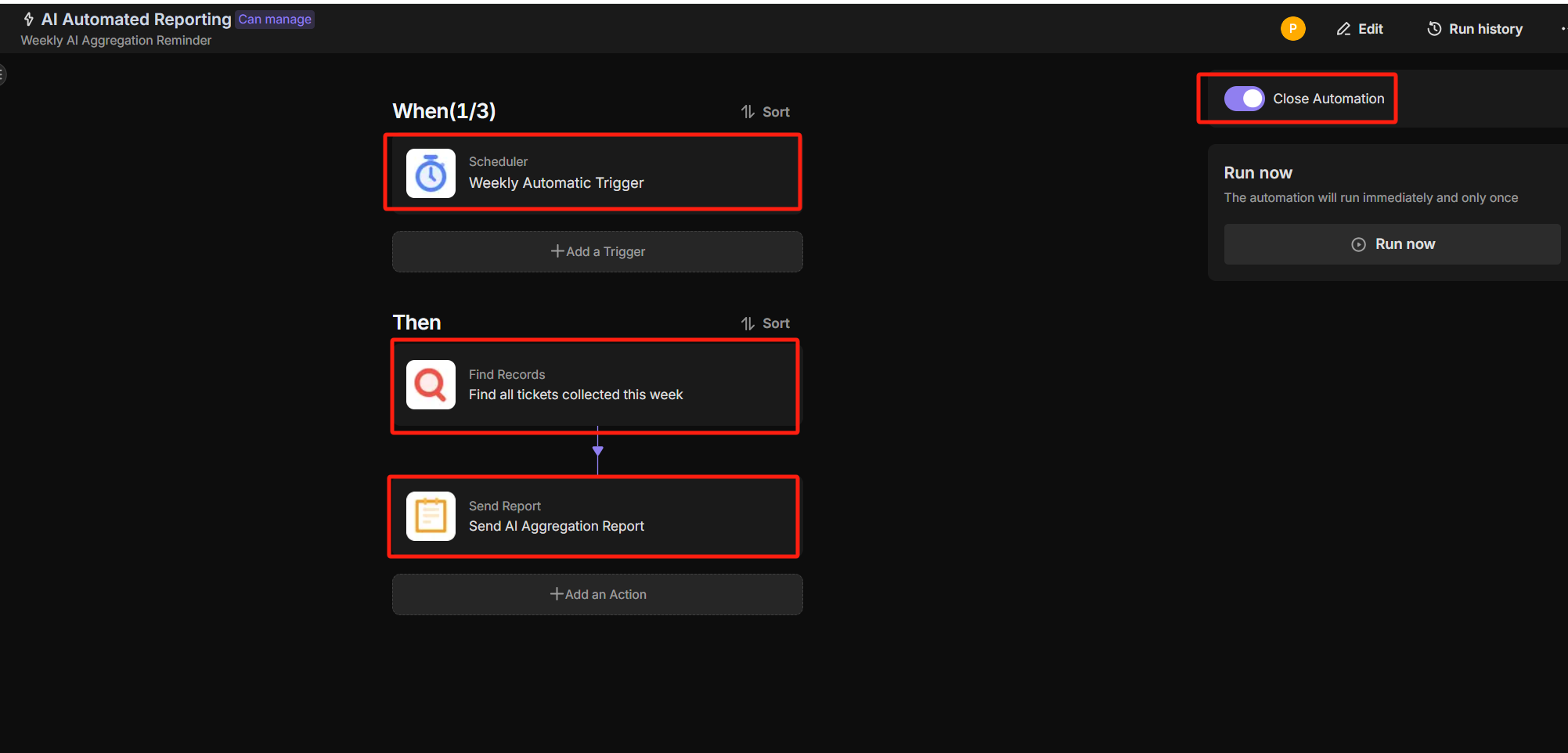
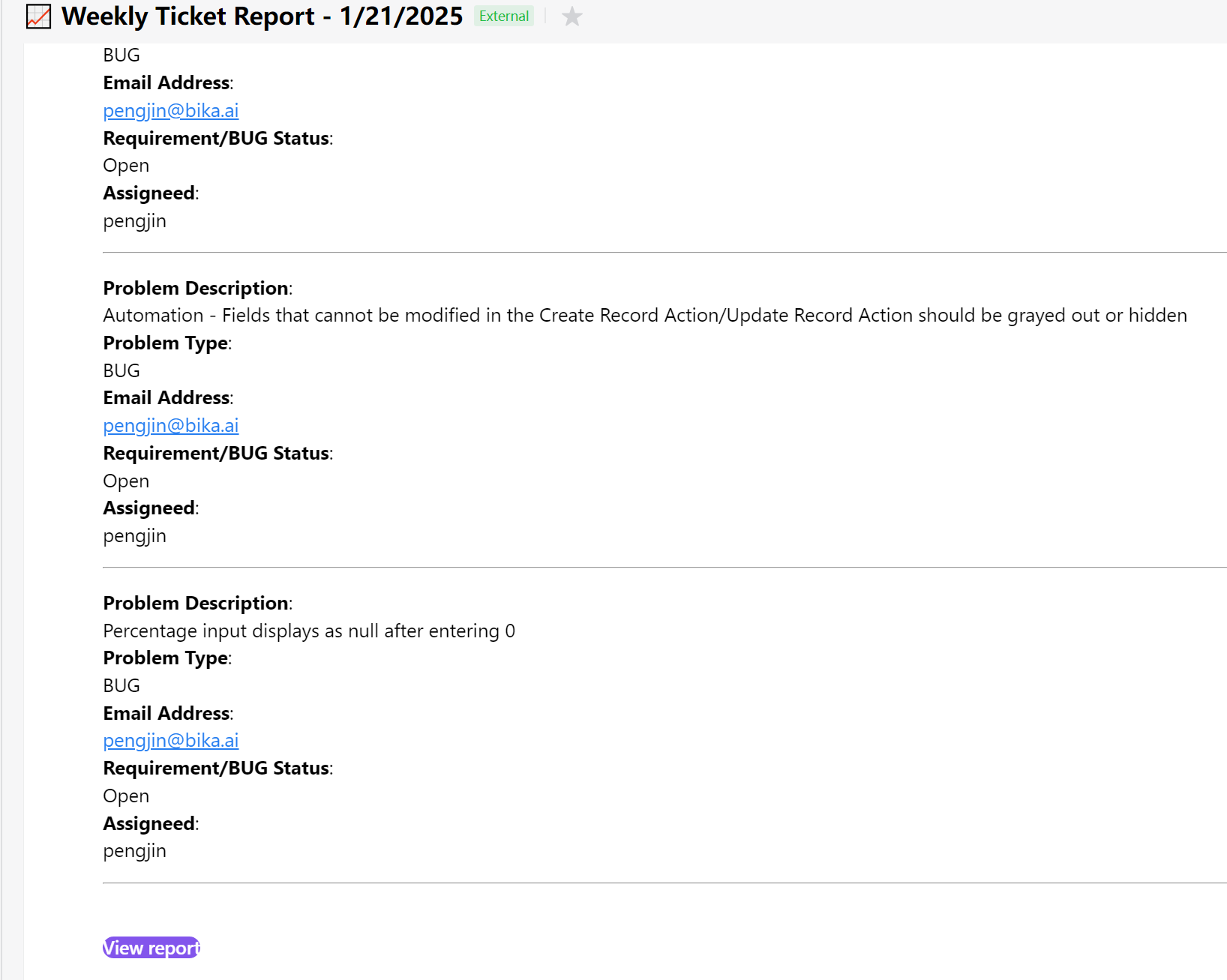
- AI Automated Reporting: Executes every Friday at 5 PM, summarizing all tickets collected during the week and sending an AI summary report.
🎯 Steps to Use
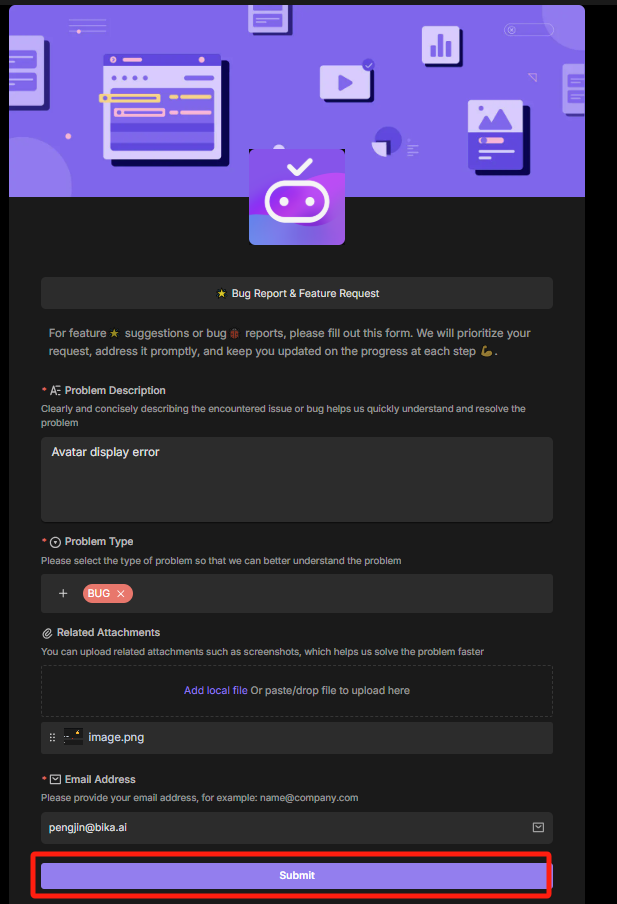
- Fill in the issues or suggestions encountered during use in the Bug Report & Feature Request ticket form.
-
Submitted tickets will automatically appear in the Requirements and Bug Feedback Table
-
"The "Ticket Notification Automation" automation will automatically send WeChat Work messages and emails to the ticket submitter.
-
When the ticket status in the "Requirements and Bug Feedback Table" changes, an email will automatically be sent to the submitter to inform them of the progress
-
Executes every Friday at 5 PM, summarizing all tickets collected during the week and sending an AI summary report
👉 Suitable for
This template is ideal for:
- Project Manager: Need to efficiently manage project tickets, requirements, and bugs.
- Developer: Need to promptly understand and handle feedback.
- QA Engineer: Need to collect and track bug information.
- Product Owner: Need to understand project progress and user feedback.
- Customer Support: Need to collect user issues and requirements.
- Business Analyst: Need to analyze and summarize user requirements and project progress.
⭐ Main Features of This Template
- Efficient Management: Automate the management of tickets, requirements, and bugs, improving project management efficiency.
- Timely Feedback: Automatically send reminder notifications to ensure timely handling of issues.
- Summary Report: Automatically generate weekly summary reports to help the team understand project progress.
- Reduce Omissions: Automated processes ensure all issues are promptly handled and tracked.
FAQ
1. Can I use a different notification channel instead of WeChat Work?
Yes. The automation steps are modular. If your team uses Slack, Microsoft Teams, or Discord, you can simply replace the "WeChat Work" action node in the automation settings with the corresponding messenger integration supported by Bika.ai.
2. Do external users need an account to submit a bug report?
No. The Bug Report & Feature Request ticket is a public form. You can share the link with anyone (clients, beta testers, or internal staff), and they can submit issues without logging into the system. They will receive status updates via the email address they provide in the form.
3. What do I need to enable the Friday AI Summary Report?
To use the AI summarization feature, you will need to input an OpenAI API Key into the automation node. The template uses this key to analyze the text of the week's tickets and generate the summary.